
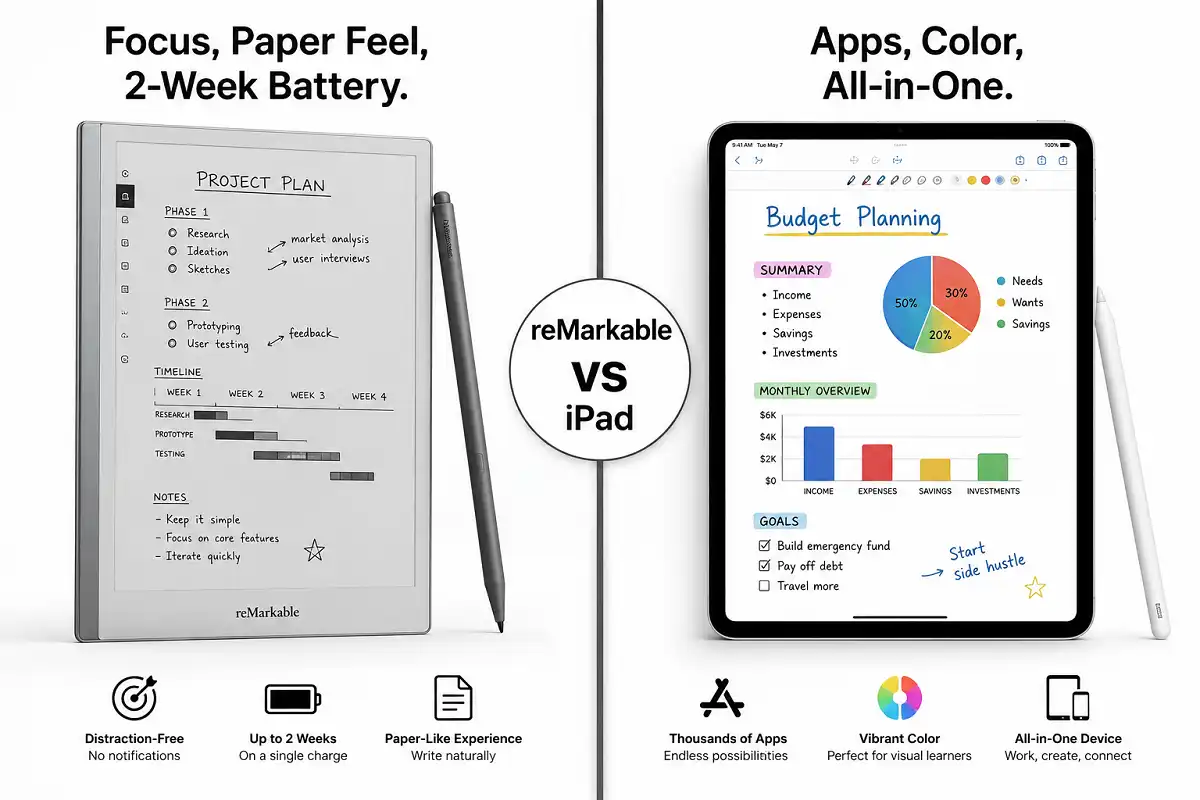
Choosing a device for handwritten notes is harder than it looks. Two names dominate the conversation: the reMarkable and Apple’s iPad. Both let you write by hand. Both sync to the cloud. Yet they feel completely different in daily use. This guide breaks down reMarkable vs iPad for note taking so you can pick with confidence.
The reMarkable is better for distraction-free handwriting with a paper-like feel and long battery life. The iPad is better if you want one device for notes, video, apps, and creative work. Pick reMarkable for focus, iPad for flexibility.
Why This Comparison Matters
Most buyers assume any tablet handles notes equally well. That assumption costs money. In the reMarkable vs iPad for note taking question, these two devices solve very different problems.
The reMarkable is a single-purpose writing tool. It removes distractions on purpose. There are no games, no browser, no notifications competing for your attention.
The iPad is a full computer in tablet form. It runs thousands of apps. It plays video, edits photos, and joins video calls.
So the real question is not which device is “better.” The question is which one matches your workflow. If you often lose focus while studying or working, a device built only for writing changes your habits. If you need one gadget to do everything, a specialized writing slate will frustrate you.
Understanding this difference early saves you from an expensive mistake. The choice is really a question about your own habits. Let’s look at how each one performs where it counts.
Think about who each device serves best. Students taking many pages of class notes lean one way. Designers who sketch in color lean another. A lawyer marking up contracts has different needs than a novelist drafting chapters. Because the two tablets are built on opposite ideas, the right pick shifts with your role. Keep your real tasks in mind as you read each section below.
reMarkable vs iPad for Note Taking: The Writing Experience
Writing feel is the biggest reason people compare these two devices. It is also where they differ most.
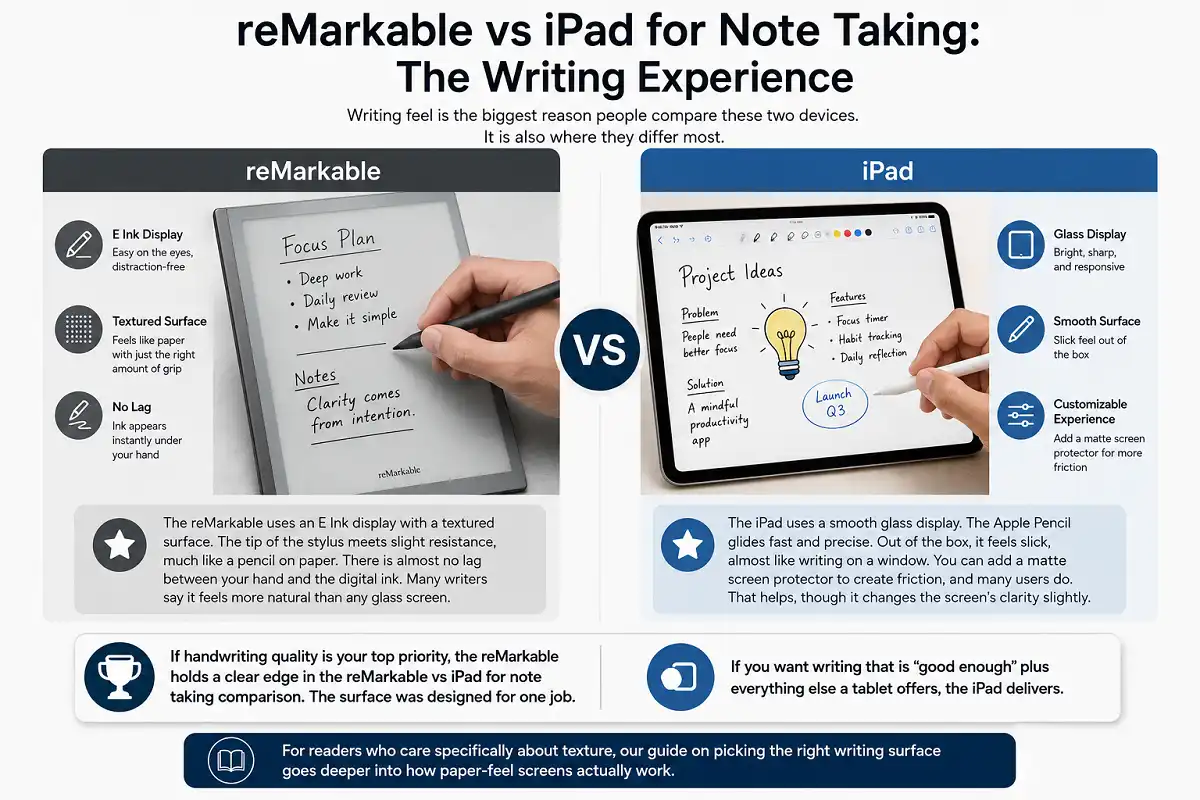
The reMarkable uses an E Ink display with a textured surface. The tip of the stylus meets slight resistance, much like a pencil on paper. There is almost no lag between your hand and the digital ink. Many writers say it feels more natural than any glass screen.
The iPad uses a smooth glass display. The Apple Pencil glides fast and precise. Out of the box, it feels slick, almost like writing on a window. You can add a matte screen protector to create friction, and many users do. That helps, though it changes the screen’s clarity slightly.
If handwriting quality is your top priority, the reMarkable holds a clear edge in the reMarkable vs iPad for note taking comparison. The surface was designed for one job. If you want writing that is “good enough” plus everything else a tablet offers, the iPad delivers.
For readers who care specifically about texture, our guide on picking the right writing surface goes deeper into how paper-feel screens actually work.
Display and Eye Comfort
Screen technology affects both how notes look and how your eyes feel after hours of use. This is a quiet but important part of the reMarkable vs iPad for note taking comparison.
The reMarkable screen is grayscale E Ink. It has no backlight on the base model, so it reflects room light like real paper. There is no glare and no flicker. Reading and writing for long stretches feels gentle on the eyes.
The iPad screen is a bright LCD or OLED, depending on the model. Colors are rich and sharp. It works in the dark thanks to the backlight. The tradeoff is more screen glare in sunlight and more eye strain during long sessions for some people.
Here is a simple way to decide. If you write outdoors, in bright rooms, or for many hours daily, E Ink is kinder to your eyes. If you need color for diagrams, art, or highlighting, the iPad wins easily.
Refresh Speed and Screen Response
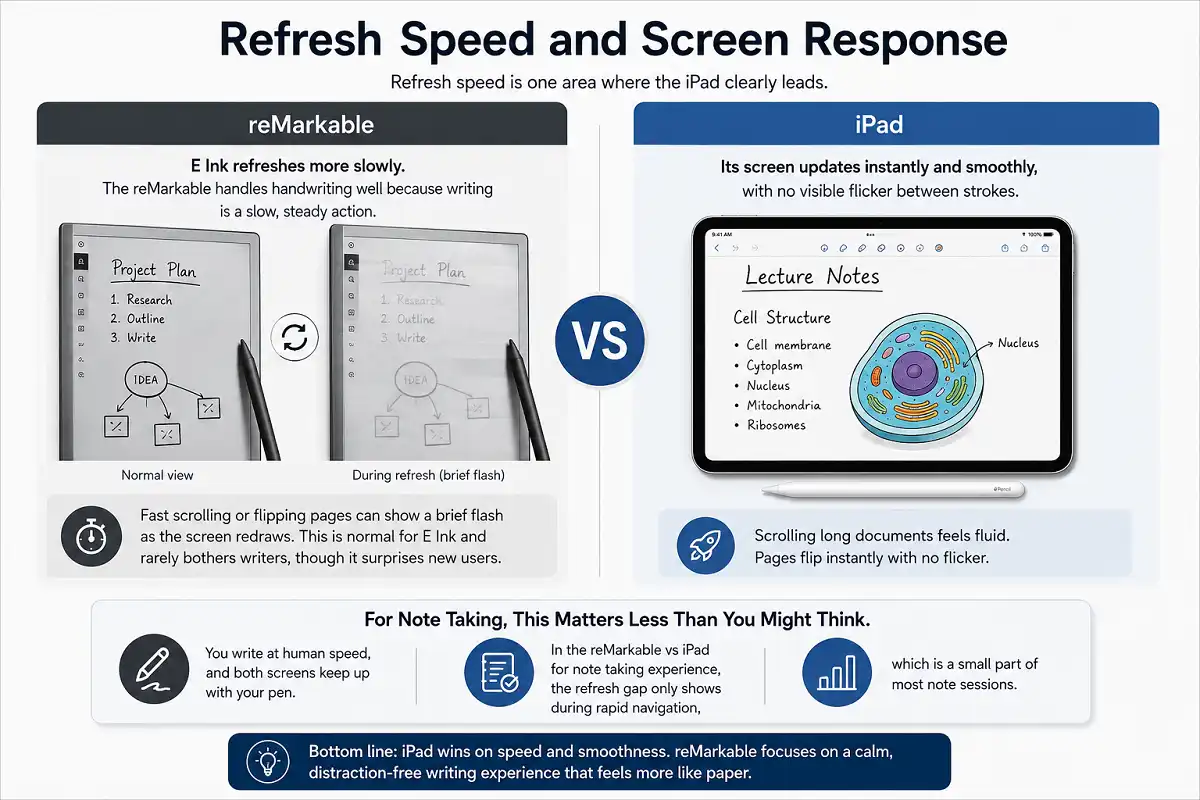
Refresh speed is one area where the iPad clearly leads. Its screen updates instantly and smoothly, with no visible flicker between strokes. Scrolling long documents feels fluid.
E Ink refreshes more slowly. The reMarkable handles handwriting well because writing is a slow, steady action. Yet fast scrolling or flipping pages can show a brief flash as the screen redraws. This is normal for E Ink and rarely bothers writers, though it surprises new users.
For note taking, this matters less than you might think. You write at human speed, and both screens keep up with your pen. In the reMarkable vs iPad for note taking experience, the refresh gap only shows during rapid navigation, which is a small part of most note sessions.
Software and Note-Taking Apps
Software is where the gap widens the most in the reMarkable vs iPad for note taking debate. Apps decide how much you can do with your notes once they are on the screen.
The reMarkable runs its own clean software. You get notebooks, folders, templates, and simple handwriting-to-text conversion. It syncs to a mobile and desktop app. The system is deliberately minimal. That focus is the point, but it limits what you can do.
The iPad opens a huge world of apps. You can use GoodNotes, Notability, Apple Notes, OneNote, and many others. Each offers rich features like audio recording, PDF markup, unlimited colors, shape tools, and deep search. You can also switch apps for different tasks.
For pure note capture, the reMarkable is enough for most students and professionals. For power users who want advanced organization, the iPad ecosystem is unmatched. If app choice matters to you, compare it against a dedicated slate in our breakdown of e-ink slates versus standard tablets.
reMarkable vs iPad for Note Taking: Handwriting to Text
Both devices can turn your handwriting into typed text. The results differ in polish.
The reMarkable converts a page of handwriting into text on demand, then lets you email or export it. It works well with neat writing. Messy scrawl lowers accuracy, as it does on any device.
The iPad goes further. Apps like GoodNotes and Notability search inside your handwriting without converting it first. You can type a word and jump to every page that contains it. Apple’s own Scribble also turns handwriting into text across the system.
If you keep large note archives and need to find things fast, the iPad’s search tools are stronger. For simple capture and occasional conversion, the reMarkable does the job cleanly.
Battery Life and Charging
Battery life is often overlooked until it interrupts your work. It is one of the most practical points in the reMarkable vs iPad for note taking comparison.
The reMarkable lasts one to two weeks on a single charge with regular use. E Ink draws power only when the screen changes, so idle time barely costs anything. You can go days without thinking about the charger.
The iPad lasts around ten hours of active use. That is solid for a full computer, but you will charge it often, sometimes daily. Heavy note sessions with the screen at full brightness drain it faster.
If you travel, attend long lectures, or hate carrying chargers, the reMarkable is far more convenient. If you charge devices nightly anyway, the iPad’s battery is a non-issue. In the reMarkable vs iPad for note taking matchup, battery is one of the clearest wins for E Ink.
Distraction and Focus
Focus is a real feature, not a small detail. It shapes how much you actually get done, and it often decides the reMarkable vs iPad for note taking question for serious writers.
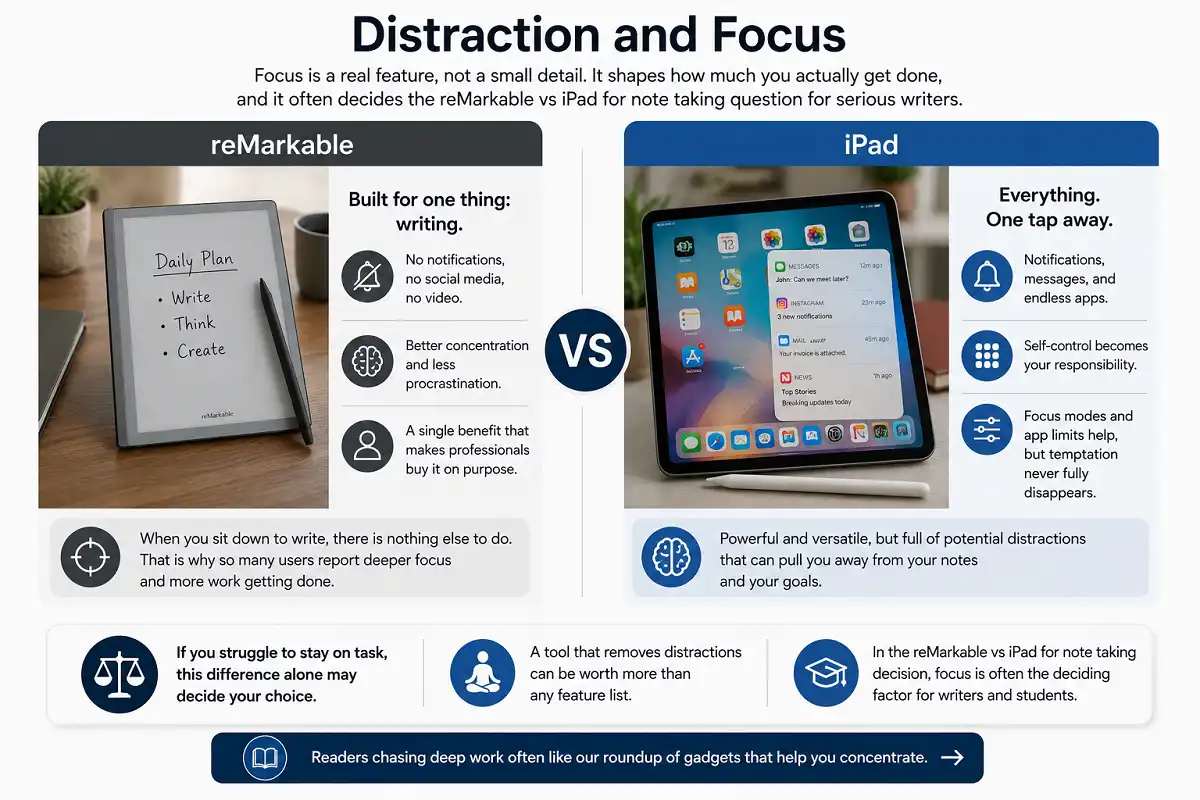
The reMarkable cannot show notifications, social media, or video. When you sit down to write, there is nothing else to do. Many users report better concentration and less procrastination. That single benefit is why some professionals buy one on purpose.
The iPad is the opposite. Notifications, messages, and endless apps sit one tap away. Self-control becomes your responsibility. Focus modes and app limits help, but the temptation never fully disappears.
If you struggle to stay on task, this difference alone may decide your choice. A tool that removes distractions can be worth more than any feature list. In the reMarkable vs iPad for note taking decision, focus is often the deciding factor for writers and students. Readers chasing deep work often like our roundup of gadgets that help you concentrate.
Price and Value
Price matters, but value depends on what you actually need. Cost sits near the center of the reMarkable vs iPad for note taking decision for many buyers.
The reMarkable sits in the mid-price range for the tablet plus its stylus. Some premium pen and folio options add to the cost. You are paying for a focused writing experience, not raw power.
The iPad spans a wide price range. A base model is affordable, while the Pro versions cost much more. Add the Apple Pencil and a case, and the total climbs. In return, you get a device that replaces a laptop for many tasks.
Think about cost per job. If you only want great handwritten notes, the reMarkable gives strong value for that single purpose. If one purchase must cover notes, media, and work apps, the iPad spreads its cost across many uses.
Portability and Everyday Carry
Weight and size shape whether you actually carry a device every day. Portability quietly influences the reMarkable vs iPad for note taking choice for people always on the move.
The reMarkable is thin and light. It feels close to a paper notepad in the hand. Slipping it into a bag adds almost nothing. For people who write on the move, this lightness encourages daily use.
The iPad varies by model. The smaller versions stay portable, while the larger Pro is noticeably heavier, especially with a keyboard case attached. It is still travel-friendly, just less featherlight than a dedicated writing slate.
Both devices beat carrying a stack of notebooks. If minimal weight is your goal, the reMarkable has a slight edge. If you want one device that also serves as a screen for reading and video on trips, the iPad earns its size. Frequent travelers may enjoy our list of handy gadgets worth packing.
Build Quality and Durability in reMarkable vs iPad for Note Taking
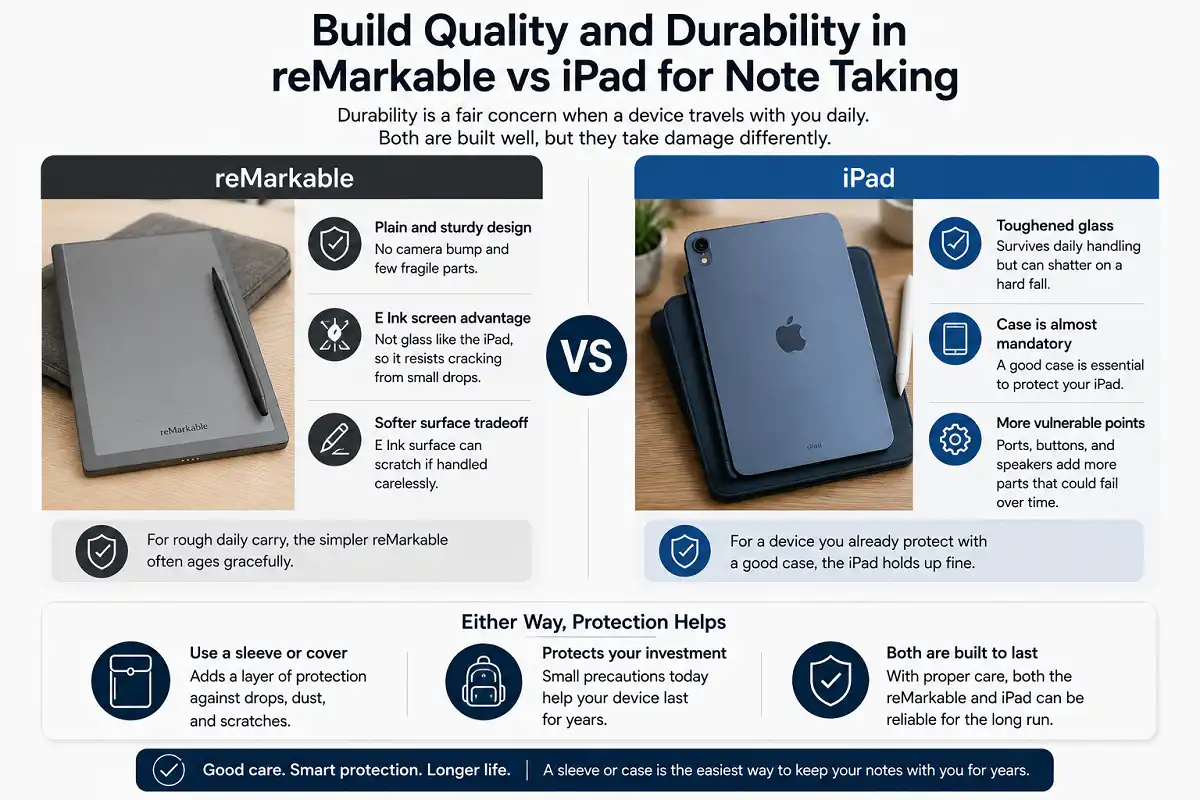
Durability is a fair concern when a device travels with you daily. Both are built well, but they take damage differently.
The reMarkable has a plain, sturdy body with no camera bump and few fragile parts. Its E Ink screen is not glass in the same way an iPad’s is, so it resists cracking from small drops. The tradeoff is a softer surface that can scratch if handled carelessly.
The iPad uses toughened glass that survives daily handling but can shatter on a hard fall. A case is almost mandatory to protect it. Its ports, buttons, and speakers add more points that could fail over years of use.
For rough daily carry, the simpler reMarkable often ages gracefully. For a device you already protect with a good case, the iPad holds up fine. Either way, a sleeve or cover extends the life of both.
Cloud Sync and File Access
How your notes reach your other devices matters for real work. Sync and file access are easy to ignore, yet they shape the reMarkable vs iPad for note taking outcome once your notes pile up.
The reMarkable syncs through its own cloud to a phone and desktop app. You can also connect it to services like Google Drive, Dropbox, and OneDrive on supported plans. Export usually happens as PDF or PNG. The system is simple and reliable, though less flexible than a full computer.
The iPad plugs directly into the wider file world. It uses iCloud, and its apps connect to nearly every cloud service. You can drag files, share instantly, and open notes in many programs. Because it is a full device, moving documents around feels effortless.
If your workflow depends on many file formats and cloud tools, the iPad fits more naturally. If you mainly want clean PDFs of your handwritten pages, the reMarkable covers that need without fuss. The right pick here depends on how connected your document system needs to be.
reMarkable vs iPad for Note Taking by User Type
Your job or study path changes which device fits best. The reMarkable vs iPad for note taking answer is rarely the same for a student and a working professional, because the same features feel different depending on how you work each day.
For Students
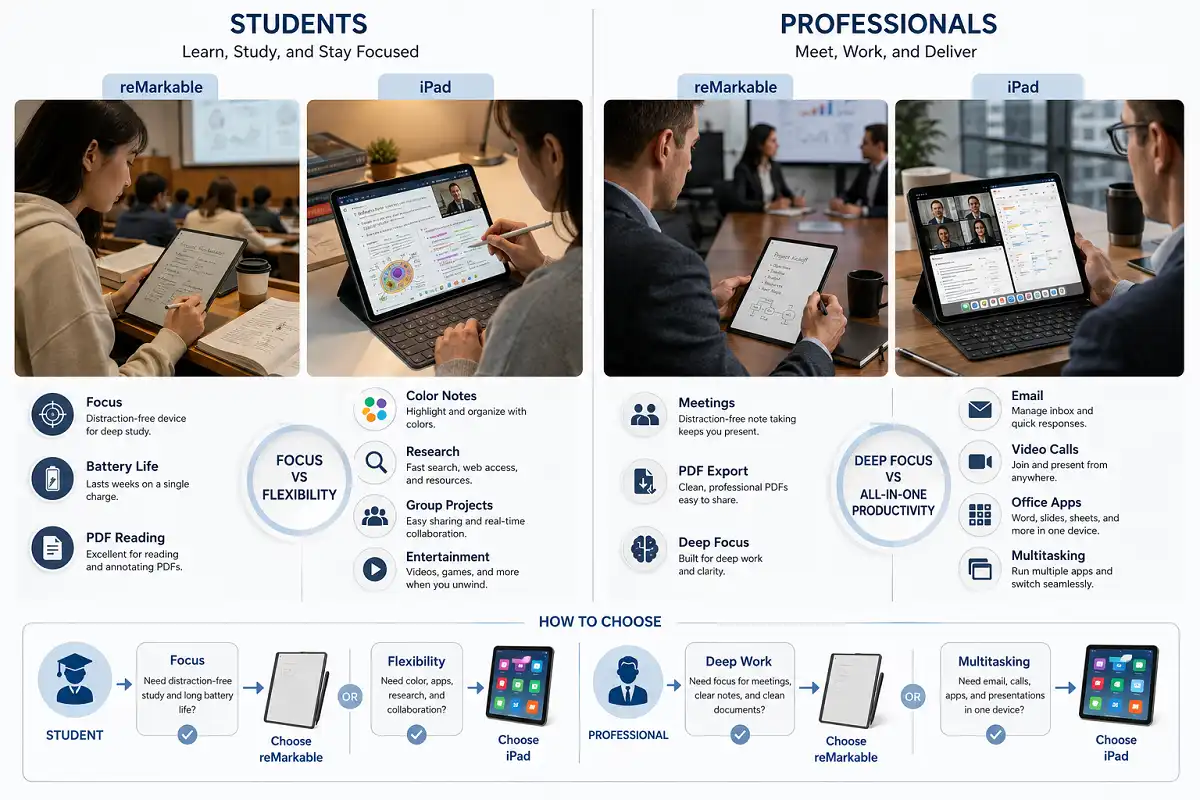
Students write constantly and often on a budget. The reMarkable helps here by blocking distractions during study and lasting weeks between charges. Long lecture days rarely drain it. Reading textbooks as PDFs also feels comfortable on E Ink.
The iPad suits students who mix notes with video lessons, group projects, and research. Color highlighting helps with revision, and app search speeds up exam prep. It costs more, but it doubles as an entertainment and study machine.
When judging reMarkable vs iPad for note taking as a student, ask whether focus or flexibility helps your grades more. Our guide to why a paper tablet suits students explores this in depth.
For Professionals
Professionals need reliable notes in meetings and clean documents afterward. The reMarkable keeps meetings distraction-free and exports tidy PDFs to share. It signals focus, not a screen full of apps.
The iPad fits professionals who present, edit, and juggle many tools. It runs email, video calls, and office apps beside your notes. For hybrid work, that all-in-one nature saves carrying two devices.
Weighing reMarkable vs iPad for note taking at work depends on whether your role rewards deep focus or constant multitasking. Many buyers end up choosing based on this single point.
Which Tablet Should You Choose?
Both devices are excellent. The right pick depends on you, not on specs alone. Here is a clear way to decide in the reMarkable vs iPad for note taking choice.
Choose the reMarkable if you:
- Want the closest thing to writing on real paper
- Need battery life measured in weeks, not hours
- Get distracted easily and want a focus-first tool
- Read and write for long hours and care about eye comfort
- Prefer a simple system with no setup or app hunting
Choose the iPad if you:
- Want one device for notes, video, and creative work
- Need color for diagrams, art, or highlighting
- Rely on advanced apps like GoodNotes or Notability
- Value a device that can replace a laptop for many tasks
- Already live inside Apple’s ecosystem
There is no wrong answer here, only the answer that fits your daily habits. The reMarkable vs iPad for note taking choice rewards honesty about how you actually work, so match the device to your real routine and you will be happy with either.
Common Mistakes to Avoid
A few errors trip up first-time buyers in the reMarkable vs iPad for note taking choice. Watch for these.
Do not buy a reMarkable expecting apps and video. It is a writing tool by design, and that limit is deliberate. People who ignore this feel let down.
Do not buy an iPad expecting perfect paper feel out of the box. The glass is smooth. You will likely want a matte screen protector to improve grip.
Do not forget accessory costs. Both stylus options and cases add to the final price. Budget for the full setup, not just the tablet.
Do not chase specs you will never use. A powerful chip means little if you only write meeting notes. Buy for your real workflow, not for features on a spec sheet.
FAQs

Is the reMarkable better than the iPad for handwriting?
Can the iPad replace paper notebooks completely?
Does the reMarkable support color notes?
Which lasts longer on a charge?
Which is better for reMarkable vs iPad for note taking on a budget?
Is a stylus included with either device?
Bottom Line
The reMarkable vs iPad for note taking decision comes down to focus versus flexibility. The reMarkable is a specialist. It delivers paper-like writing, gentle-on-the-eyes E Ink, huge battery life, and a distraction-free space to think. The iPad is a generalist. It offers color, powerful apps, and the ability to replace a laptop, at the cost of shorter battery life and constant temptation.
Neither is objectively better. Ask yourself one honest question: do you need a tool that does one thing perfectly, or one device that does everything well? Answer that, and your choice becomes obvious.
If you want to weigh a dedicated writing slate against a mainstream tablet in more detail before deciding, our comparison of e-ink slates versus standard tablets is a useful next read.
To understand the display technology behind the reMarkable vs iPad for note taking debate, you can read more about E Ink on Wikipedia.