
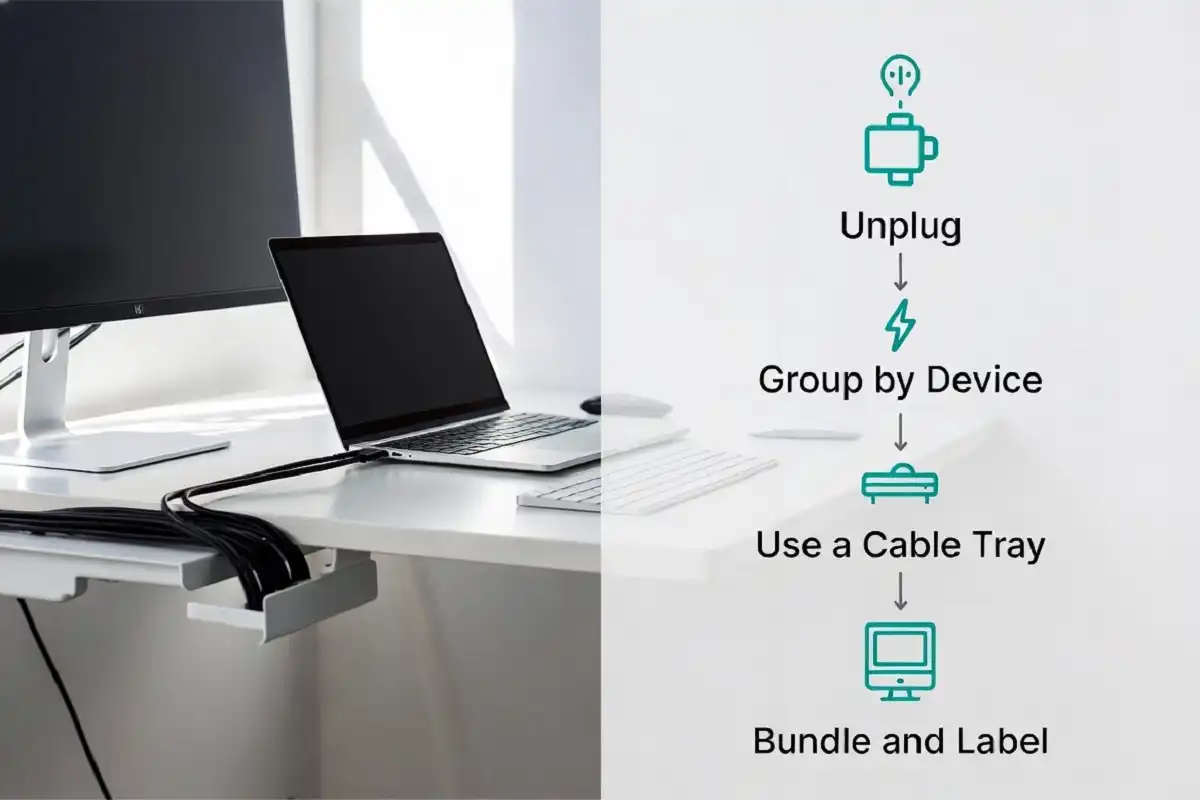
A messy desk full of tangled wires can make even a well planned workspace feel chaotic. A good cable management desk setup does more than look neat, it also protects your cables, reduces tripping hazards, and makes cleaning easier. Whether you work from home, run a small office, or just want a clutter free desk, this guide walks you through practical, low cost ways to build a cable management desk setup that stays organized over time.
Why a Cable Management Desk Setup Matters
A cluttered desk affects more than appearance. Tangled cords can cause accidental disconnections, dust buildup, and even damage to your devices over time. A proper cable management desk setup fixes these problems and helps you focus without visual distractions.
Benefits of an Organized Desk Setup
- Easier to clean and dust around your desk
- Lower risk of tripping over loose cords
- Cables last longer since they are not bent or crushed
- A calmer, more professional looking workspace
- Faster to find and unplug the right cable when needed
Planning Your Cable Management Desk Setup
Before buying any tools, it helps to map out what you actually need. Plan your cable management desk setup around your real devices, such as your monitor, laptop, charger, speakers, or printer, and note where each cable travels.
Steps to Plan Your Setup
- List every device that needs a cable on your desk
- Check how long each cable is and if shorter ones would work better
- Decide where your power source is located
- Choose one main path for cables to travel, such as along the back edge of the desk
- Pick tools based on your budget and desk material
This simple planning step prevents overbuying tools you do not need.
Best Tools for a Cable Management Desk Setup
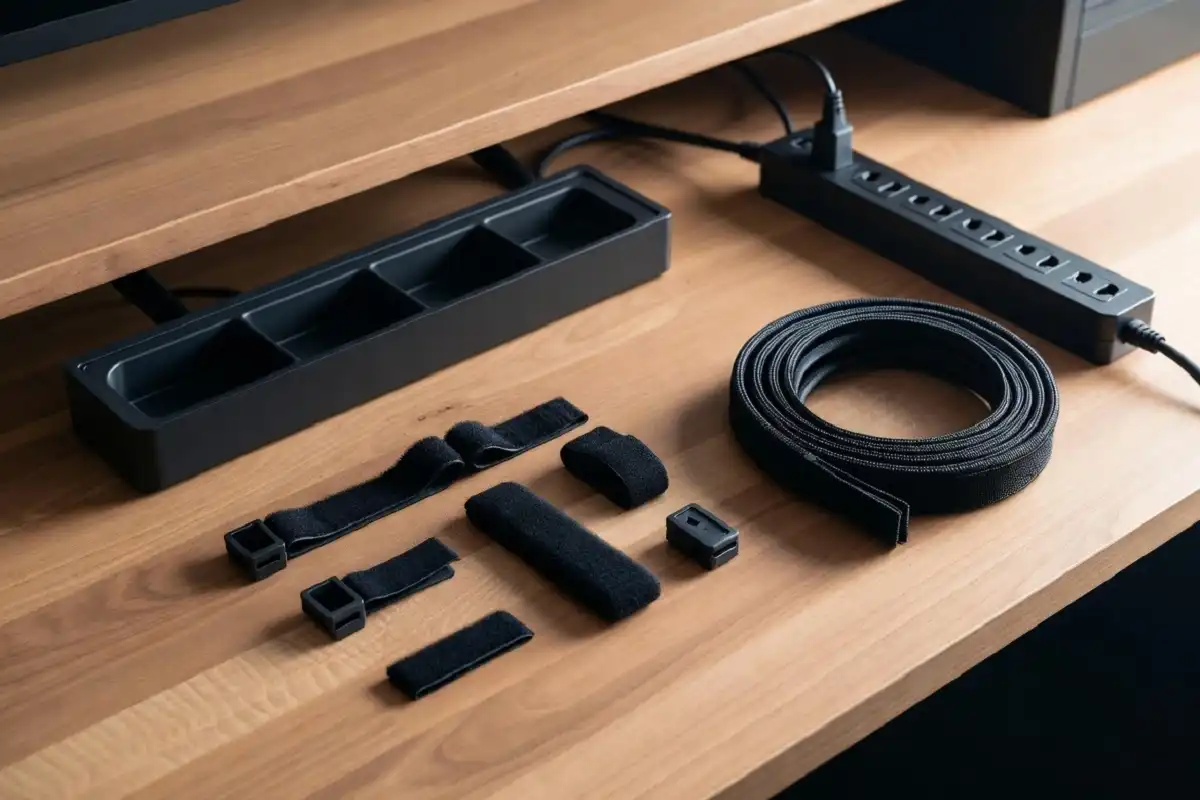
There is no single tool that fixes every cable problem. Different accessories solve different issues, so a mix usually works best.
Cable Trays and Baskets
A cable tray attaches under the desk and holds power strips and excess cable length out of sight. This is one of the most effective tools for a clean cable management desk setup, especially for desks with many devices.
Cable Clips and Ties
Small adhesive clips or velcro ties keep cables from sliding off the desk or tangling with each other. They are affordable and easy to install without tools.
Cable Sleeves
A cable sleeve bundles multiple wires into one neat tube, which is useful in any cable management desk setup where several cables run in the same direction, such as from a monitor to a power outlet.
Under Desk Power Strips
Mounting a power strip under the desk keeps plugs closer to your devices and reduces the length of cable needed to reach an outlet.
If you also want to reduce visible clutter on top of your desk, pairing your setup with a minimalist desk organizer can make the whole workspace feel more balanced.
Step by Step Cable Management Desk Setup Guide
Once you have your tools ready, follow these steps to build your cable management desk setup.
Step 1: Unplug Everything First
Start with a clean slate. Unplug all cables so you can see exactly what you are working with and remove any cables you no longer use.
Step 2: Group Cables by Device
Keep each device’s cable separate from others until you decide the final path, since grouping too early can create confusion.
Step 3: Attach a Cable Tray or Basket
Mount the tray under your desk, ideally near the back where cables naturally gather. This becomes the base of your cable management desk setup, holding excess cable length and your power strip.
Step 4: Route Cables Along One Path
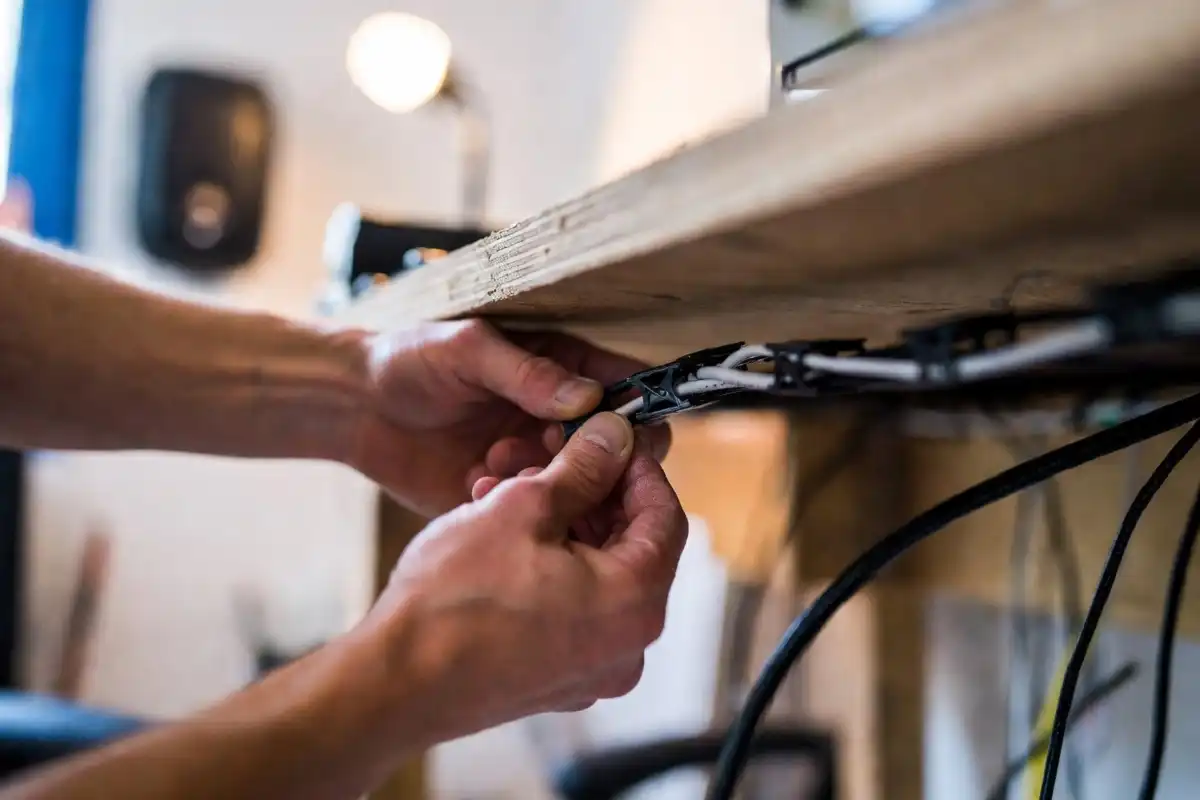
Use clips to guide cables along a single line, usually along the back or side edge of the desk, instead of letting them cross randomly.
Step 5: Bundle and Label
Use sleeves or ties to bundle similar cables together. Labeling each cable with a small tag makes future troubleshooting much faster.
Step 6: Test Before Finishing
Plug everything back in and test each device before tightening ties permanently, so you can adjust if a cable is too short or pulled too tight.
Cable Management Desk Setup for Different Desk Types
Standing Desks
Standing desks move up and down, so cables need extra slack. A flexible cable spine, which is a tube that extends with the desk, works well in this type of cable management desk setup to prevent cables from snapping or pulling loose.
Small or Compact Desks
On smaller desks, space under the desk is limited. Compact cable boxes that hold power strips and extra cable length in one spot are more practical than large trays.
Gaming or Multi Monitor Desks
Setups with multiple monitors, controllers, or extra accessories benefit from color coded cable ties, which make it easier to identify which cable belongs to which device.
If you are comparing devices for your desk, it may also help to look at how an e-ink tablet compares to a regular tablet, since fewer devices on your desk often means fewer cables to manage.
Keeping Your Desk Organized Long Term
A one time cable management desk setup will not stay tidy forever unless you build small habits around it.
- Return each cable to its designated path after unplugging a device
- Do a quick cable check once a month to remove unused cords
- Add new cables to the existing path instead of creating a new one
- Keep spare cables stored away from the desk, not left loose
According to general workspace organization guidance from HubSpot, maintaining small daily habits is more effective for long term tidiness than occasional deep cleaning alone.

Pairing Cable Management With Other Desk Accessories
A tidy cable management desk setup works best alongside other functional desk accessories. Items like a keyboard stand, monitor riser, or a well chosen e-ink tablet with a keyboard case can reduce the number of loose cables since many accessories now use wireless charging or fewer ports.
For those managing paperwork digitally, using an e-ink tablet for PDF annotation can also reduce the need for printers and extra cables on your desk. If you want general desk accessory ideas, this list of office accessories for men covers practical additions that pair well with a clean workspace.
According to the Wikipedia entry on cable management, the practice originated largely from data centers and IT environments before becoming common in home and office workspace design.
FAQs
What is the easiest way to start a cable management desk setup?
The easiest way to start a cable management desk setup is by unplugging all cables, removing ones you no longer use, and then grouping the remaining cables by device before adding any tools.
Do I need to buy expensive tools for cable management?
No, basic tools like velcro ties, adhesive clips, and a simple cable tray are enough for most desk setups and cost very little.
How do I manage cables on a standing desk?
Standing desks need a flexible cable spine or extra slack in each cable so the cords can stretch and compress as the desk height changes.
Can cable management help my devices last longer?
Yes, keeping cables untangled and unbent reduces wear at the connector points, which can help prevent early cable damage.
How often should I check my desk cable setup?
A quick check once a month is usually enough to remove unused cables and confirm everything is still routed neatly.
Conclusion
A clean cable management desk setup is not complicated once you plan ahead and choose the right tools for your space. Starting with a clear layout, using simple accessories like trays and clips, and building small monthly habits can keep your desk organized for the long run. Whether you work on a standing desk, a compact table, or a multi monitor setup, these steps make it easier to create a workspace that feels calm, safe, and easy to maintain.