
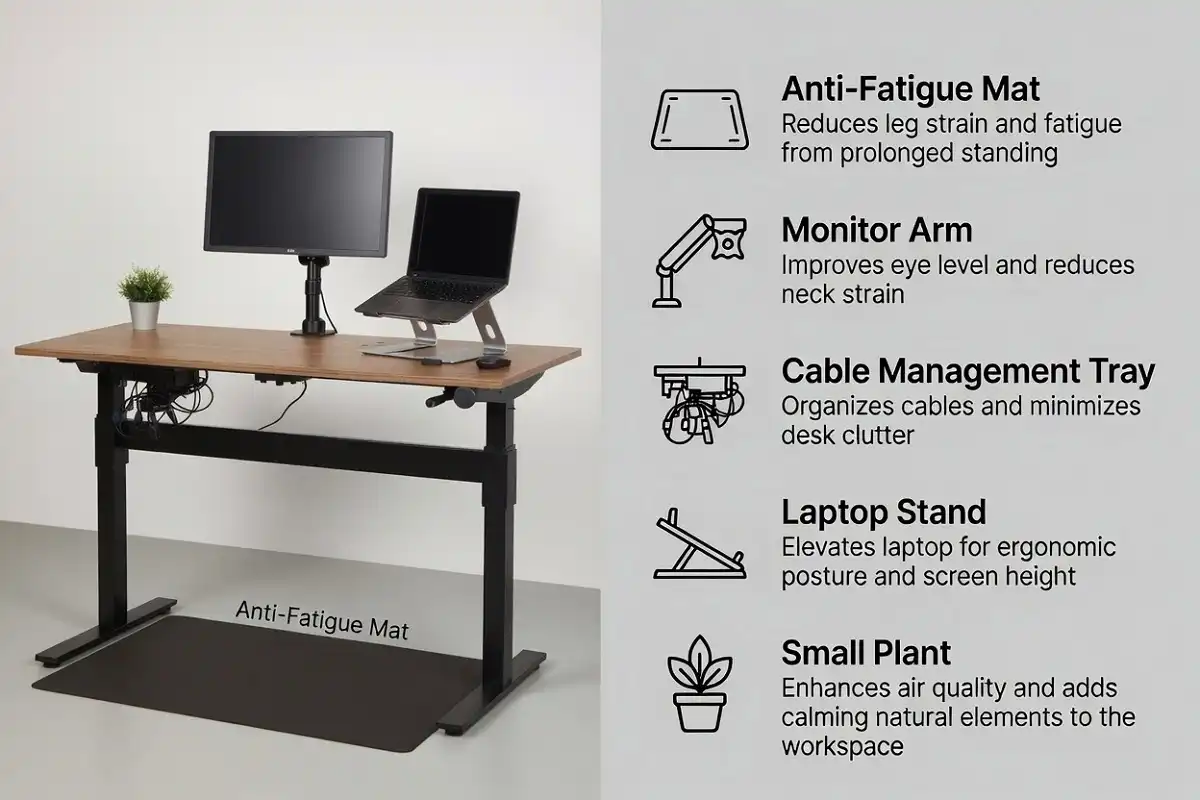
Most people buy a standing desk and then wonder why it still feels uncomfortable. The desk itself is just the start. The right standing desk accessories essentials are what actually make the setup work.
The core standing desk accessories essentials include an anti-fatigue mat, monitor arm, cable management system, ergonomic keyboard and mouse, and a laptop stand or riser. Together, these items protect your posture, reduce fatigue, and keep your workspace clean and functional.
Why Accessories Matter More Than the Desk Itself
A standing desk without proper accessories is like buying a good chair and forgetting the cushion. You have the base, but the experience is still off.
Standing for long periods without the right support causes leg fatigue, lower back tension, and poor posture. A monitor at the wrong height strains your neck. Tangled cables create visual noise that affects focus. These are all problems accessories solve directly.
I have found that most people underestimate how much a mat and a monitor arm change the entire feel of a standing desk. They are not optional add-ons. They are part of the standing desk accessories essentials that define how the whole setup performs.
The Standing Desk Accessories Essentials You Actually Need
1. Anti-Fatigue Mat
This is the single most important accessory for any standing desk.
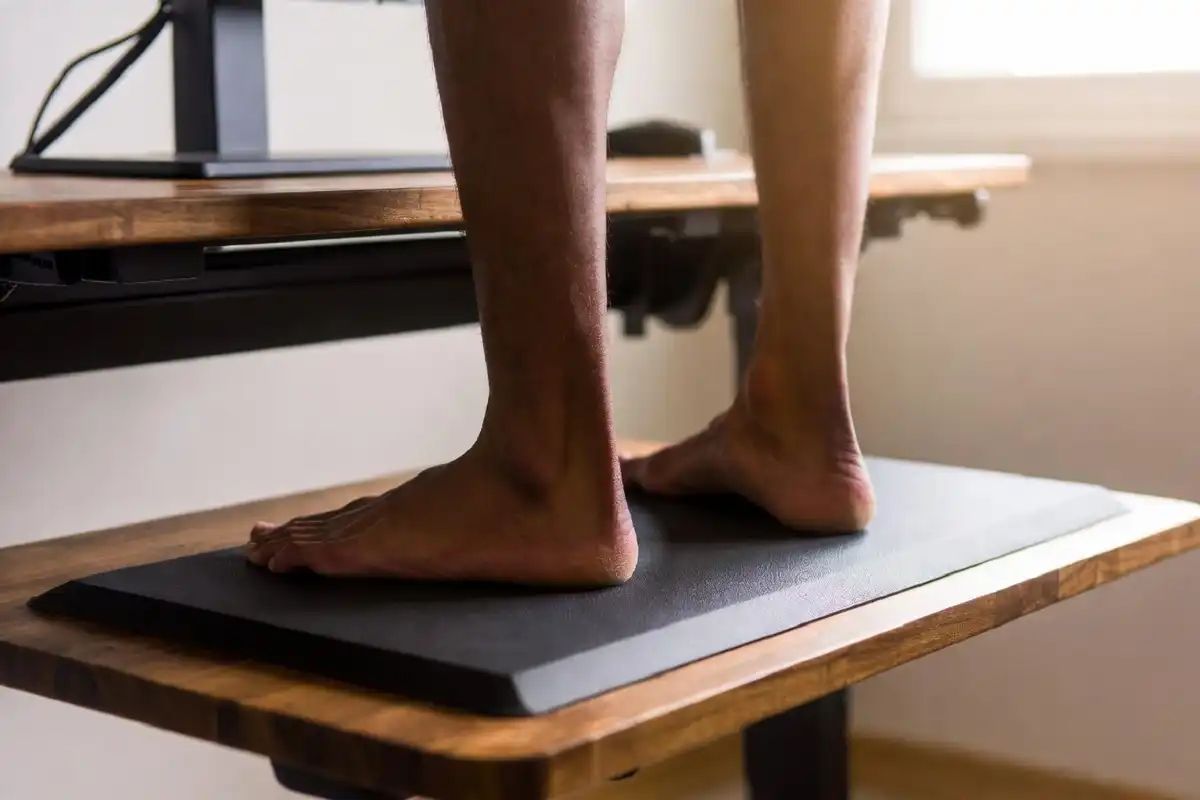
Standing on a hard floor for hours compresses your joints and tires your legs fast. An anti-fatigue mat creates a cushioned, slightly unstable surface that encourages small, continuous micro-movements in your legs and feet. This keeps circulation active and reduces muscle fatigue significantly.
What to look for:
- Thickness between 0.75 and 1 inch
- Beveled edges so you do not trip
- Memory foam or gel core for the best cushioning
- Easy to clean surface
Avoid cheap foam mats that compress flat within a few weeks. Look for purpose-built standing desk mats from brands like Topo, Sky Mat, or Flexispot.
Who needs this: Everyone using a standing desk, without exception.
2. Monitor Arm
Most standing desks come with a flat surface and nothing else. That means your monitor sits too low or at the wrong angle for your eye level when you switch between sitting and standing.
A monitor arm fixes this completely. It mounts to the edge of your desk and lets you position your screen at the exact height, angle, and distance you need. When you raise or lower the desk, you adjust the arm to match.
Key benefits:
- Eliminates neck strain from looking down or up
- Frees up desk surface space
- Supports ergonomic posture at any desk height
- Works with most monitors via VESA mounting
Single monitor arms work for most setups. If you use two screens, a dual arm keeps everything aligned and saves space.
I recommend checking the weight limit before buying. Most arms handle monitors up to 19 lbs, but larger screens need heavy-duty models. A monitor arm is among the standing desk accessories essentials that make the biggest visible difference on day one.
3. Cable Management System
Nothing ruins a clean desk faster than visible, tangled cables dropping to the floor. When you raise a standing desk, those cables become even more noticeable because the desk moves and the cables shift.
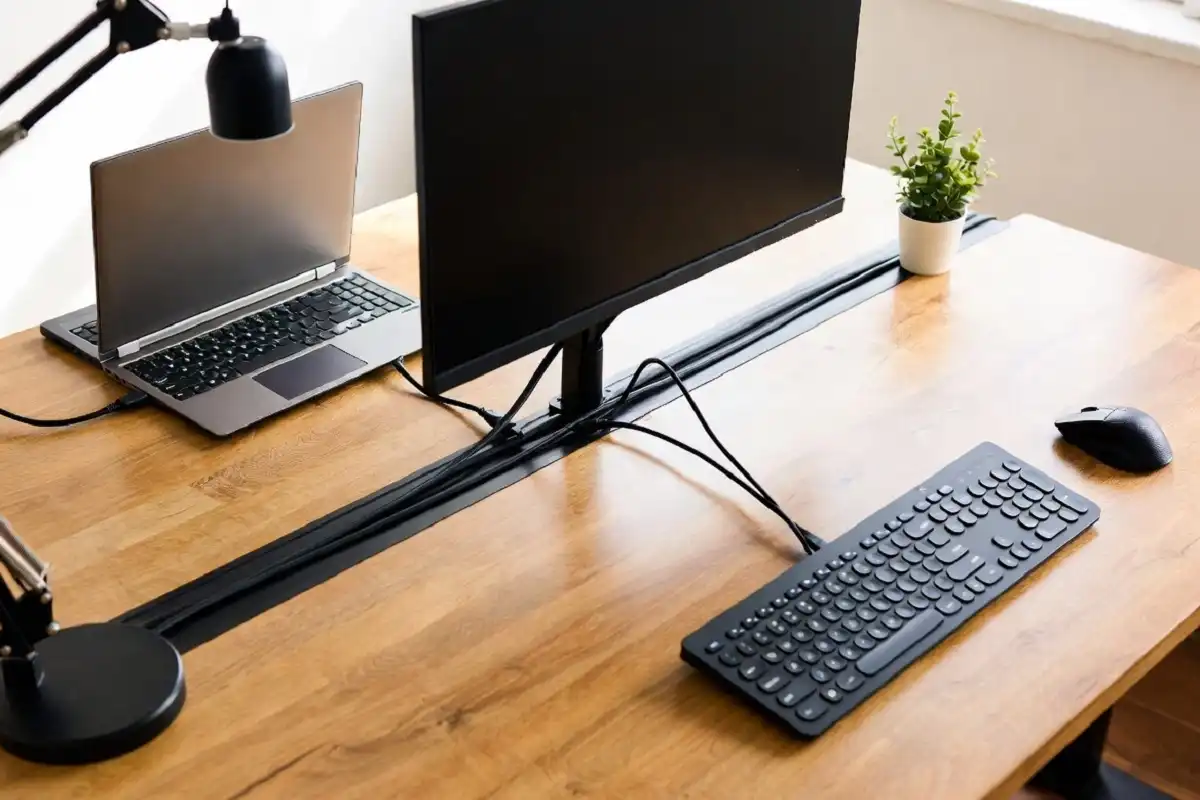
Good cable management is one of the standing desk accessories essentials that people skip and then regret. A cable spine, cable tray, or adhesive clips keep wires organized, hidden, and protected.
Options to consider:
- Cable tray (under-desk): Mounts beneath the desk surface and holds power strips and excess cable length out of sight
- Cable spine or sleeve: Groups cables running from the desk to the floor into a single bundle
- Adhesive cable clips: Hold individual cables along desk edges or monitor arms
For a full guide on getting your cables under control, the approach covered in organizing a clutter-free workspace applies directly to standing desk setups.
4. Ergonomic Keyboard and Mouse
A standard keyboard and mouse are designed for a seated position at a fixed desk height. At a standing desk, the arm and wrist angles change. Using the wrong input devices leads to wrist strain, shoulder tension, and general discomfort over time.
An ergonomic keyboard keeps your wrists in a more neutral position. A vertical mouse reduces forearm rotation.
What to look for in a keyboard:
- Slight negative tilt (front higher than back) when standing
- Split or tented design for wrist alignment
- Wireless to reduce cable clutter
What to look for in a mouse:
- Vertical grip design for reduced forearm strain
- Lightweight build
- Wireless with long battery life
You do not need to buy the most expensive options. Mid-range ergonomic peripherals from Logitech, Microsoft, or Kinesis work well for most users. Proper input devices are standing desk accessories essentials that protect your wrists and shoulders over the long term.
5. Laptop Stand or Riser
If you work on a laptop, placing it flat on the desk means your neck bends down all day. This is worse at a standing desk because the angle changes as you adjust desk height.
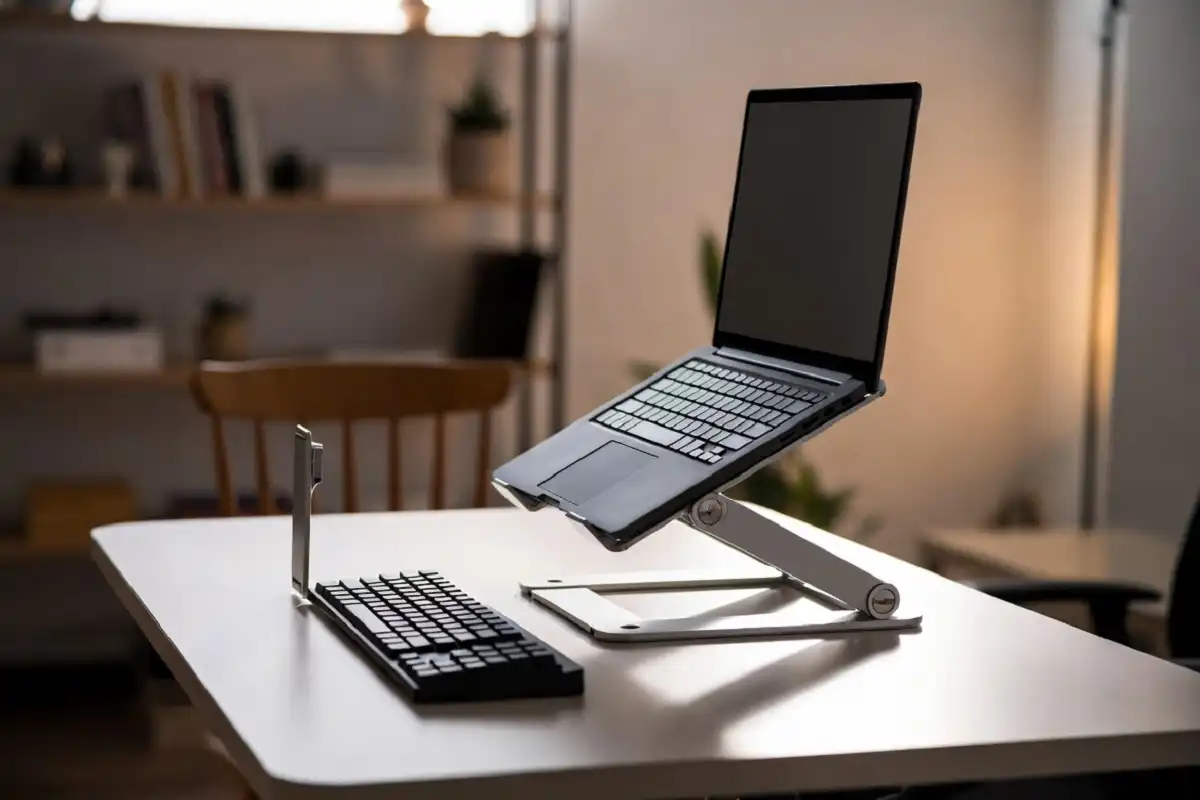
A laptop stand raises the screen to eye level. You then connect an external keyboard and mouse to maintain proper arm positioning.
Types of laptop stands:
- Fixed risers: Simple, stable, inexpensive
- Adjustable stands: Let you fine-tune the height
- Portable folding stands: Good if you move between locations
A good riser paired with a wireless keyboard and mouse gives you a near-desktop experience with a laptop, which works very well at a standing desk.
For people who use a tablet or digital writing device alongside their laptop, a proper desk setup also changes how comfortable extended note-taking sessions feel, something I explore in why a paper tablet works well for focused study.
6. Monitor Light or Desk Lamp
Lighting is often the last thing people think about, but it directly affects eye strain and focus quality.
Overhead room lighting frequently creates glare on monitor screens when you are standing. A dedicated monitor light bar or adjustable desk lamp fixes this by casting focused light on your workspace without reflecting on the screen.
Monitor light bars clip to the top of your monitor and illuminate your desk without screen glare. They are ideal for standing desk setups with limited desk space. Good lighting belongs on every standing desk accessories essentials list, even though most people add it last.
Adjustable lamps give you more control over direction and color temperature. Look for lamps with both warm and cool light modes so you can shift between task-focused cool light during the day and warmer light in the evening.
7. Standing Desk Converter (for partial setups)
If you already have a regular desk and do not want to replace it, a standing desk converter is worth considering. It sits on top of your existing desk and raises your monitor and keyboard to a standing height.
These are not as flexible as a full motorized desk, but they are significantly cheaper. Good converters include gas-lift mechanisms that let you switch positions quickly.
This is a practical option for anyone not yet ready to invest in a full motorized standing desk. A converter paired with the right standing desk accessories essentials still delivers most of the ergonomic benefits at a fraction of the cost.
8. Desk Organizer and Small Storage
When you stand at your desk, you interact with it differently than when you sit. Items that used to stay out of the way suddenly feel within reach and in the way.
A small, minimal desk organizer keeps your most-used items accessible without cluttering the surface. If you use paper, a tray or notepad holder can keep things neat.
For ideas on keeping a workspace clean without excess clutter, the approaches in minimalist desk organizer ideas adapt well to standing desk environments.
Priority Order: What to Buy First
Not every accessory needs to be purchased at once. Here is how I prioritize them:
Start with (Day 1):
- Anti-fatigue mat
- Monitor arm or laptop stand
Add next (Week 2-4):
- Cable management system
- Ergonomic keyboard and mouse
Refine over time:
- Monitor light bar
- Desk organizer
- Monitor privacy screen if needed
Getting the mat and monitor positioning right first makes the biggest difference immediately.
Common Mistakes People Make With Standing Desk Setups
Standing too long without breaks. Standing all day is not the goal. Alternating between sitting and standing every 30 to 60 minutes is more effective and healthier.
Skipping the anti-fatigue mat. This is the most common mistake. The mat is not optional.
Ignoring monitor height. The top of the monitor should be at or just below eye level when standing. Most people set it too low.
Poor cable planning. Adding a cable spine or tray after the fact is harder than planning it from the start.
Buying too many gadgets at once. Get the core standing desk accessories essentials working first. Then add items based on what you actually need.
Who Benefits Most From a Proper Standing Desk Setup
Remote workers and freelancers who spend 6 to 10 hours daily at a desk see the most benefit. Having all the standing desk accessories essentials in place means the ergonomic gains add up meaningfully over weeks and months.
Students doing long study sessions can reduce physical fatigue and stay more alert with a properly equipped standing desk.
Writers and creators who alternate between writing, sketching, or annotating benefit from the flexibility a good standing desk setup provides.
Anyone with lower back pain or posture concerns will notice improvement relatively quickly with the right mat, monitor height, and ergonomic peripherals.
What You Should Remember
The standing desk accessories essentials are not luxury upgrades. They are functional requirements for the setup to work properly.
Start with an anti-fatigue mat and monitor arm. Add cable management and ergonomic peripherals. Refine the lighting and organization over time. This order gets you comfortable and productive quickly without overspending upfront.
A standing desk without the right accessories solves only half the problem. Invest in the standing desk accessories essentials, and the setup finally works the way it should.
FAQs
What is the most important standing desk accessory?
An anti-fatigue mat is the single most important accessory. It directly reduces leg fatigue and joint strain from standing on a hard floor.
Do I need a monitor arm for a standing desk?
Yes, if you want proper eye-level positioning. Most monitors sit too low on a flat desk surface, and a monitor arm lets you adjust the height as you move the desk up or down.
Can I use a regular keyboard and mouse at a standing desk?
You can, but it is not ideal. Ergonomic keyboards and mice are designed to reduce wrist and forearm strain, which becomes more noticeable during long standing sessions.
How much should I spend on standing desk accessories essentials?
A practical starting budget is $80 to $150 for a mat and monitor arm combined. You can add cable management and ergonomic peripherals for another $50 to $100.
What cable management solution works best for standing desks?
An under-desk cable tray combined with a cable spine (to bundle the cables running to the floor) works best. This handles both the desk surface and the movement of cables as the desk height changes.