
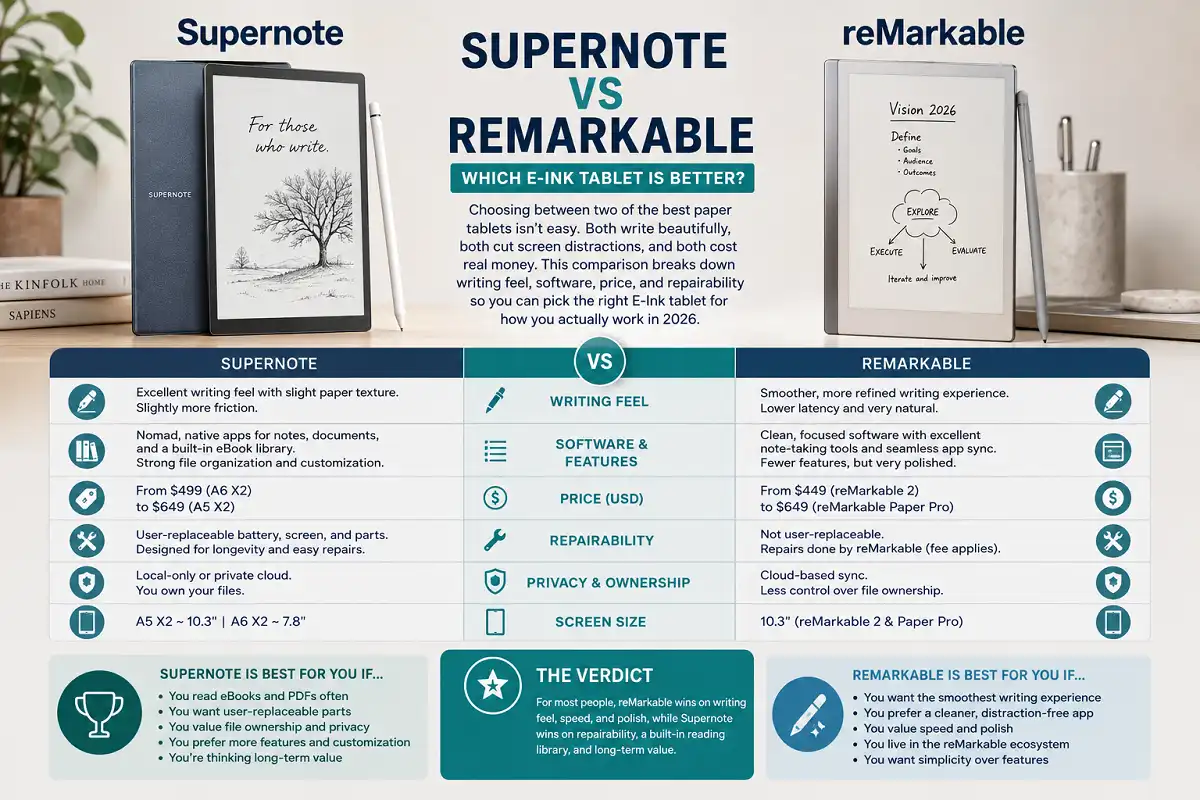
Choosing between two of the best paper tablets isn’t easy. Both write beautifully, both cut screen distractions, and both cost real money. This supernote vs remarkable comparison breaks down writing feel, software, price, and repairability so you can pick the right E-Ink tablet for how you actually work in 2026.
For most people, reMarkable wins on writing feel, speed, and polish, while Supernote wins on repairability, a built-in reading library, and long-term value. Pick reMarkable for the smoothest handwriting and a cleaner app. Pick Supernote if you read ebooks, want user-replaceable parts, and prefer owning your files outright.
What Is the Supernote vs reMarkable Comparison Really About?
The supernote vs remarkable comparison comes down to two very different philosophies. reMarkable chases the smoothest possible writing experience with a tightly controlled ecosystem. Supernote focuses on ownership, repairability, and reading, with a more open approach to your files.
reMarkable is made by a Norwegian company. Supernote is made by Ratta, based in China. Both brands sell distraction-free E Ink tablets built for handwriting first.
Neither device runs a normal app store. Neither shows social media or email notifications. That’s the point. You get a quiet slab of digital paper and nothing to pull your attention away.
If you want the broader background on this device category, our guide on the difference between paperlike and standard screens explains why E Ink feels so different from a glossy tablet.
The Devices Being Compared in 2026
Let me set the field clearly. This comparison focuses on the current models most buyers consider.
On the reMarkable side, there are two active devices. The reMarkable 2 is the long-running black-and-white writing tablet. The reMarkable Paper Pro is the newer, larger model with a color display and a front light.
On the Supernote side, Ratta offers the Nomad (a 7.8-inch compact model) and the A5 X2 Manta (a 10.7-inch full-size model). Both use Supernote’s own E Ink writing system.
You can read my deeper take in the Paper Pro hands-on review if the color model interests you specifically.
Here’s a quick reference table.
| Feature | reMarkable Paper Pro | Supernote A5 X2 |
|---|---|---|
| Screen size | 11.8 inches | 10.7 inches |
| Color display | Yes | Grayscale |
| Front light | Yes | No |
| Replaceable battery | No | Yes |
| Native ebook reading | Limited | Strong |
| Pen included | Extra cost | Extra cost |
Writing Feel: The Core of the Supernote vs reMarkable Comparison
reMarkable holds the edge on raw writing feel, but the gap is smaller than it used to be. Writing quality sits at the heart of any honest supernote vs remarkable comparison, because handwriting is the reason you buy either one.
reMarkable uses a textured display with very low latency. The pen lands where you expect. Lines appear almost instantly. It feels like a fine felt-tip on quality paper.
Supernote uses a slightly different surface with a ceramic-tipped pen. The writing feel is excellent and requires no nib replacements over time. Some writers actually prefer its firmer, more controlled drag.
In my experience, reMarkable feels faster and slightly more natural for quick, messy notes. Supernote feels more deliberate and steady for longer writing sessions.
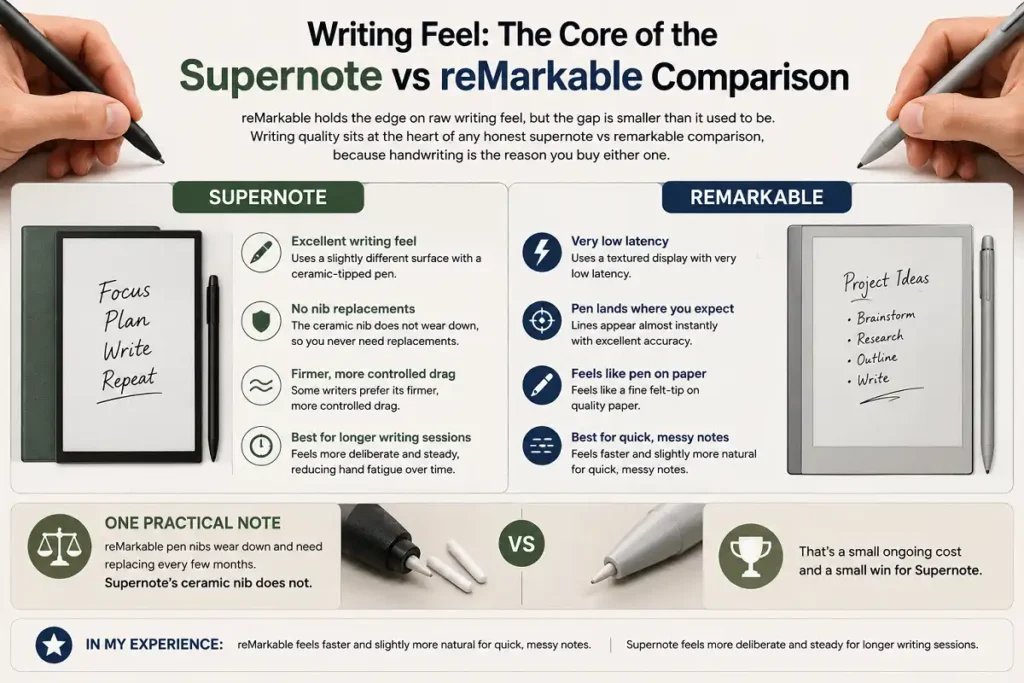
One practical note. reMarkable pen nibs wear down and need replacing every few months. Supernote’s ceramic nib does not. That’s a small ongoing cost and a small win for Supernote.
Software, Note Organization, and Features
reMarkable offers a cleaner, faster interface, while Supernote offers deeper organization and more built-in tools. Software is where this supernote vs remarkable comparison gets interesting, because the two brands solve note-taking very differently.
reMarkable keeps things minimal. You get notebooks, folders, tags, and strong handwriting conversion. The app feels smooth and rarely confuses new users. Recent updates added a color workflow and improved typing with the keyboard folio.
Supernote goes broader. You get keyword linking between notes, digital table of contents, star markers, and a built-in reading app that handles PDFs and ePub files well. Its handwriting search works across your entire library.
For students juggling lecture notes, our piece on smart study workflows for tablets pairs well with either device.
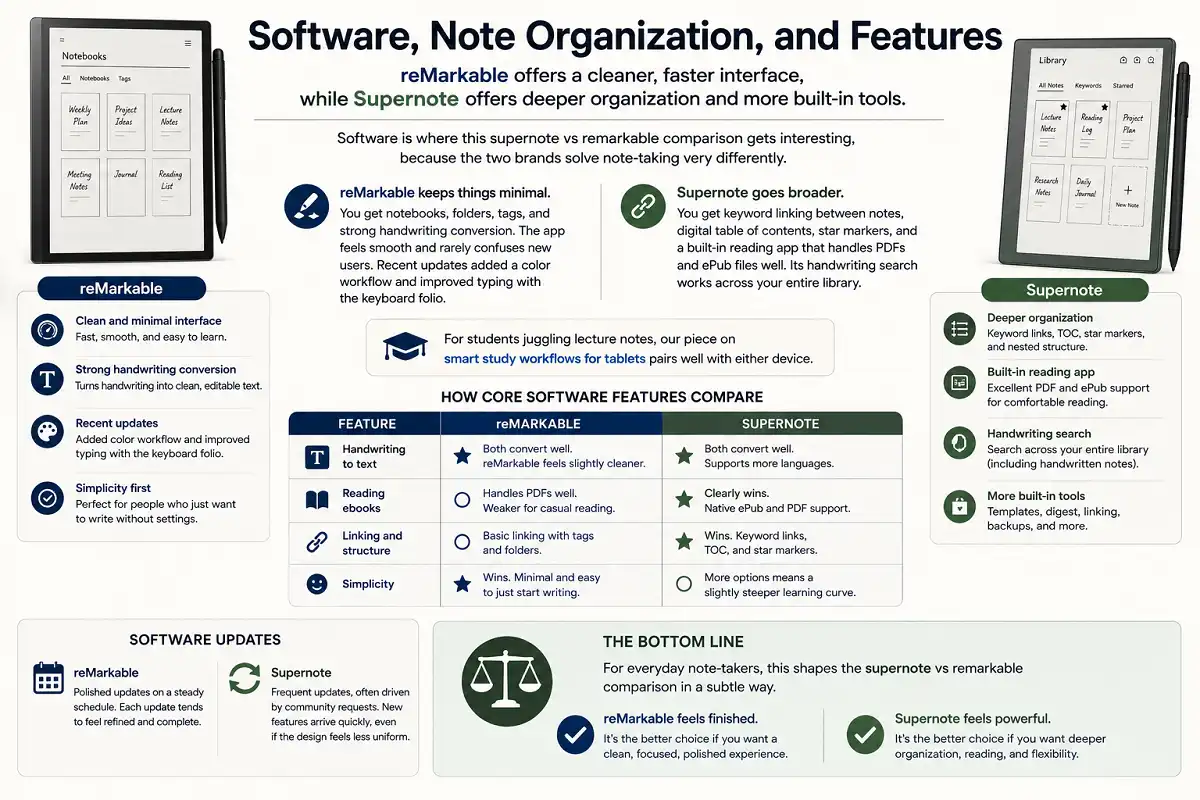
Here’s how core software features compare.
- Handwriting to text: Both convert well. reMarkable feels slightly cleaner. Supernote supports more languages.
- Reading ebooks: Supernote clearly wins with native ePub and PDF support. reMarkable handles PDFs but is weaker for casual reading.
- Linking and structure: Supernote wins with keyword links and built-in tables of contents.
- Simplicity: reMarkable wins for people who just want to write without settings.
Software updates also differ in pace. reMarkable pushes polished updates on a steady schedule, and each one tends to feel refined. Supernote ships frequent updates too, often driven by community requests, so features arrive quickly even if the design feels less uniform.
For everyday note-takers, this shapes the supernote vs remarkable comparison in a subtle way. reMarkable feels finished. Supernote feels like it keeps growing.
Cloud Sync and File Access
Supernote gives you more control over your files, while reMarkable offers a smoother but more closed sync system. File access matters more than people expect, so it deserves attention in this supernote vs remarkable comparison.
reMarkable syncs through its own cloud and apps on desktop, phone, and web. Sync is fast and reliable. A subscription called Connect adds unlimited cloud storage and handwriting features, though core note-taking still works without paying.
Supernote lets you sync through its own cloud, and it also supports third-party services like Dropbox and Google Drive. You can even browse files over your local network. Your notes export as standard PDF and PNG files without lock-in.
The short version. reMarkable is easier out of the box. Supernote gives you more ownership and flexibility over where your notes live.
This matters for anyone building a paperless system. If you already store work in Dropbox or Google Drive, Supernote drops your notes straight into those folders. reMarkable keeps you inside its own tidy but walled garden.
Battery Life and Hardware Durability
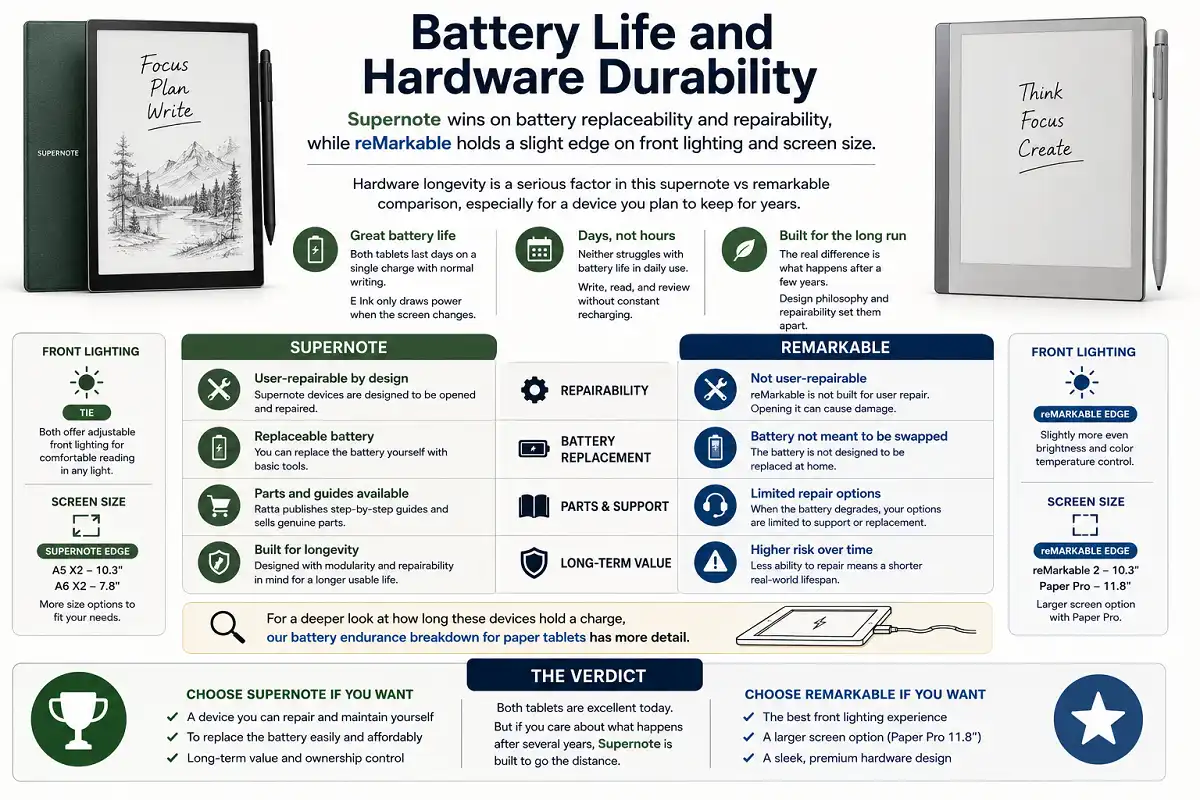
Supernote wins on battery replaceability and repairability, while reMarkable holds a slight edge on front lighting and screen size. Hardware longevity is a serious factor in this supernote vs remarkable comparison, especially for a device you plan to keep for years.
Both tablets last days on a single charge with normal writing. Neither struggles with battery life in daily use, since E Ink only draws power when the screen changes.
The real difference is what happens after a few years. Supernote designs its devices to be opened and repaired. You can replace the battery yourself. Ratta publishes guides and sells parts.
reMarkable is not built for user repair. The battery is not meant to be swapped at home. When it degrades, your options are limited.
For a deeper look at how long these devices hold a charge, our battery endurance breakdown for paper tablets has more detail.
Price and Long-Term Value
reMarkable often costs more once accessories and subscriptions add up, while Supernote tends to offer stronger long-term value. Price is where many buyers make their final call, so this supernote vs remarkable comparison has to weigh the full cost.
Both brands charge extra for the pen and folio. That’s normal in this category, but it raises the real starting price on either side.
reMarkable adds an optional Connect subscription. You don’t need it to write, but some features sit behind it. Over years, that can add up.
Supernote has no required subscription. Your files stay accessible for free. Combined with the replaceable battery, the total cost over five years often favors Supernote.
Here’s a simple way to think about value.
- Buy reMarkable if you want the best writing feel now and don’t mind spending more.
- Buy Supernote if you want lower lifetime cost and the ability to repair your device.
Which E-Ink Tablet Should You Choose?
Choose reMarkable for speed and polish, or Supernote for ownership and reading. This is the decision most people reach at the end of any supernote vs remarkable comparison, and it depends entirely on your priorities.
Pick reMarkable if you write constantly and want the fastest, most natural pen response. It suits professionals in meetings, quick thinkers, and anyone who values a clean, simple app above everything else.
Pick Supernote if you read ebooks, want to keep your device for many years, and care about repairability. It suits students, researchers, and long-form writers who value control over their files.
Some buyers also cross-shop other options. Our comparison of reMarkable against a popular writing rival covers the black-and-white matchup in more depth.
Common Mistakes to Avoid in This Supernote vs reMarkable Comparison
Avoid these traps and you’ll be happier with either tablet. I’ve seen the same errors trip people up again and again while researching a supernote vs remarkable comparison.
First, don’t forget the pen and folio cost. The sticker price is never the full price on either brand.
Second, don’t buy for features you won’t use. Color on the Paper Pro is lovely, but many note-takers are perfectly happy in black and white.
Third, don’t ignore reading habits. If you read a lot of ebooks, Supernote’s native library changes the math completely.
Fourth, don’t overlook repairability. A replaceable battery genuinely extends how long a device stays useful.
Accessories, Pens, and Ecosystem
The pen and folio shape your daily experience as much as the tablet itself. Any complete supernote vs remarkable comparison has to look past the screen and consider the whole kit.
reMarkable sells the Marker and Marker Plus. The Plus adds an eraser on the top end, which many writers love. Its folios feel premium and hold the tablet at comfortable angles for typing.
Supernote sells its own pens with the durable ceramic tip. The company also offers a well-regarded keyboard case, so you can type longer documents without touching a laptop.
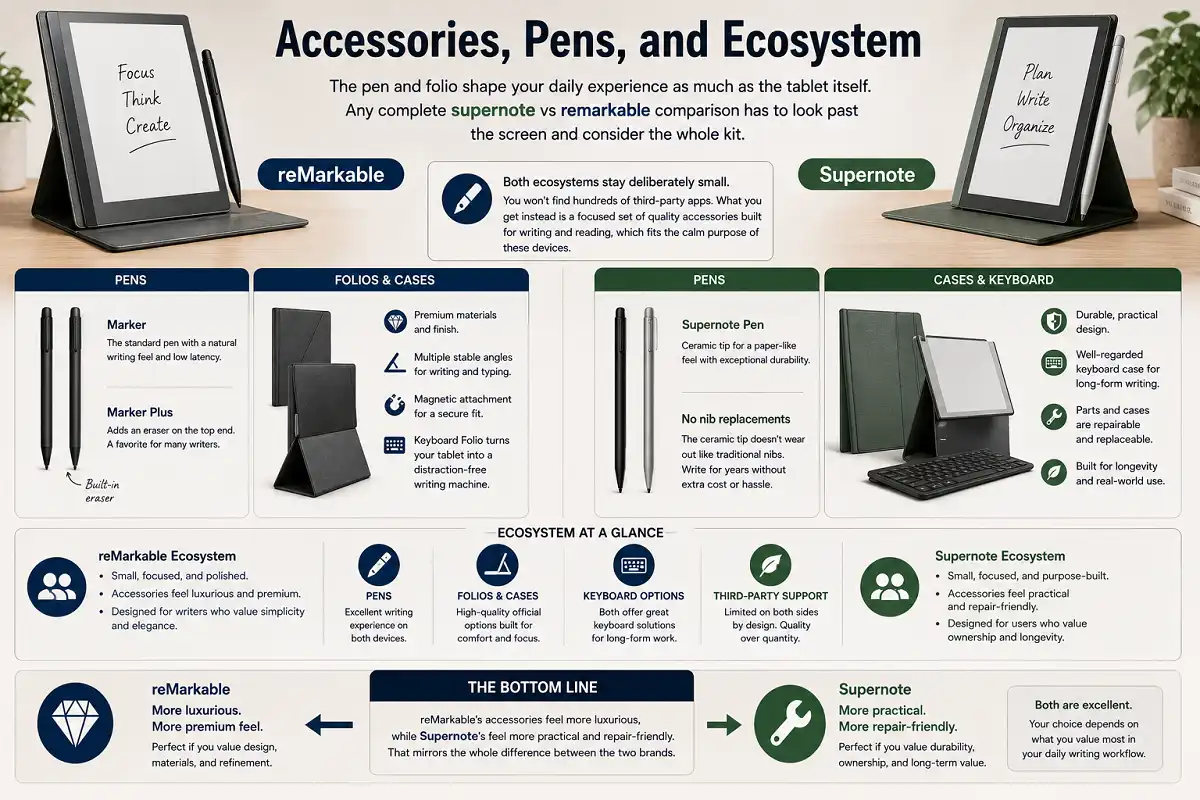
Both ecosystems stay deliberately small. You won’t find hundreds of third-party apps. What you get instead is a focused set of quality accessories built for writing and reading, which fits the calm purpose of these devices.
One more point for the supernote vs remarkable comparison. reMarkable’s accessories feel more luxurious, while Supernote’s feel more practical and repair-friendly. That mirrors the whole difference between the two brands.
FAQs

Is Supernote or reMarkable better for note-taking?
Does reMarkable have better handwriting than Supernote?
Can Supernote read ebooks like a Kindle?
Which tablet is cheaper over time?
Bottom Line
Both tablets are excellent, and neither choice is a mistake. The right pick in this supernote vs remarkable comparison depends on what you value most in daily use.
Go with reMarkable for the smoothest writing, fastest response, and the cleanest app. Go with Supernote for repairability, a real reading library, and stronger long-term value.
Match the device to your habits, not the hype. If handwriting speed rules your day, reMarkable is the answer. If ownership, reading, and longevity matter more, Supernote is the smarter buy.
For neutral background on the underlying technology, the E Ink display overview on Wikipedia explains how electronic paper works and why it feels so different from a standard screen.