
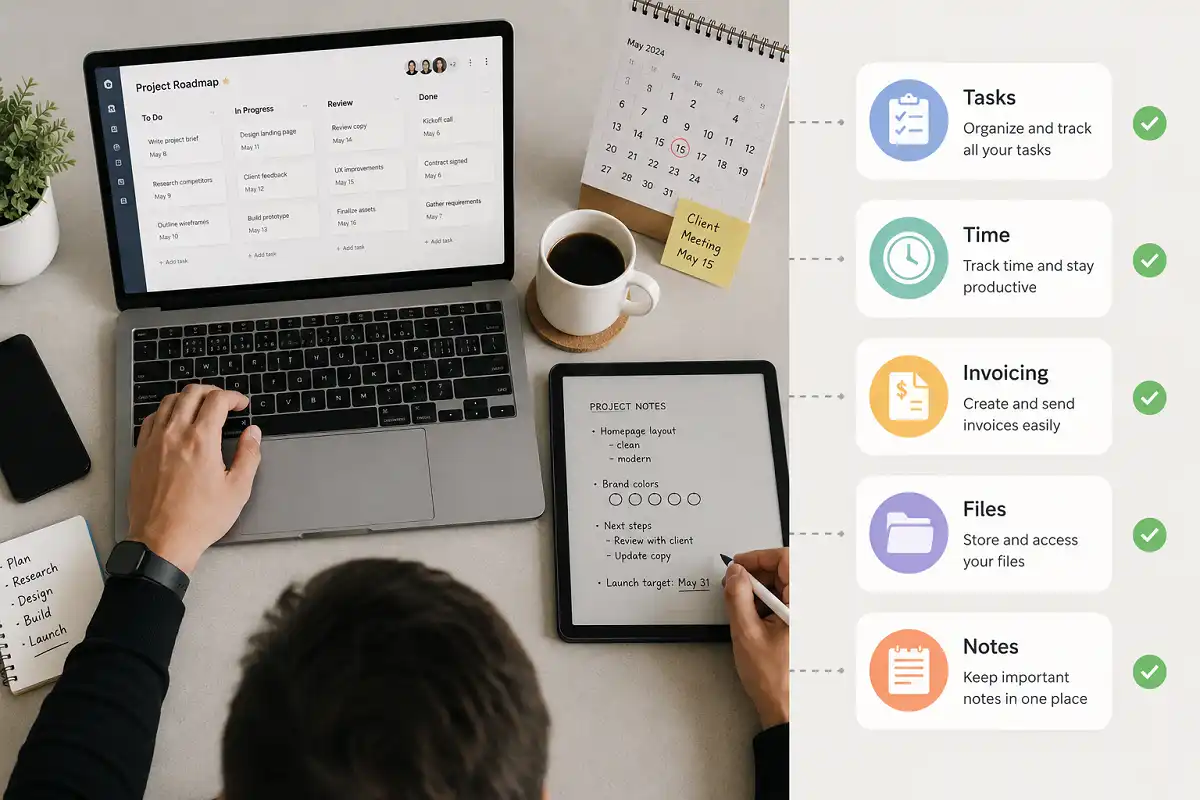
Freelancing means you are the manager, the accountant, and the worker all at once. Without the right systems, deadlines slip and invoices get forgotten. The right productivity tools for freelancers fix this by keeping tasks, time, and money organized in one place.
The best productivity tools for freelancers combine four things: task management, time tracking, invoicing, and distraction-free work. Apps like Notion, Toggl, and Wave cover the basics, while a digital notebook such as the reMarkable handles planning without screen distractions.
Why Freelancers Need the Right Productivity Tools
Freelancers do not have a manager checking their progress or an HR department handling payroll. Every task, from client emails to tax paperwork, falls on one person.
This is why productivity tools for freelancers matter more than they do for employees inside a company. A missed deadline does not just look bad. It can cost a client relationship.
The right tools reduce mental load. Instead of remembering every deadline and invoice date, you write it down once and let a system remind you. This frees up energy for actual client work.
Categories of Productivity Tools for Freelancers
Freelancers juggle different types of work, so no single app covers everything. It helps to think in categories.
Task and Project Management Tools
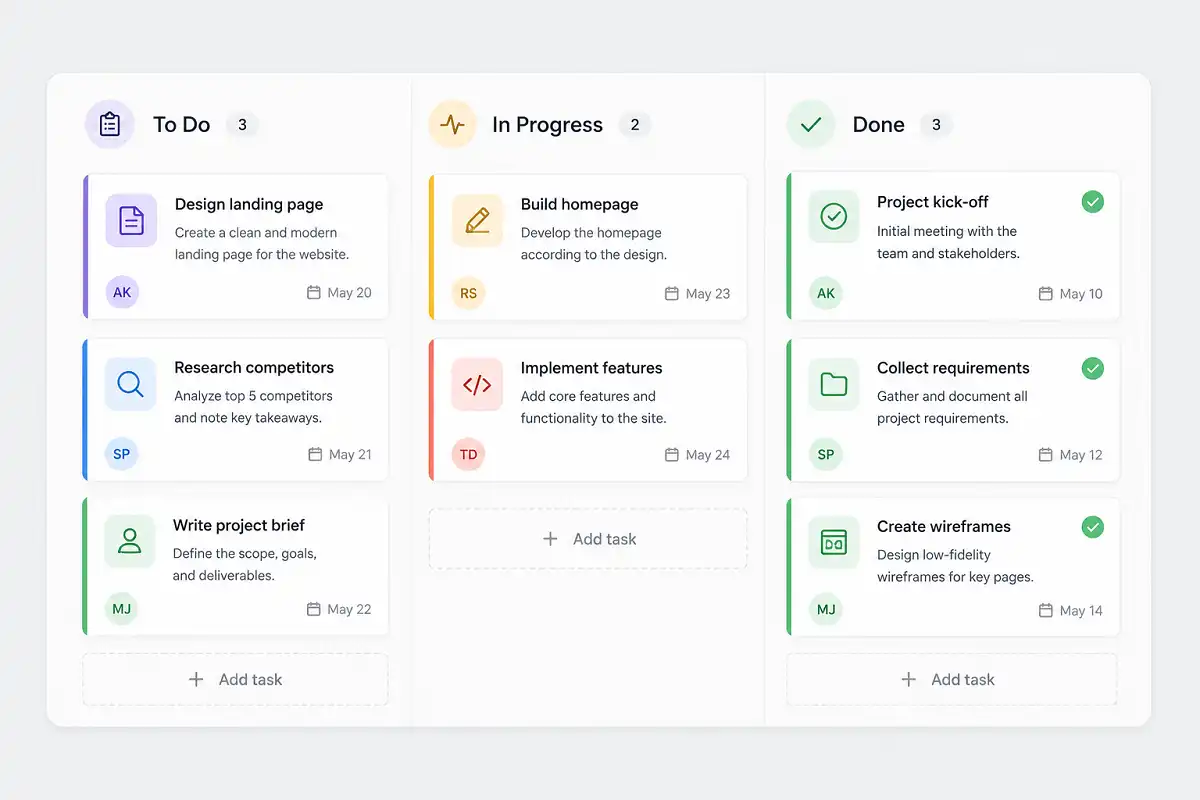
Task managers keep client work visible in one dashboard. Trello, Asana, and Notion are common choices among freelancers.
I usually recommend starting with a simple board: To Do, In Progress, Done. Freelancers who manage multiple clients often add a column per client instead, so nothing gets mixed up.
Look for a tool that lets you set due dates and attach files. Anything more complex, like automation rules or team permissions, is usually unnecessary for a solo freelancer.
Time Tracking Tools
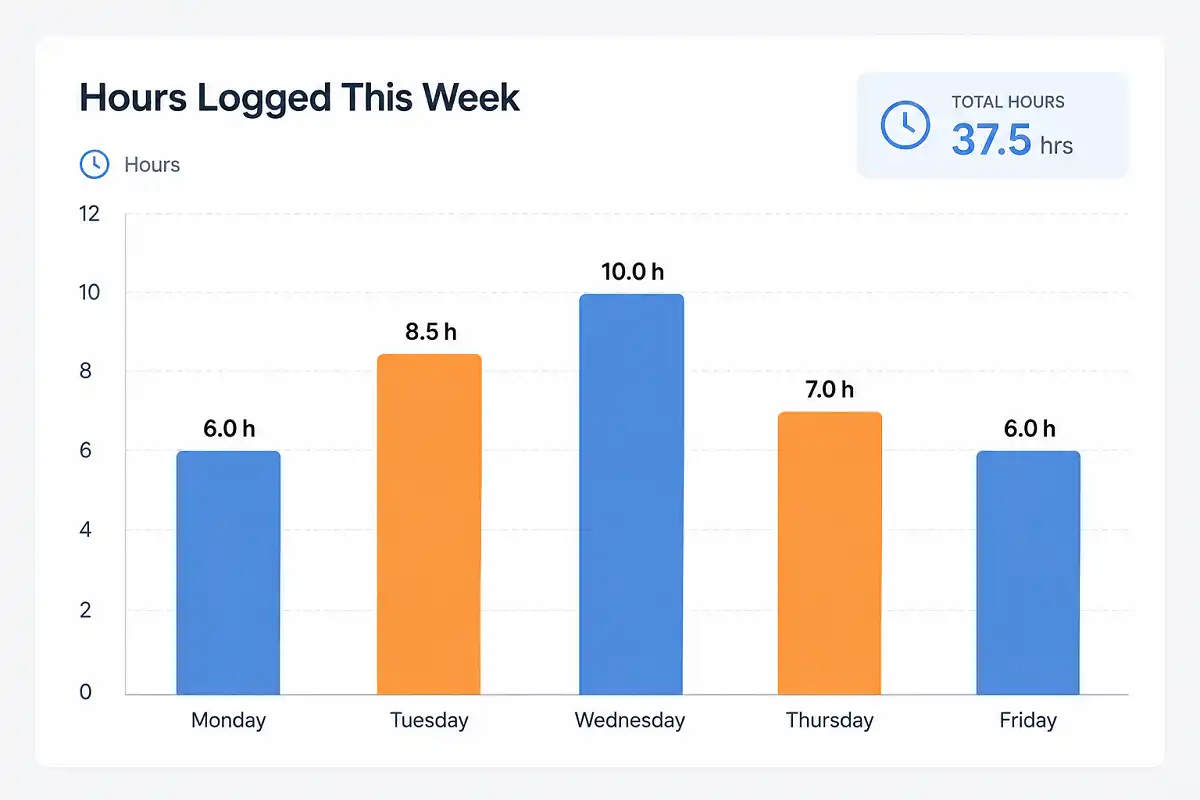
Time tracking answers two questions: how long did a task actually take, and are you charging enough for it. Toggl Track and Clockify are widely used because they run quietly in the background.
Many freelancers underestimate how long tasks take until they track a full week. This single habit often reveals that an hourly rate needs adjusting.
Invoicing and Payment Tools
Late payments are a common freelance problem. Invoicing tools like Wave, FreshBooks, and PayPal Invoicing send automatic reminders so you do not have to chase clients manually.
Choose a tool that supports recurring invoices if you have retainer clients. This removes one manual task from your monthly routine.
Communication and Collaboration Tools
Slack, Zoom, and email cover most freelance communication needs. The mistake many freelancers make is mixing personal and client chats in the same app without separate channels or folders.
Set up a dedicated channel or folder per client from the start. It saves time searching for old messages later.
Cloud Storage and File Sync Tools
Client files need to be backed up and shareable. Google Drive and Dropbox are the most common choices, and both offer version history in case a file gets overwritten by mistake.
Note-Taking and Digital Writing Tools
Not every freelancer wants to type. Writers, consultants, and designers often think better with a pen. This is where a device like the reMarkable Paper Pro fits in.
Among the quieter productivity tools for freelancers, a paper-like screen keeps focus on the idea instead of formatting. Many freelancers use it for client meeting notes, then export the handwriting to text later. If you are exploring note-taking methods that improve retention and output, a digital notebook is worth testing alongside your regular apps.
Focus and Distraction-Free Tools
Apps like Forest or a simple Pomodoro timer help freelancers avoid switching between tabs every few minutes. Some freelancers block social media during work hours using browser extensions such as Freedom or Cold Turkey.
How to Choose the Right Productivity Tools for Freelancers
Choosing productivity tools for freelancers should start with a real problem, not a trending app list.
Ask three questions before installing anything:
- What task currently takes too long or gets forgotten?
- Does this tool solve that specific problem?
- Will I actually open this app every day?
If you cannot answer the third question with a clear yes, skip the tool. An unused app adds clutter instead of saving time.
Freelancers who work across devices, a laptop during the day and a tablet for planning, benefit from apps built for remote and mobile-first workflows. Sync across devices matters more once your work is not tied to one desk.
Common Mistakes Freelancers Make With Productivity Tools
Even well-chosen productivity tools for freelancers fail when they are set up carelessly. These are the mistakes I see most often.
Using too many apps at once. Five overlapping tools create more confusion than one clear system.
Ignoring time tracking. Freelancers who skip this step often undercharge for their actual hours.
Never reviewing the setup. A task system that worked with one client may not fit five clients. Review your tools every few months.
Choosing tools based on popularity alone. The most talked-about app is not always the best fit for your specific workflow.
Free vs Paid Productivity Tools for Freelancers
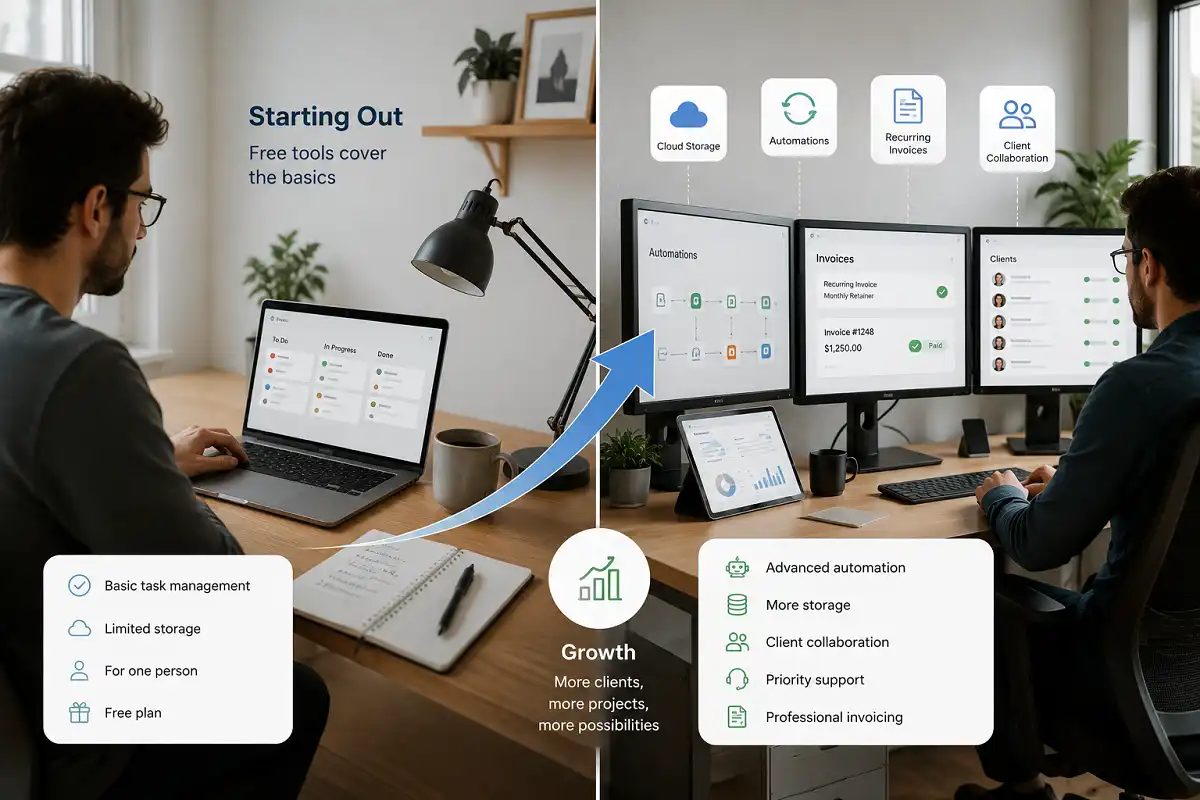
Most productivity tools for freelancers offer a free tier that covers basic needs. Paid plans usually add automation, more storage, or client-facing features like branded invoices.
New freelancers can start entirely on free plans. Once client volume grows past three or four regular clients, paid features like recurring invoices and priority support tend to save more time than their monthly cost.
Who Should Use a Digital Notebook Alongside Their Apps
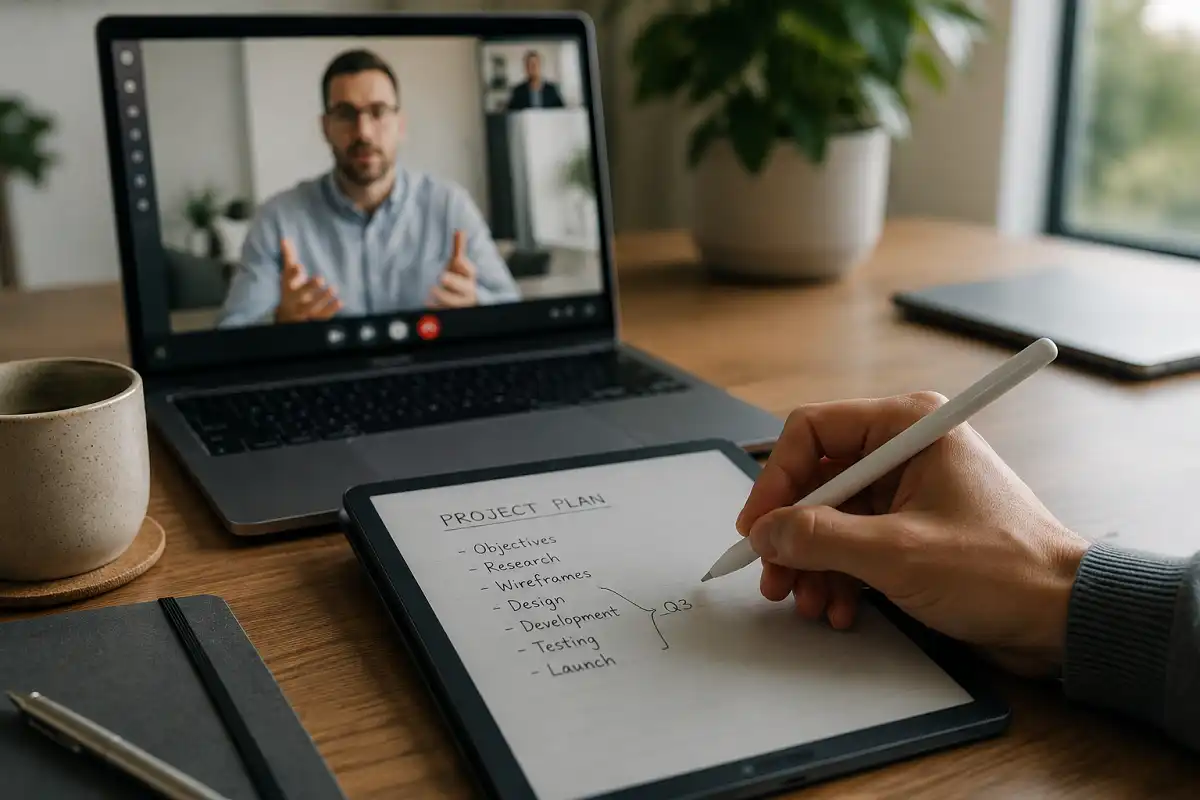
Not all productivity tools for freelancers need to be apps. Freelancers who spend hours on video calls or in meetings benefit from a paper-like tablet for notes. It avoids the distraction of notifications during a client call.
Writers and researchers who need to think through ideas before typing also gain from handwriting first. If planning your week with fixed blocks of focused time appeals to you, pairing a structured time-blocking approach with a distraction-free notebook can reduce the constant app-switching that breaks concentration.
Freelancers who work entirely from a phone or laptop with no meetings may not need a separate device. A task manager and time tracker are often enough.
Key Takeaways
- Productivity tools for freelancers fall into five core categories: tasks, time, invoicing, communication, and file storage.
- Start with the smallest set of tools that solves a real problem, not the longest list of apps.
- Time tracking often reveals that freelancers are undercharging for their work.
- A distraction-free notebook works well alongside digital apps for meetings and planning.
- Review your tool stack every few months as client load changes.
FAQs
What is the single most important productivity tool for a new freelancer?
Out of all productivity tools for freelancers, a task manager matters most at the start. It keeps every client deadline visible in one place before anything else is added.
Do freelancers need paid productivity apps?
Not at first. Free plans cover most needs until you manage several regular clients at once.
Can a digital notebook replace a task management app?
Not fully. It works best for meeting notes and planning, alongside a dedicated task or project app for deadlines.
How many tools should a freelancer use at once?
Most freelancers do well with four to five: one for tasks, one for time tracking, one for invoicing, one for files, and one for communication.