
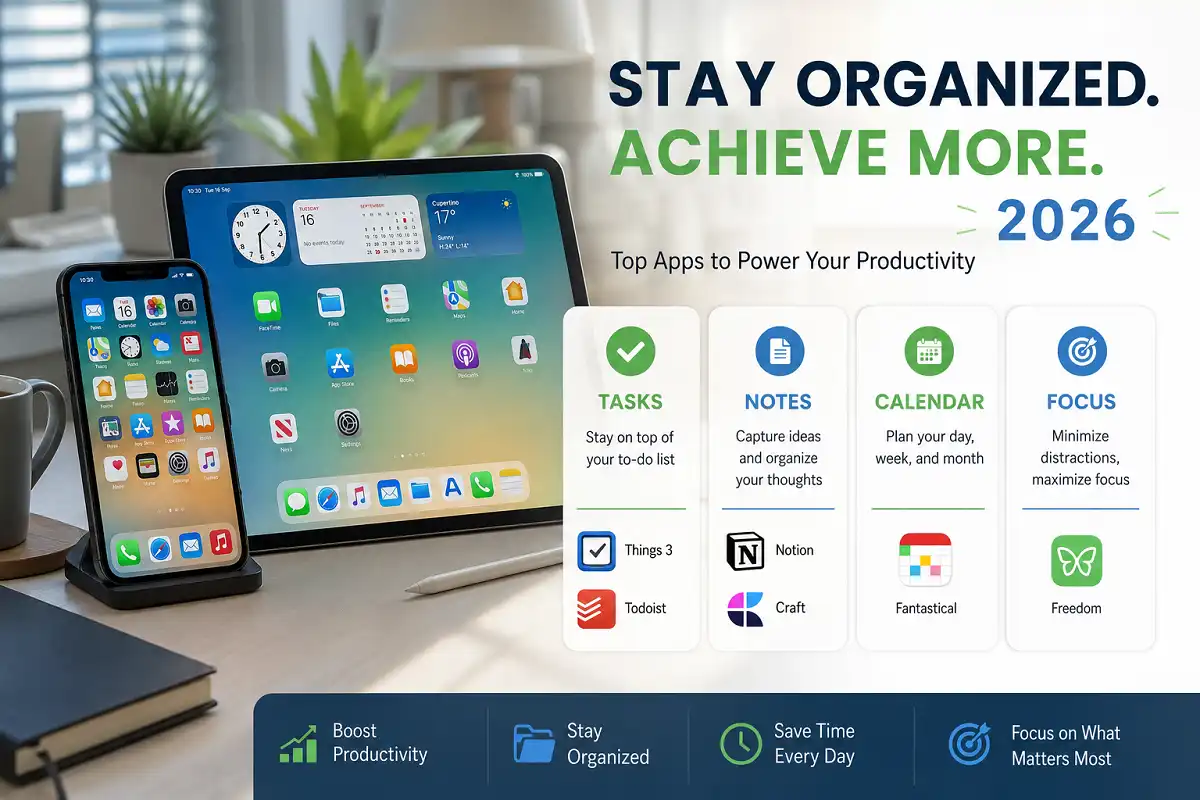
Your iPhone or iPad can either scatter your focus or sharpen it. The right apps make the difference. This guide covers the best iOS productivity tools 2026 has to offer, tested against real workflows for note-taking, task management, focus, and getting work finished.
The top iOS productivity tools 2026 include Things 3 and Todoist for tasks, Notion and Craft for notes, Fantastical for scheduling, and Freedom for focus. Pair them with built-in features like Focus modes and Shortcuts. Together they cover planning, writing, and deep work without clutter.
What Makes an iOS Productivity Tool Worth Using in 2026
A good tool removes friction instead of adding steps. It syncs fast across your iPhone, iPad, and Mac. It respects your attention rather than demanding it.
Three qualities separate the best apps from the rest. Speed matters, because a slow app breaks your flow. Reliable sync matters, since notes stuck on one device are useless. Clean design matters, because a cluttered screen tires your brain.
The strongest iOS productivity tools 2026 all share these traits. Apple’s own ecosystem now does more heavy lifting too. Features like Focus modes, Live Activities, and system-wide Shortcuts reduce how many third-party apps you actually need. You can read more about how Apple’s iOS platform works on Wikipedia.
Best Task Managers for iOS
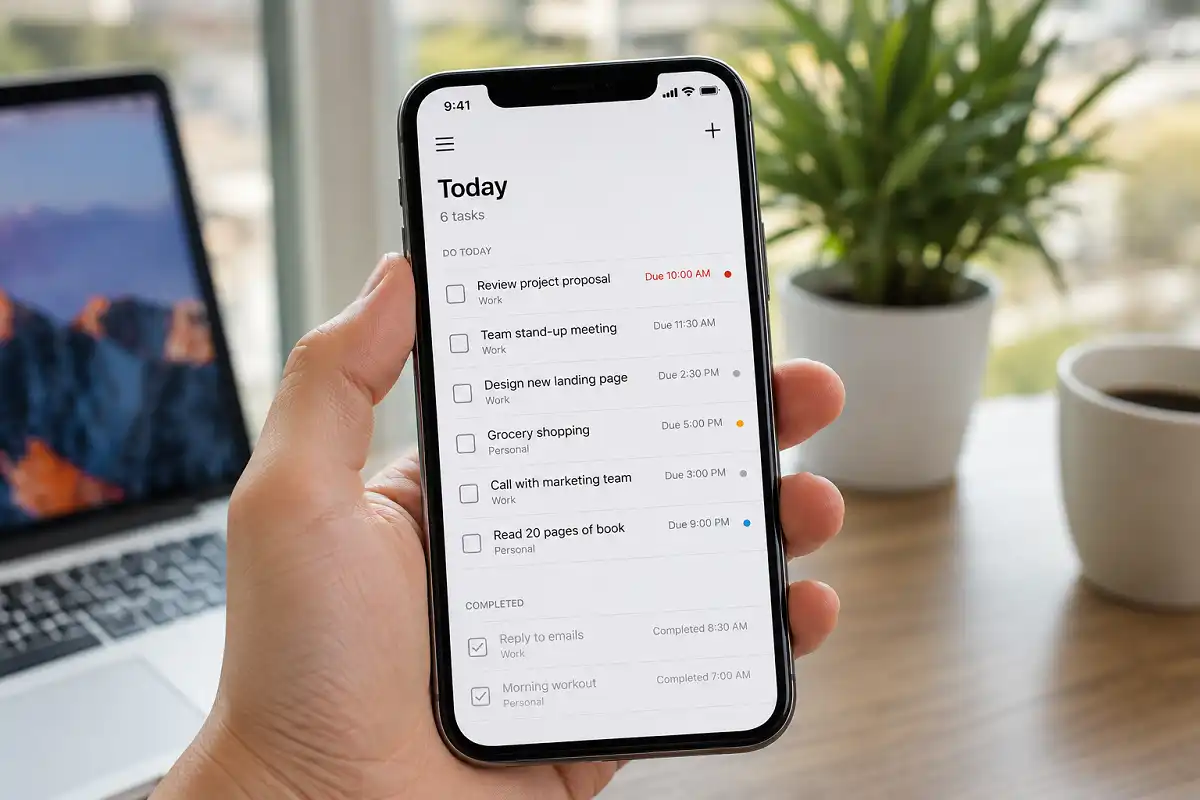
Task managers keep your commitments in one trusted place. Your brain stops trying to remember everything. That mental relief alone boosts focus.
Things 3
Things 3 remains the gold standard for Apple users. It combines beautiful design with genuine power. Projects, areas, and tags stay simple to manage.
I recommend Things 3 for people who want structure without complexity. Its “Today” and “Upcoming” views make planning natural. The one drawback is that it costs money on each platform separately.
Todoist
Todoist works everywhere, not just on Apple devices. Its natural language input feels fast. Type “submit report Friday 3pm” and it schedules itself.
Todoist suits teams and cross-platform users best. Its free tier handles basic needs well. Power users can add labels, filters, and reminders as they grow.
Apple Reminders
Do not overlook Apple Reminders in 2026. It has matured into a capable free option. Smart lists, tags, and location alerts now rival paid apps.
Among free iOS productivity tools 2026, Reminders stands out for deep system integration. It syncs through iCloud automatically. For many casual users, it is enough.
Best Note-Taking Apps for iOS
Notes are where ideas live. The right app captures thoughts fast and finds them later. Good note-taking strategies matter as much as the tool itself.
Notion
Notion turns your notes into a connected workspace. Pages link together like a personal wiki. Databases track projects, reading lists, and goals.
Notion fits knowledge workers and students who manage many moving parts. The mobile app has grown faster over the past year. Beginners should start small to avoid feeling overwhelmed.
Craft
Craft is built for Apple users who value design. Documents look polished with almost no effort. It works offline and syncs smoothly.
I usually suggest Craft to writers and professionals who share documents often. Its blocks feel natural to arrange. Export options make it flexible for reports and portfolios.
Apple Notes
Apple Notes keeps improving each year. It now handles handwriting, tags, and shared folders well. It is free and already on every device.
Apple Notes works best for quick capture and simple organization. The 2026 version adds better search and formatting. For light users, no other app is needed.
Best Calendar and Scheduling Apps
Your calendar controls your time. A smart scheduling app protects it. It shows conflicts before they happen.
Fantastical
Fantastical blends calendars and tasks in one clean view. Natural language event entry saves real time. Type your plan and it appears correctly.
Fantastical suits busy professionals juggling many meetings. It connects to most calendar accounts. The free version covers basics, while the paid tier adds proposals and templates.
Calendars are easy to forget when listing iOS productivity tools 2026, yet they anchor everything else.
Apple Calendar
Apple Calendar is simple and reliable. It syncs across devices through iCloud. The 2026 update improved its layout and event suggestions.
This app fits users who want straightforward scheduling. It pairs naturally with Reminders and Mail. For most people, it handles daily planning fine.
Best Focus and Distraction-Blocking Apps
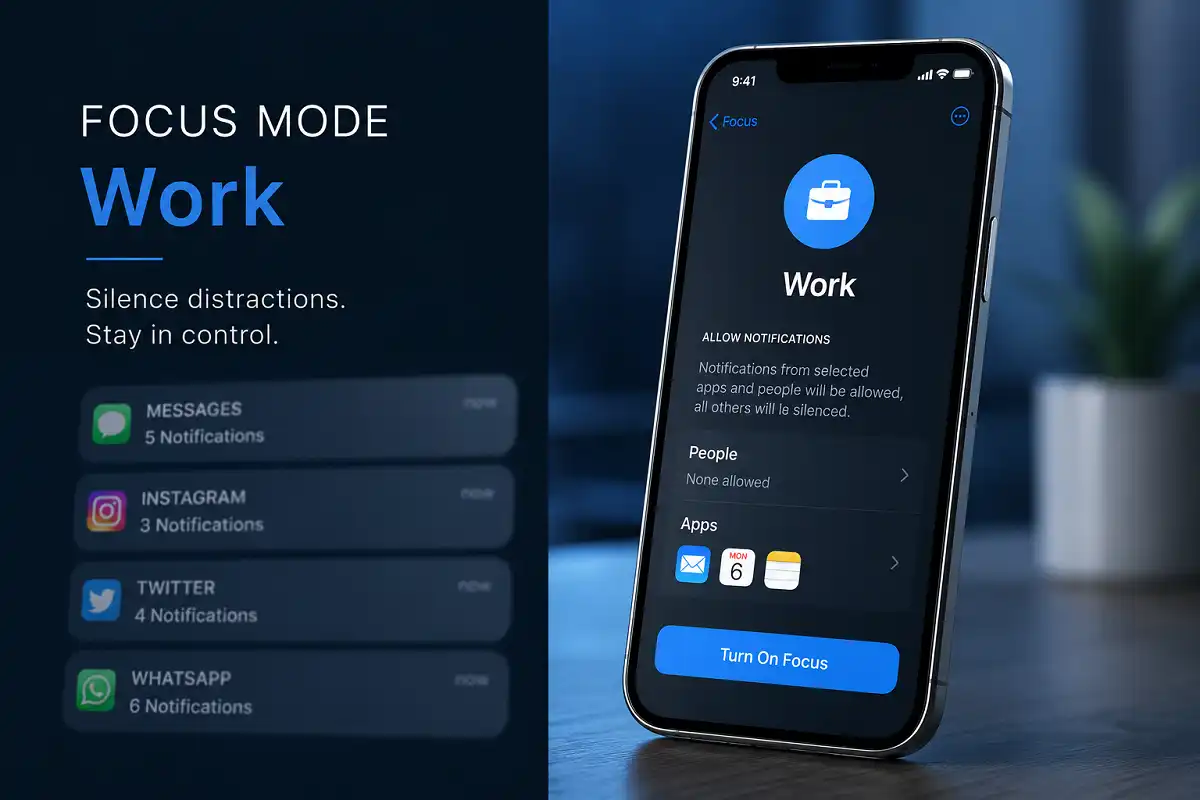
Focus tools protect your attention from endless notifications. They create space for deep work. On phones full of distractions, they earn their place.
Freedom
Freedom blocks distracting apps and websites across devices. You schedule sessions in advance. During a block, temptation simply disappears.
Freedom helps people who lose hours to social media. It works system-wide, not just in one browser. The paid plan unlocks recurring sessions and locked mode.
Apple Focus Modes
Apple’s built-in Focus modes are free and powerful. You filter notifications by activity, like Work or Personal. Each mode can hide specific apps and people.
Focus modes rank among the most valuable iOS productivity tools 2026 for anyone wanting control without extra apps. They sync across your iPhone, iPad, and Mac. Combined with Shortcuts, they trigger automatically by time or location.
If distraction is your main struggle, dedicated hardware can help too. Some readers pair their iPhone with a distraction-free tablet for focused writing and reading.
Best Automation Tools for iOS
Automation removes repetitive work. Your phone handles routine tasks for you. This saves minutes that add up daily.
Shortcuts
Apple Shortcuts is the most underused productivity tool on iOS. It connects apps and actions into automated flows. One tap can start a whole routine.
Shortcuts fits anyone willing to spend an hour learning it. You can automate texts, playlists, and app launches. The 2026 version added smarter suggestions and cleaner design.
Here is a simple example. A “Work Mode” shortcut can enable Focus, open your task app, and start a timer. All from a single tap. This is where iOS productivity tools 2026 shift from helpful to genuinely time-saving.
How to Build Your iOS Productivity System
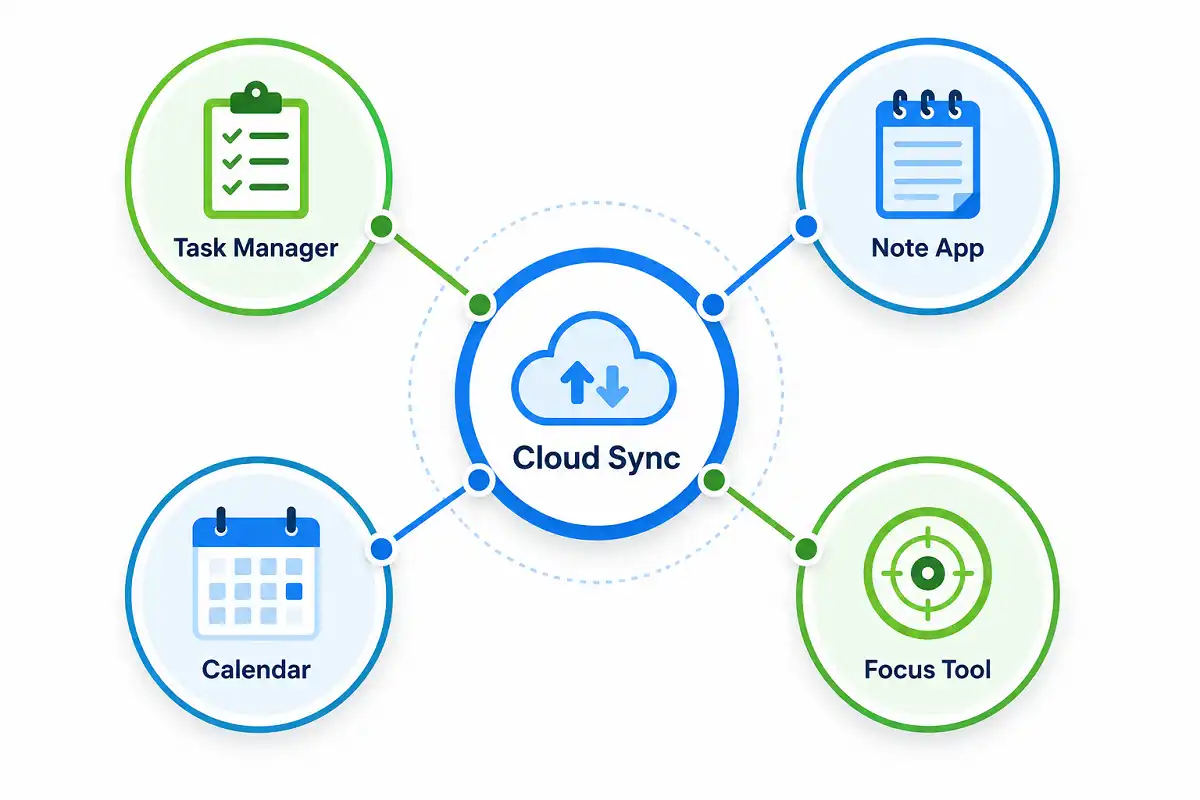
Do not download every app at once. Start with one tool per need. Add more only when a real gap appears.
A balanced setup covers four areas. Pick one task manager, one note app, one calendar, and one focus tool. This keeps your system simple and reliable.
Sync is the glue that holds it together. Choose apps that talk to each other. For files, most tools connect to iCloud, Google Drive, or Dropbox.
The best iOS productivity tools 2026 fade into the background once your routine forms. Review your system every few weeks. Remove apps you stopped using. A lean setup beats a crowded one every time.
Common Mistakes to Avoid
Many people chase new apps instead of building habits. The app is only a container. Your routine does the real work.
Avoid using three apps for the same job. It splits your data and your attention. Pick one and commit to it.
Do not ignore the free built-in tools. Apple Reminders, Notes, and Focus cover most needs well. When comparing iOS productivity tools 2026, remember that paid apps only make sense once you outgrow the free ones.
Finally, avoid over-automating too soon. Start with one or two shortcuts. Complexity added too fast usually gets abandoned.
Free vs Paid iOS Productivity Tools
Free tools have improved dramatically by 2026. Apple’s native apps handle tasks, notes, calendars, and focus at no cost. For many users, they are genuinely enough.
Paid apps earn their price through polish and power. Things 3 offers superior design. Fantastical saves time for heavy schedulers. Notion scales with complex projects.
My advice on iOS productivity tools 2026 is simple. Start free, then upgrade only where you feel real friction. Pay for the tool that solves your specific problem, not for features you will never touch.
Who Should Use Which Tools
Students benefit most from Notion, Apple Notes, and Reminders. These handle study notes, deadlines, and research without cost. The best iOS productivity tools 2026 for study reward simple, repeatable habits.
Professionals lean toward Things 3, Fantastical, and Freedom. Heavy schedules and deep work demand stronger controls. These tools pay for themselves in saved time.
Writers and researchers do well with Craft and Shortcuts. Clean documents and quick automation keep the work flowing. Choosing among iOS productivity tools 2026 comes down to your daily habits, not app popularity.
Key Takeaways
The best iOS productivity tools 2026 fall into four groups: tasks, notes, calendars, and focus. Things 3, Todoist, and Apple Reminders lead for tasks. Notion, Craft, and Apple Notes lead for notes. Fantastical handles scheduling, while Freedom and Focus modes protect attention.
Start small and build slowly. Choose one app per need. Lean on Apple’s free tools before paying for extras. The right iOS productivity tools 2026 should reduce effort, never add it.
The best system is the one you actually use. Match your tools to your real habits. Among all the iOS productivity tools 2026 available, consistency matters more than any single app. Then let automation quietly handle the rest.
Bottom Line
Picking iOS productivity tools 2026 is less about the apps and more about your workflow. Cover your four core needs, start with free options, and upgrade only where friction appears.
Apple’s native ecosystem alone now handles most tasks well. The best iOS productivity tools 2026 for beginners are often the ones already installed. Reminders, Notes, Calendar, and Focus form a complete free foundation.
Add paid apps when you feel a clear limit. Test one new tool at a time. Give it two weeks before deciding. Rushing through iOS productivity tools 2026 usually leads to abandoned apps and wasted money.
Automation ties the whole system together. A few well-built Shortcuts save real time each day. This is where iOS productivity tools 2026 quietly earn their place in your routine.
Review, trim, and refine every month. Drop what you stopped using. The strongest iOS productivity tools 2026 setup stays lean, familiar, and built entirely around how you actually work.