
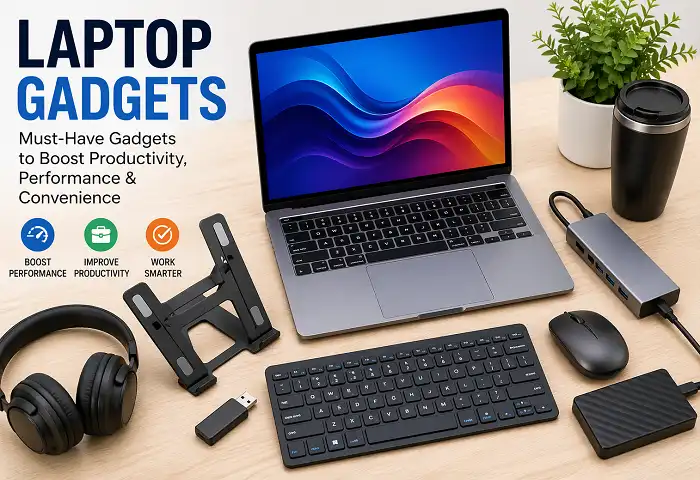
Introduction: Why the Right Laptop Gadgets Change Everything
We live in a world where our laptops have become the center of our professional and personal lives. Whether you are a student burning midnight oil before exams, a remote worker sitting through back-to-back Zoom calls, a graphic designer wrestling with large files, or a casual user who just wants things to work smoothly — the laptop you carry is only half the story. The other half? The laptop gadgets you pair it with.
Think about the last time you struggled with a laggy trackpad, a dead battery in the middle of an important meeting, or a stiff neck after hours hunched over a low screen. Every one of those pain points has a solution, and that solution usually comes in the form of a smart, affordable laptop gadget.
This guide covers the most useful, Google-recommended, and genuinely game-changing laptop gadgets available today. From ergonomic upgrades to performance boosters, from portability essentials to desk setup heroes — we have gathered everything you need to know in one place. By the time you finish reading, you will have a clear picture of which laptop gadgets belong on your desk (or in your bag) right now.
1. USB-C Hubs and Docking Stations: The Connectivity Backbone
Modern laptops are thin, sleek, and powerful — but they have sacrificed ports in the process. If your laptop has only one or two USB-C ports, you already know the frustration of choosing between charging and connecting a device. That is exactly where a laptop gadget like a USB-C hub or docking station becomes essential.
A quality USB-C hub expands a single port into multiple connections: USB-A ports, HDMI output, SD card slots, Ethernet, and even additional USB-C pass-through charging. The best ones support 4K display output and Power Delivery up to 100W, meaning you never have to unplug your charger just to connect a flash drive.
Docking stations take this even further. Designed for power users and home office setups, they turn your laptop into a full desktop workstation. You plug in one cable and instantly get access to dual monitors, wired internet, peripherals, and fast charging — all at once. For anyone working from home or a fixed desk, a docking station is arguably the single most impactful laptop gadget you can invest in.
What to look for:
- Thunderbolt 4 or USB4 compatibility for maximum speed
- At least one HDMI 2.0 port for 4K@60Hz output
- Pass-through charging of 65W or higher
- Compact form factor if you travel often
2. Laptop Stands: Your Posture Will Thank You
Here is a laptop gadget that does not get nearly enough credit: the humble laptop stand. It may look simple, but elevating your laptop screen to eye level is one of the most impactful ergonomic decisions you can make.
Working with your laptop flat on a desk forces you to tilt your neck downward, which strains the cervical spine over time. Doctors and ergonomics experts consistently recommend positioning your screen so your eyes naturally meet the top third of the display. A laptop stand does exactly that.
Today’s laptop gadgets in the stand category range from ultra-portable folding aluminum designs to adjustable multi-angle setups with ventilation built in. Some stands double as cooling pads, combining two functions into one device. If you work at a desk for more than three hours a day, a laptop stand paired with an external keyboard is a combination that can genuinely reduce fatigue and increase focus.
Popular types:
- Fixed angle aluminum stands — Minimalist, stable, great for home offices
- Adjustable height stands — Flexible for different postures and users
- Portable folding stands — Lightweight and travel-friendly
- Standing desk converter stands — For those who want to alternate between sitting and standing
3. Mechanical and Wireless Keyboards: Type Better, Work Faster
When you use a laptop stand, your built-in keyboard suddenly becomes uncomfortable to type on. That creates a perfect opportunity to upgrade to one of the best laptop gadgets for typing: an external keyboard.
Wireless mechanical keyboards have exploded in popularity among writers, coders, and professionals who type extensively. The tactile feedback, key travel, and satisfying click of mechanical switches reduce typing errors and increase speed once you adapt. Compact 65% or 75% layouts keep desk space manageable without sacrificing essential keys.
If mechanical keyboards feel too noisy for your workspace, membrane or scissor-switch wireless keyboards offer a quieter, flatter typing experience that still beats the cramped layout of most laptop keyboards.
Bluetooth connectivity means no cables, and multi-device pairing — available on many modern wireless keyboards — lets you switch between your laptop, tablet, and phone with a single button press. This is the kind of versatile laptop gadget that earns its place on your desk immediately.
4. External Mice: Precision and Comfort Combined
The laptop trackpad is one of the most impressive feats of engineering in consumer tech. And yet, for most tasks — photo editing, gaming, spreadsheets, long browsing sessions — an external mouse is faster, more accurate, and far less tiring.
Ergonomic wireless mice are among the top-selling laptop gadgets for good reason. A mouse designed to fit the natural curve of your palm reduces wrist tension during long work sessions. Mice with adjustable DPI settings let you switch between precise pixel-level control and fast screen traversal with a single button.
For creative professionals, a precision mouse with customizable side buttons can speed up workflows significantly. For travelers, compact travel mice fold flat or retract their receivers into the body, making them some of the most portable laptop gadgets available.
Recommended features:
- Silent click switches (for quiet environments)
- Ergonomic or vertical design for wrist health
- USB receiver or Bluetooth (or both)
- Long battery life — 6 months or more on a single charge
5. Laptop Cooling Pads: Keep Performance at Its Peak
Heat is the enemy of performance. When a laptop gets too hot, it throttles processor speed to protect itself — meaning your laptop gadget setup should always include thermal management.
A laptop cooling pad sits beneath your device and uses one or more fans to push air across the bottom surface. For gaming laptops, video editing machines, or any laptop used for hours in warm environments, a cooling pad can reduce temperatures by 5–15°C. That translates directly into sustained performance and longer hardware life.
Modern cooling pads have evolved well beyond basic designs. Premium models feature adjustable fan speeds, RGB lighting, built-in USB hubs, and even ergonomic angle adjustments. Some are engineered specifically for 15-inch or 17-inch gaming laptops, while slim models are designed for ultrabooks.
If you have ever noticed your laptop fan spinning loudly during heavy tasks, or felt the bottom of your device getting uncomfortably hot, a cooling pad is one of the most practical laptop gadgets you can add to your setup.
6. External SSDs: Speed and Storage on the Go
Storage is always running out. Projects grow, media libraries expand, and system backups pile up. External SSDs — solid-state drives — are among the most useful laptop gadgets for anyone who works with large files or needs fast, reliable backup storage.
Unlike traditional portable hard drives, external SSDs have no moving parts. They are faster, more durable, and increasingly affordable. Modern portable SSDs connected via USB 3.2 or Thunderbolt 3 can reach read speeds of 1,000 MB/s or more — fast enough to edit 4K video directly from the drive.
Form factor matters here too. Pocket-sized SSDs that weigh less than 50 grams are genuinely pocketable and rugged enough for daily carry. Some are IP55-rated for dust and water resistance, making them reliable laptop gadgets for photographers, filmmakers, and field workers.
Capacities range from 500GB to 4TB, giving you plenty of room regardless of your use case.
7. Webcams: Look Professional in Every Call
If the pandemic taught us anything about laptop gadgets, it is that the built-in webcam is almost never good enough. The thin, low-resolution cameras squeezed into laptop bezels typically produce grainy, poorly lit video — the opposite of a professional first impression.
A high-quality external webcam changes that entirely. The best webcams today offer 1080p or 4K resolution, wide-angle lenses, built-in ring lights, and AI-powered autofocus that keeps you sharp even when you move. Privacy shutters add peace of mind, and clip-on designs mean setup takes seconds.
For anyone who presents to clients, teaches online, streams content, or simply wants to look polished in video meetings, an external webcam is a high-value laptop gadget with immediate, visible results.
Top features to prioritize:
- 1080p minimum (4K for content creators)
- Built-in noise-canceling microphone
- HDR support for challenging lighting
- Wide FOV (90°+) for standing or whiteboard presentations
8. Laptop Bags and Sleeves: Protection Meets Style
Your laptop gadgets are only as safe as the bag carrying them. A quality laptop bag is both a protective tool and an organizational system.
Dedicated laptop compartments with padding protect your machine from bumps and drops. Anti-theft features like hidden zippers and cut-resistant straps add security in crowded spaces. Waterproof materials guard against unexpected rain. And thoughtful interior layouts — with pockets for chargers, cables, mice, and notebooks — keep your entire laptop gadget ecosystem organized and accessible.
For minimal carry, slim sleeves in neoprene or leather protect your laptop without adding bulk. For heavy-duty daily commuters, multi-compartment backpacks with USB charging ports and ergonomic shoulder straps distribute weight comfortably over long distances.
Choosing the right laptop bag is choosing how well you take care of everything else on this list.
9. Portable Chargers and Power Banks: Never Run Out of Power
Battery anxiety is real. Running out of charge during a flight, in a café, or between outlet opportunities is one of the most frustrating experiences for any laptop user. Portable chargers and power banks built for laptops solve this problem completely.
Laptop-compatible power banks must support USB-C Power Delivery, ideally at 65W or higher to actually charge your laptop (rather than just slow the drain). The best models double as hubs, combining charging ports with USB-A for phones and accessories.
Newer GaN (Gallium Nitride) technology has made high-wattage chargers dramatically smaller and lighter. A 65W GaN charger that fits in a palm is now one of the most recommended laptop gadgets for travelers and commuters. Pair it with a 20,000mAh power bank and you have a full day of backup power in your bag.
10. Portable Monitors: Double Your Screen, Double Your Output
Research consistently shows that dual monitors increase productivity by 20–30%. For laptop users who work away from a fixed desk, a portable monitor is one of the most ambitious — and rewarding — laptop gadgets to add to a mobile setup.
Portable monitors connect via USB-C and draw power directly from the laptop, requiring no external power source. They fold closed like a small book, weigh under 1kg, and set up in under a minute. 15.6-inch is the most common size, offering a balanced trade-off between screen real estate and portability.
Use cases are wide: developers running code on one screen while referencing documentation on another, designers previewing final output alongside editing tools, traders monitoring multiple charts, or students working on assignments while watching recorded lectures. A portable monitor transforms any surface into a dual-screen workstation.
11. Noise-Canceling Headphones: Deep Focus, Anywhere
Open offices, coffee shops, shared apartments — concentration is hard when the world is loud. Noise-canceling headphones are among the most beloved laptop gadgets for knowledge workers, students, and creatives who need to enter flow states on demand.
Active Noise Cancellation (ANC) uses microphones to analyze ambient sound and generate inverse frequencies that cancel it out. The result is a dramatically quieter listening environment that helps you focus without the distraction of surrounding noise. Combined with high-quality audio for calls and music, a good pair of headphones becomes an essential part of your laptop gadget collection.
Over-ear headphones provide the best noise isolation and audio quality. On-ear and in-ear options sacrifice some performance for portability. For those who spend hours on video calls, a headset with a dedicated boom microphone ensures crystal-clear communication on both ends.
12. Privacy Screen Filters: Protect Sensitive Information
In shared spaces — airports, trains, coffee shops, coworking spaces — the screen of your laptop is visible to anyone nearby. A privacy screen filter is a simple, underrated laptop gadget that limits the viewing angle of your display so only the person directly in front can see the content clearly.
Modern privacy filters are thin, anti-glare, and easy to attach and remove without leaving residue. They also double as screen protectors, guarding against scratches. For professionals handling confidential data, financial information, or personal communications in public, this is a laptop gadget that pays for itself the first time someone cannot read over your shoulder.
13. Cable Management Solutions: A Clean Desk Is a Clear Mind
Every great laptop gadget setup creates one common problem: cables. Charging cables, USB hubs, monitor connections, headphone cords — they accumulate fast and create visual clutter that subtly increases stress.
Cable management laptop gadgets — including velcro ties, cable clips, under-desk trays, and cable sleeves — keep your workspace clean and your accessories organized. Magnetic cable holders attached to desk edges keep frequently used cables within reach without tangling. Cable raceways route wires along desk legs invisibly.
A tidy setup is not just aesthetic. It saves time (no more untangling), protects cables from damage, and creates a more focused work environment. Cable management is the finishing touch that takes a good laptop gadget setup to a great one.
Building Your Ideal Laptop Gadget Setup: A Practical Guide
Now that we have covered the essential laptop gadgets individually, let us talk about how to build a cohesive setup that serves your specific needs.
For the Home Office Worker: Start with a docking station, external monitor, ergonomic keyboard, and mouse. Add a laptop stand if you use your laptop screen as a secondary display. Invest in noise-canceling headphones and a quality webcam. These laptop gadgets together create a setup that rivals any desktop workstation in productivity and comfort.
For the Traveling Professional: Prioritize portability. A compact USB-C hub, travel mouse, folding laptop stand, GaN charger, and slim protective sleeve cover all your bases. A portable monitor is worth the extra weight if screen space is critical to your work.
For Students: Focus on value. A budget USB hub, a decent wireless mouse, a laptop stand, and a good pair of headphones represent a highly impactful set of laptop gadgets without breaking the bank. Add an external SSD for project storage and backups.
For Content Creators: External SSD for fast media storage, a 4K webcam, color-accurate portable monitor, precision mouse, and high-quality headphones are the core laptop gadgets for video and photo work. A laptop cooling pad becomes critical during long rendering sessions.
What Google Recommends: Buying Tips for Laptop Gadgets
When researching laptop gadgets online, follow these expert-backed buying principles:
- Check compatibility first. Not all laptop gadgets work with every device. Verify USB-C Power Delivery wattage, display resolution support, and operating system compatibility before purchasing.
- Read verified reviews. Focus on reviews from verified buyers who describe real-world use cases similar to yours. Long-term reliability is more important than first impressions.
- Prioritize build quality over aesthetics. Cheap plastic laptop gadgets wear out quickly. Aluminum, braided cables, and quality connectors signal durability.
- Buy from reputable brands. Established brands in the laptop gadget space — Anker, Belkin, Logitech, Samsung, WD, Dell, Satechi — stand behind their products with warranties and support.
- Consider bundle purchases. Many retailers offer discounts when you buy multiple laptop gadgets together. A keyboard, mouse, and USB hub bundle often costs less than the same items individually.
Conclusion: Invest in Your Setup, Invest in Yourself
The laptop is the tool. The laptop gadgets are the force multipliers. Every item on this list exists because someone encountered a problem — overheating, poor ergonomics, limited connectivity, dead batteries, bad video calls — and engineered a solution.
Your specific combination of laptop gadgets will depend on how you work, where you work, and what matters most to you. But the principle is universal: a thoughtfully assembled setup reduces friction, increases comfort, and lets you stay focused on the work itself rather than fighting your equipment.
Start with one or two laptop gadgets that address your biggest daily frustrations. Build from there. Within a few months, you will have a setup that genuinely supports how you live and work — and you will wonder how you ever managed without it.