
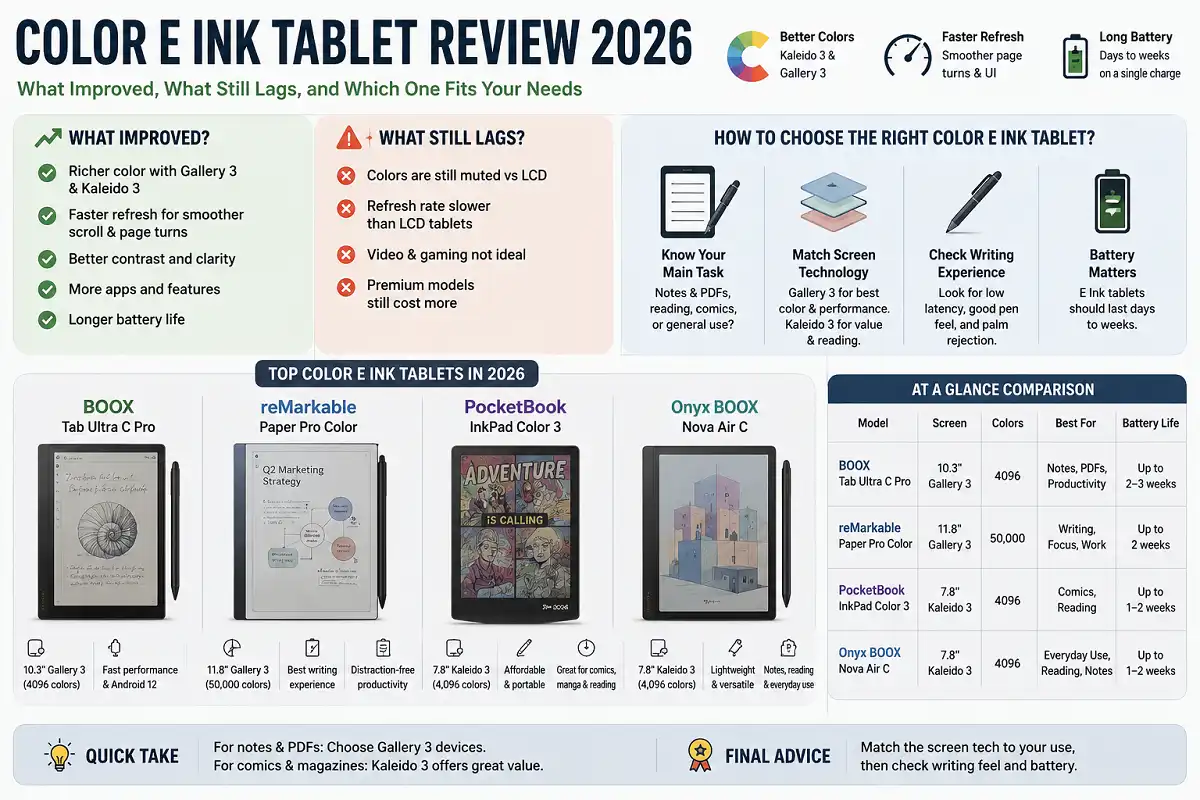
Color E Ink used to be a compromise. Screens looked washed out, refresh felt slow, and prices stayed high. That has changed. This color e ink tablet review explains what improved, what still lags, and which device fits your needs in 2026.
The best color e ink tablet in 2026 depends on your main task. For notes and PDFs, pick a Gallery 3 device with a stylus. For reading comics or magazines, a Kaleido 3 tablet costs less. Match the screen tech to your use, then check writing feel and battery.
What Color E Ink Actually Is
Color E Ink is a low-power display that reflects light instead of shining it at you. It uses tiny charged pigment capsules that shift to form text and images. Because the screen holds an image without constant power, battery life stays long.
The technology sits under the wider umbrella of electronic paper, a display type designed to mimic ink on paper. That paper-like quality is the whole point. You get less glare, softer contrast, and reduced eye strain during long sessions.
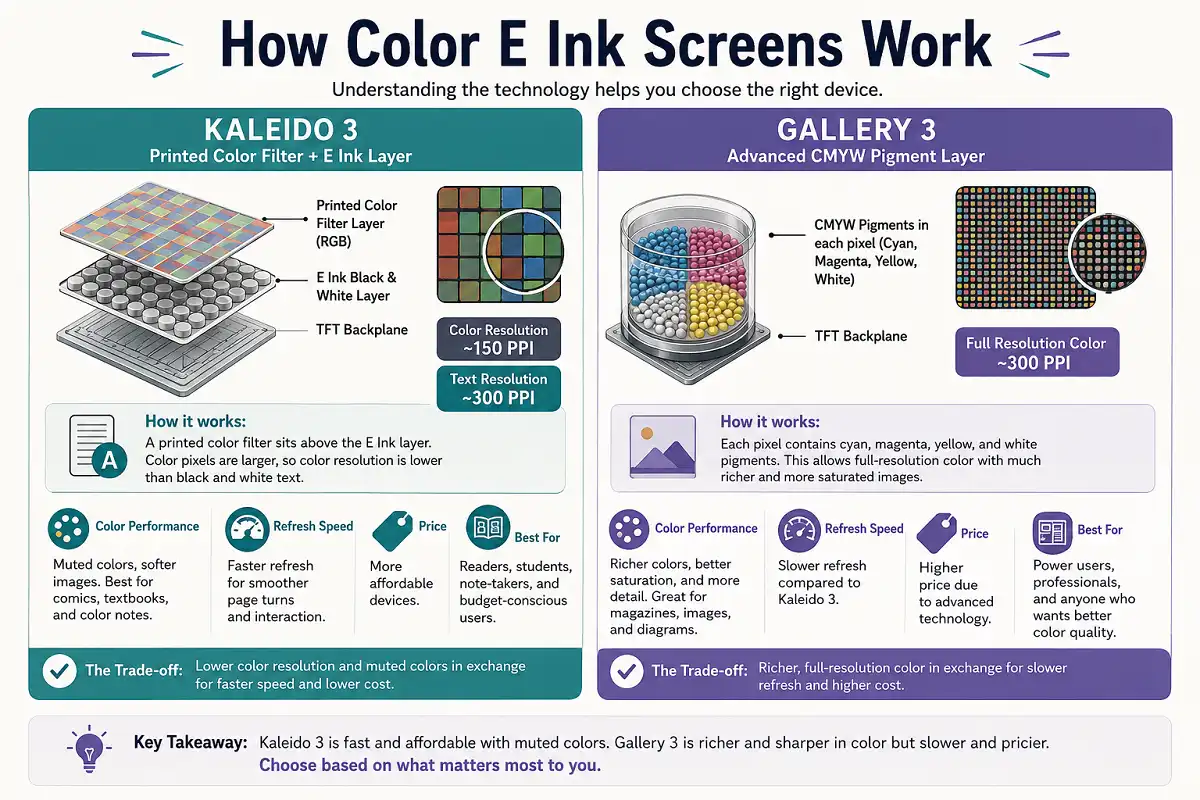
Two color systems dominate the market. Kaleido 3 adds a color filter over a black and white layer. Gallery 3 uses colored pigments in each pixel. Both matter for this color e ink tablet review because they behave very differently.
How Color E Ink Screens Work
A color e ink tablet review means little without understanding the panel. Kaleido 3 places a printed color filter above a standard E Ink layer. Color pixels sit at a lower resolution than the black and white text beneath them.
So text stays sharp, around 300 PPI, while color images render softer, near 150 PPI. Colors look muted next to a phone screen. The trade is speed and price. Kaleido 3 refreshes faster and costs less.
Gallery 3 works differently. Each pixel contains cyan, magenta, yellow, and white pigments. It can show thousands of colors at full resolution. Images look richer and more saturated. The cost is slower refresh and a higher price.
Why Color E Ink Matters for Your Eyes
Reflective screens reduce the strain that backlit panels cause. There is no flicker and no blue light pushed directly at your face. You read using ambient light, the same way you read a book.
If you spend hours reading or annotating, this matters. Many buyers switch after headaches from tablet or laptop use. For a deeper look, our guide to gadgets that reduce eye strain covers the topic well.
Color adds a second benefit. Highlighting, sticky notes, and diagrams read more naturally in color. A yellow highlight looks like a highlight, not a gray box. That small change improves note-taking and study.
Color Quality: What to Expect in 2026
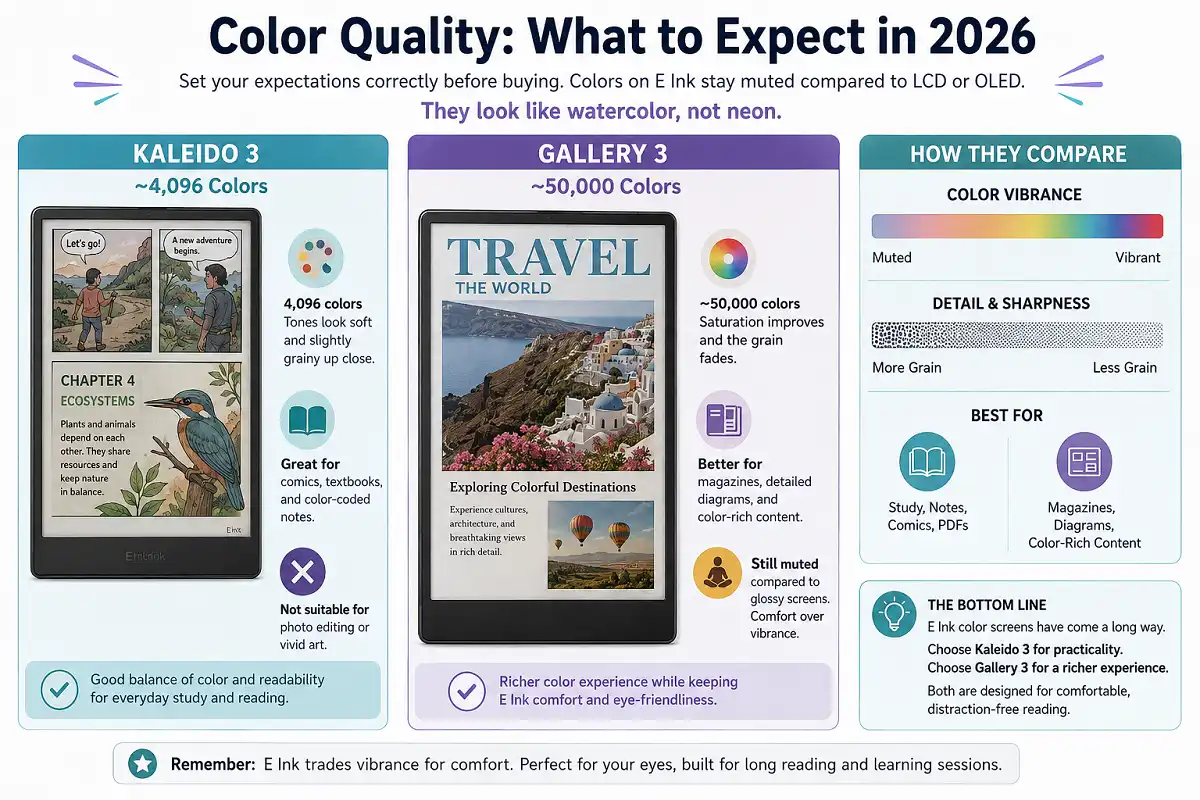
Set your expectations correctly before buying. This is the honest core of any color e ink tablet review. Colors on E Ink stay muted compared to LCD or OLED. They look like watercolor, not neon.
Kaleido 3 shows around 4,096 colors. Tones look soft and slightly grainy up close. It suits comics, textbooks, and color-coded notes. It does not suit photo editing or vivid art.
Gallery 3 shows about 50,000 colors at full resolution. Saturation improves and the grain fades. Magazines and detailed diagrams look better. Still, do not expect a glossy magazine finish. E Ink trades vibrance for comfort.
Writing and Note-Taking Performance
Many readers want a color e ink tablet review focused on handwriting. Writing feel depends on latency, texture, and pen support. Good devices now hit low latency, so ink appears almost instantly under the pen.
The screen texture adds friction that mimics paper. This makes writing feel controlled rather than slippery. Color lets you organize notes with real ink colors, which helps visual thinkers.
Battery holds up well during writing because the screen only draws power on change. A single charge often lasts days. If handwriting is your priority, read our ranking of the best tablet for handwritten notes before you decide.
Reading Experience Across Content Types
Reading is where color e ink shines. Novels look clean in black and white. Comics, manga, and children’s books gain life from color. Textbooks with charts become easier to follow.
PDF reading improves too. Color diagrams, highlighted passages, and colored headers all render in their true tones. Larger screens, around 10 inches, suit PDFs and textbooks. Smaller 7-inch screens favor novels and portability.
For document-heavy workflows, screen size drives comfort more than color does. Our overview of how to choose an e-ink note-taking tablet walks through sizing choices in detail.
Battery Life and Charging
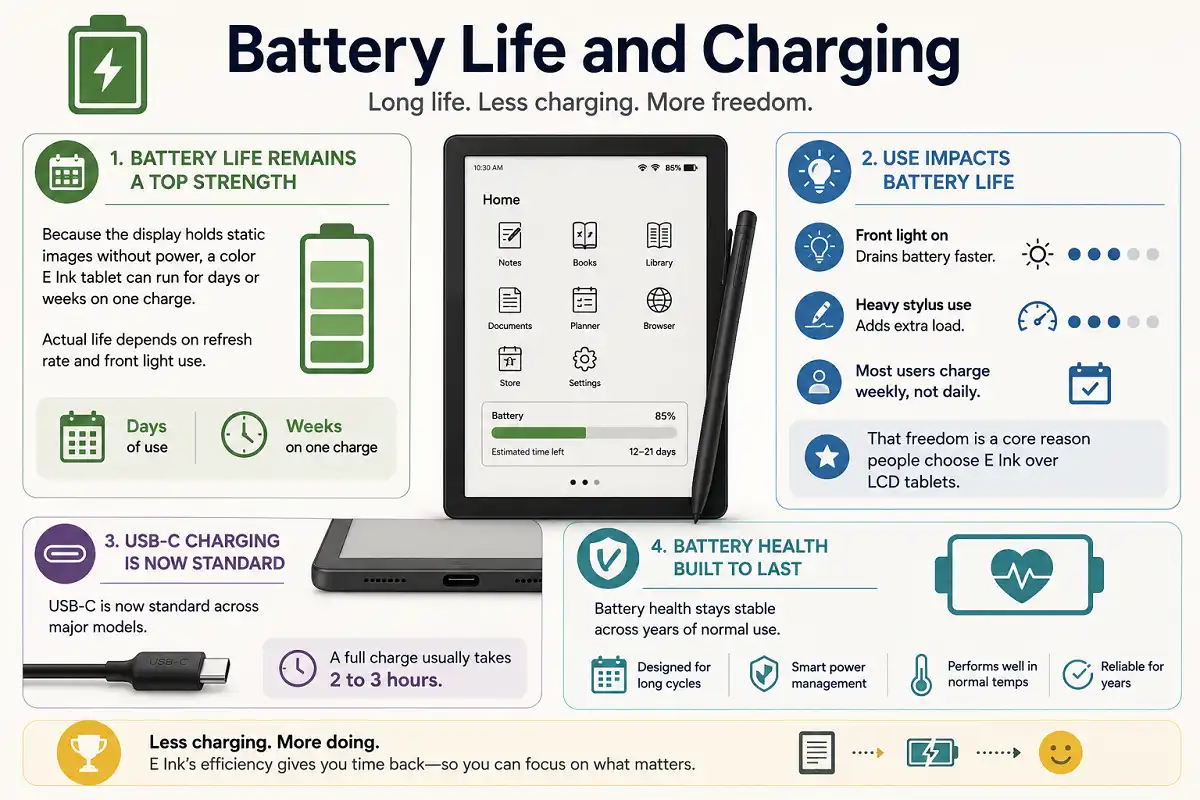
Battery life remains a top strength. Because the display holds static images without power, a color e ink tablet can run for days or weeks on one charge. Actual life depends on refresh rate and front light use.
Turn on the front light and battery drains faster. Heavy stylus use also adds load. Even so, most users charge weekly, not daily. That freedom is a core reason people choose E Ink over LCD tablets.
USB-C charging is now standard across major models. A full charge usually takes two to three hours. Battery health stays stable across years of normal use.
Refresh Rate and Front Light
Refresh rate affects how the screen redraws content. E Ink refreshes slower than LCD, so fast scrolling can leave faint traces called ghosting. Most modern color tablets add refresh modes that reduce this. A full refresh clears the screen cleanly between pages.
Color adds a small speed cost because the panel manages more pixel states. Kaleido 3 handles page turns and light writing well. Gallery 3 feels slower on quick page turns but still works fine for reading and notes.
The front light is another key feature. It shines light across the screen surface, not into your eyes. This lets you read in a dark room without a backlit glare. Many models add warm and cool light control so you can soften the tone at night.
Warm light helps in the evening by cutting harsh blue tones. Adjustable brightness lets you match the room. If you read at night often, front light quality should weigh heavily in your choice. A weak or uneven light hurts the reading experience.
Software, Apps, and Cloud Sync
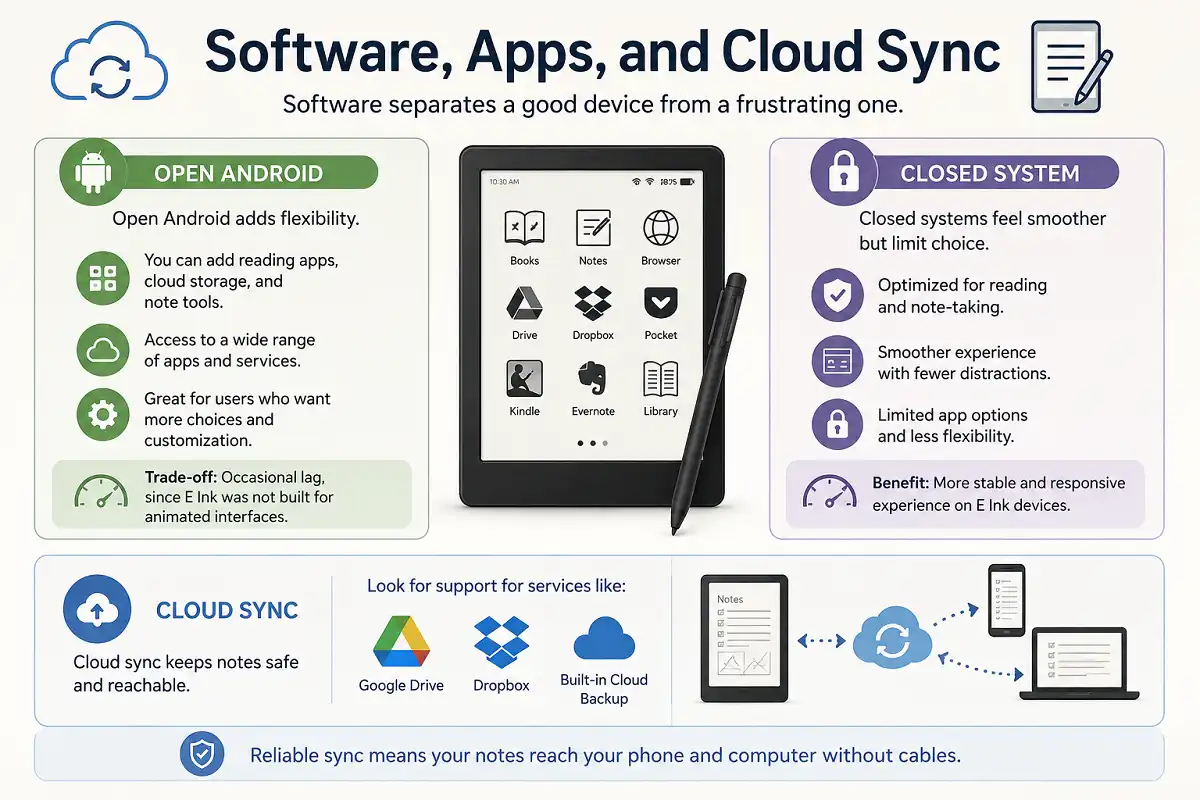
Software separates a good device from a frustrating one. Some tablets run open Android, so you install any app. Others use a locked system focused on reading and notes.
Open Android adds flexibility. You can add reading apps, cloud storage, and note tools. The trade is occasional lag, since E Ink was not built for animated interfaces. Closed systems feel smoother but limit choice.
Cloud sync keeps notes safe and reachable. Look for support for services like Google Drive, Dropbox, or built-in cloud backup. Reliable sync means your notes reach your phone and computer without cables.
Price and Value in 2026
Price shapes the final decision. This section of the color e ink tablet review focuses on value, not just cost. Color models cost more than black and white ones. You pay for the color layer.
Kaleido 3 tablets sit in the mid range. They give color reading at a fair price. Gallery 3 tablets cost more and target buyers who want richer color and full resolution.
Think about how often you use color. If most of your reading is text, a cheaper black and white device may serve you better. Buy color only if color truly helps your daily work.
Choosing the Right Color E Ink Tablet
Start with your main task. A color e ink tablet review is only useful when matched to your habits. Note-takers should prioritize pen latency and writing feel. Readers should prioritize screen size and color type.
Ask a few clear questions. Do you mostly read text or color content? Do you write by hand often? Do you need open apps or a simple interface? Your answers point to the right screen and size.
Then weigh budget against need. Do not overpay for color you will rarely use. Do not underbuy if color drives your workflow. The right pick balances comfort, features, and price.
Common Mistakes Buyers Make
The first mistake is expecting LCD-level color. E Ink color is soft by design. Judge it against paper, not against a phone. Set that expectation and you will stay happy.
The second mistake is ignoring screen size. A small screen frustrates PDF readers. A large screen feels bulky for casual novels. Match size to content before you buy.
The third mistake is skipping software checks. A locked system may block your favorite app. Confirm app support and cloud sync first. This color e ink tablet review stresses software because it often decides satisfaction.
Who Should Buy a Color E Ink Tablet
Students gain from color-coded notes and readable textbooks. Colored highlights and diagrams support memory and review. A color e ink tablet review aimed at study should weight note tools heavily.
Professionals who annotate documents benefit too. Colored markup separates comments, edits, and highlights at a glance. The paper-like screen reduces fatigue during long review sessions.
Comic and manga fans are the clearest match. Color brings these formats to life while keeping the calm, glare-free E Ink feel. If you read visual content daily, color is worth the premium.
Who Should Skip Color for Now
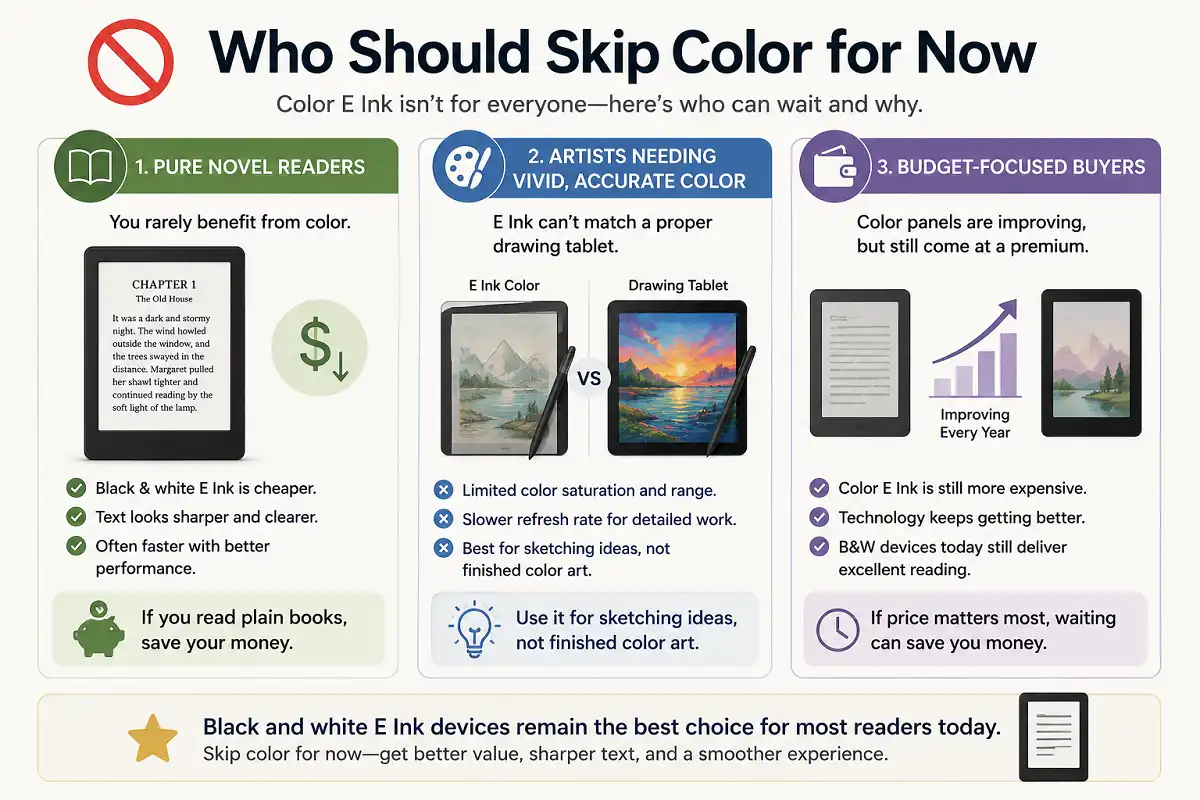
Not everyone needs color. Pure novel readers rarely benefit. Black and white E Ink is cheaper, sharper for text, and often faster. If you read plain books, save your money.
Artists needing vivid, accurate color should also wait. E Ink cannot match a proper drawing tablet for saturation or speed. Use it for sketching ideas, not finished color art.
Budget-focused buyers can wait as well. Color panels keep improving each year. If price matters most, a black and white device today still delivers excellent reading.
Color E Ink vs Regular Tablets
A quick comparison helps frame this color e ink tablet review. Regular LCD and OLED tablets win on speed, color, and video. E Ink tablets win on battery, eye comfort, and focus.
If you want streaming, games, and bright media, a standard tablet fits. If you want distraction-free reading and writing, E Ink fits. Our breakdown of an e-ink tablet versus a regular tablet shows where each one wins.
Focus is an underrated benefit. E Ink devices resist the pull of notifications and endless apps. That calm makes them strong tools for deep work and study.
Care, Durability, and Longevity
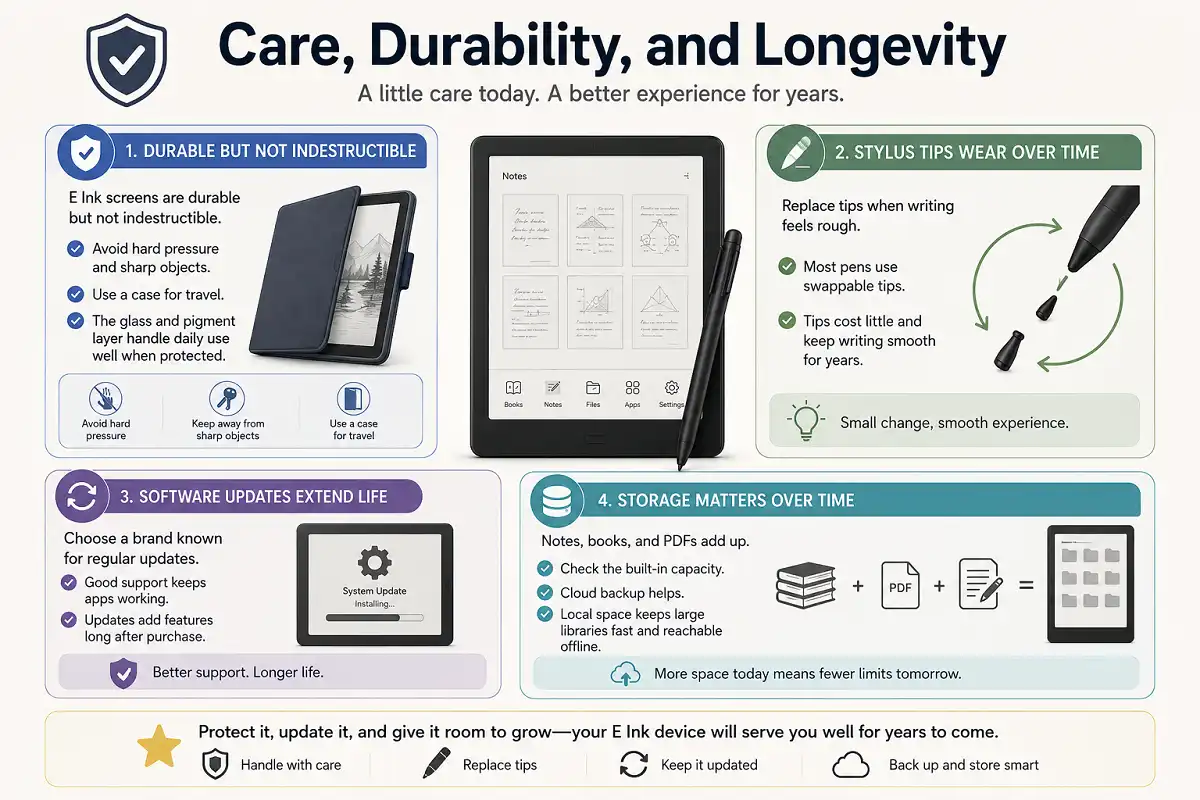
E Ink screens are durable but not indestructible. Avoid hard pressure and sharp objects. Use a case for travel. The glass and pigment layer handle daily use well when protected.
Stylus tips wear over time. Replace them when writing feels rough. Most pens use swappable tips that cost little. This keeps writing smooth for years.
Software updates extend a device’s life. Choose a brand known for regular updates. Good support keeps apps working and adds features long after purchase.
Storage also matters over time. Notes, books, and PDFs add up, so check the built-in capacity. Cloud backup helps, but local space keeps large libraries fast and reachable offline. A device with room to grow lasts longer before it feels full.
Key Takeaways
Color E Ink matured into a real choice for 2026. Kaleido 3 offers affordable color for reading and notes. Gallery 3 offers richer color at full resolution for a higher price. Both stay soft compared to LCD.
Pick based on your main task, screen size, and software needs. Buy color only if it helps your daily reading or note-taking. Protect the screen, replace pen tips, and choose a brand with strong updates.
Used with the right expectations, a color e ink tablet delivers calm, glare-free reading with the added clarity of color. That balance is what makes this category worth your attention this year.
FAQs

Is a color E Ink tablet worth it in 2026?
How many colors can these screens show?
Can you draw or edit photos on color E Ink?
Does color reduce battery life?
Which screen is better for handwritten notes?
Learn More
To understand the science behind these screens, read the background on electronic paper technology on Wikipedia. It explains the display principles that make every color e ink tablet review possible, from pigment movement to reflective, low-power operation.