
Your eyes ache by mid-afternoon. Screens feel harsh, and headaches creep in after long work sessions. The right gadgets that reduce eye strain can ease that discomfort and help you work longer in comfort. This guide covers the tools that actually help, how they work, and who needs each one.
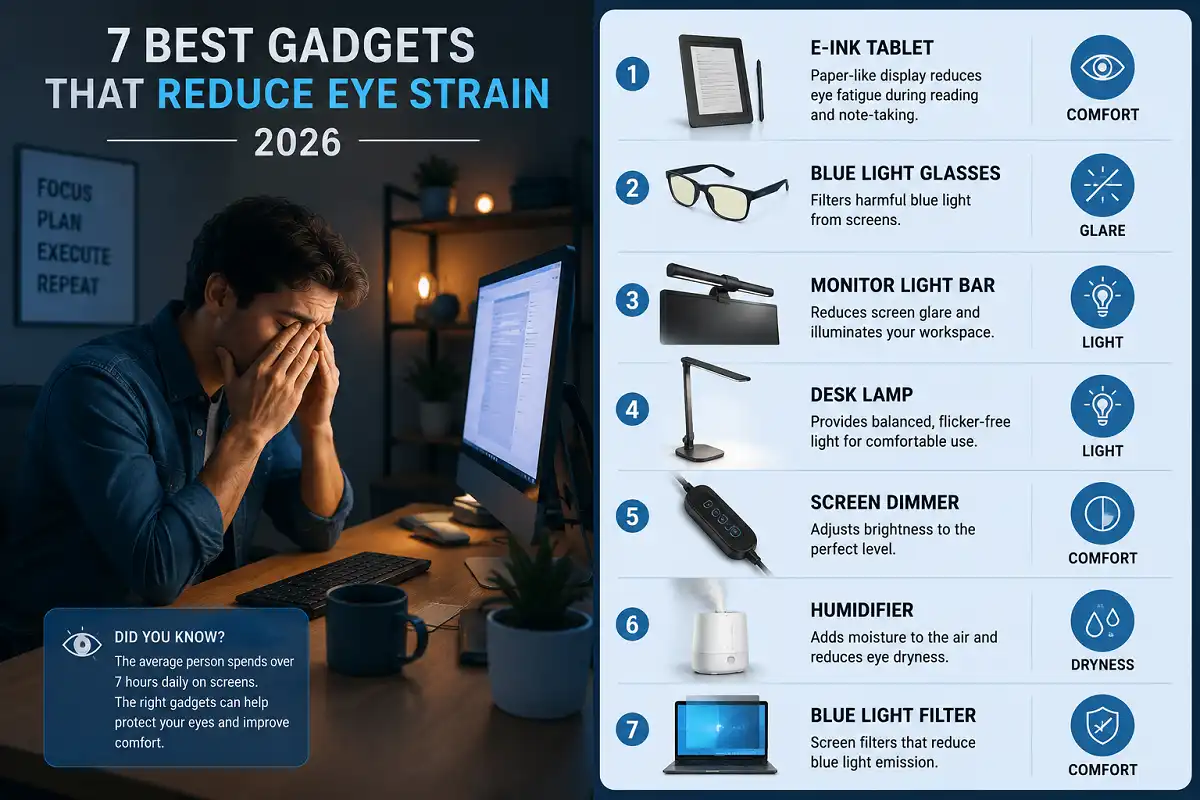
The best gadgets that reduce eye strain in 2026 include e-ink tablets, blue light blocking glasses, monitor light bars, adjustable desk lamps, screen dimmers, humidifiers, and blue light filters. Each targets a different cause of digital eye fatigue, from glare and dryness to poor lighting and screen flicker.
Why Eye Strain Happens in the First Place
Eye strain builds when your eyes work hard without rest. Screens ask a lot from them. You blink less, focus at a fixed distance, and absorb bright light for hours.
Digital eye strain, sometimes called computer vision syndrome, affects most people who work on screens daily. Symptoms include dryness, blurry vision, headaches, and sore neck muscles.
Three main factors drive the problem. Glare bounces off shiny displays. Screen brightness overwhelms your eyes in dim rooms. Reduced blinking dries the surface of the eye.
Understanding these causes helps you pick the right tool. A gadget only helps if it targets your actual trigger. That is why matching the device to your symptom matters more than buying the most expensive option.
What to Look For in Eye-Friendly Gadgets
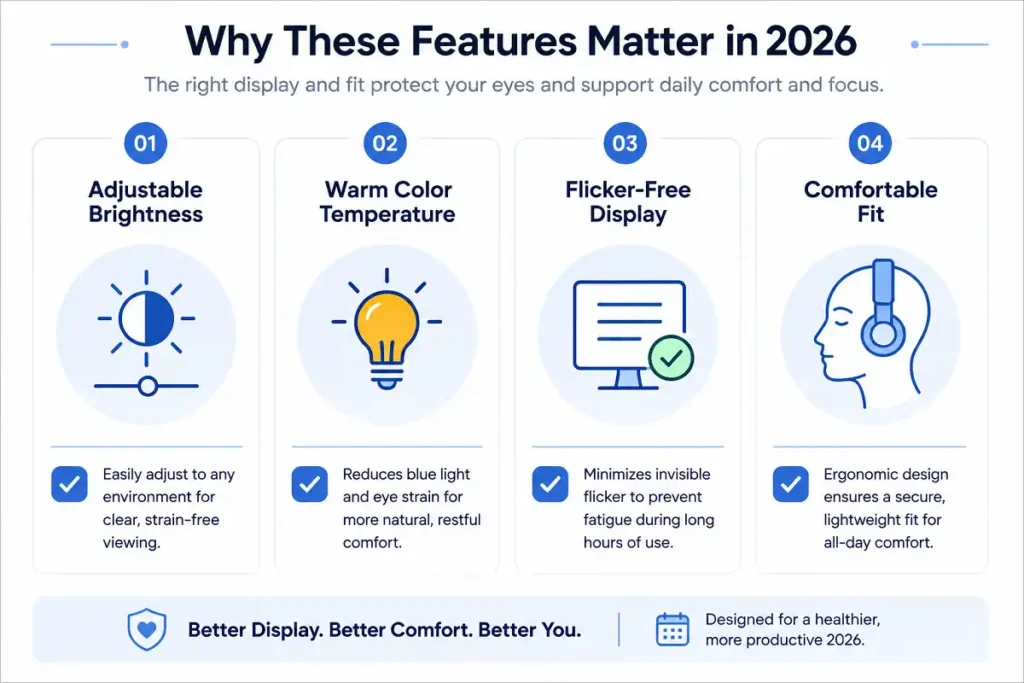
Good eye care gadgets share a few traits. They reduce harsh light, cut glare, or add moisture to your environment.
Look for adjustable brightness first. A device that adapts to your room protects your eyes better than a fixed setting. Warm color temperature also helps during evening use.
Flicker-free technology matters too. Cheap screens flicker at rates your eyes notice unconsciously. This flicker tires your eyes over long sessions.
Comfort and fit round out the list. Glasses should sit well. Lamps should reach across your desk. A gadget you dislike using will sit in a drawer instead of protecting you.
The 7 Best Gadgets That Reduce Eye Strain
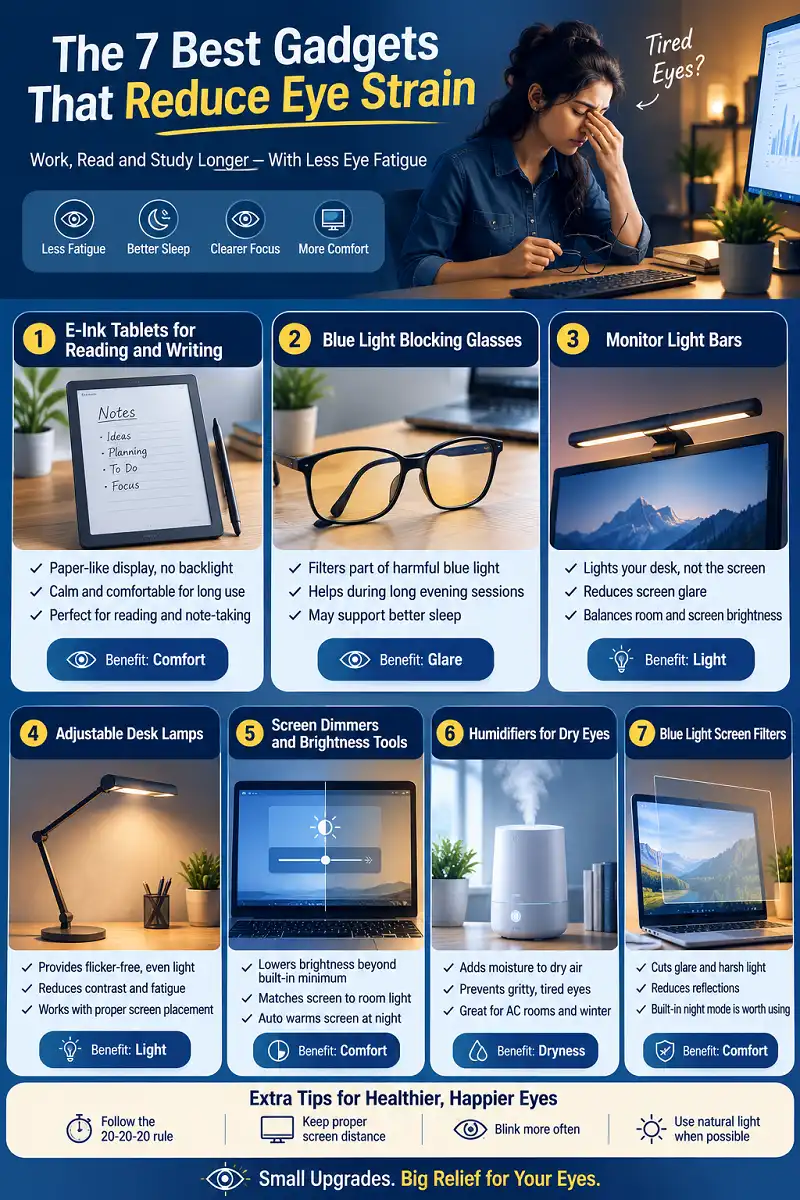
Below are seven tools worth your attention. Each one addresses a specific cause of digital eye fatigue. I have grouped them by how they help so you can find your match quickly.
1. E-Ink Tablets for Reading and Writing
E-ink tablets top the list of gadgets that reduce eye strain because they mimic real paper. They reflect light instead of shining it into your eyes. There is no backlight blasting your retinas.
The reMarkable Paper Pro and similar e-ink devices show text with sharp, matte clarity. Reading feels calm. You can work for hours with far less fatigue than on a bright tablet.
These devices shine for reading, note-taking, and document review. If you read PDFs or write daily, an e-ink screen changes everything. To understand the display itself, see this guide to how paper-like screens work.
Battery life is another quiet benefit. E-ink uses power only when the image changes. That means fewer distractions and steadier focus during long study blocks.
There is a comfort difference you feel within minutes. A backlit tablet pushes light toward you all day. An e-ink panel simply reflects the light already in the room, the same way a printed book does. Your eyes treat it like paper, so they relax. Among all gadgets that reduce eye strain, this shift from emitted light to reflected light is the single biggest upgrade for anyone who reads or writes for hours.
2. Blue Light Blocking Glasses
Blue light glasses filter part of the high-energy light that screens emit. Many people find them helpful during long evening sessions. They are cheap, portable, and easy to try.
The evidence on blue light is mixed. Research suggests glare and reduced blinking cause more strain than blue light alone. Still, many users report more comfort and better sleep when they wear them at night.
Choose lenses with a slight amber tint for evening work. Clear lenses suit daytime use. Fit matters, so pick a frame you will actually wear.
3. Monitor Light Bars
A monitor light bar clips to the top of your screen. It lights your desk without casting glare onto the display. This balances the brightness between your screen and the room.
Poor lighting is a major cause of eye fatigue. When your screen glows in a dark room, your eyes strain to adjust. A light bar fixes that gap.
Most models offer adjustable warmth and brightness. Some auto-dim based on room light. This makes them one of the smartest gadgets that reduce eye strain for desk workers.
4. Adjustable Desk Lamps
An adjustable desk lamp gives you control over your lighting. You can aim it away from your screen and onto your documents. Warm, even light reduces the contrast that tires your eyes.
Look for lamps with brightness and color temperature settings. Cooler light suits focused daytime tasks. Warmer light calms your eyes in the evening.
Pair a good lamp with proper screen placement. Position your monitor so no window or bulb reflects on it. Lighting and screen angle work together to protect your eyes.
The trick is even lighting. Your eyes strain when one part of your view is bright and another is dark. A well-aimed lamp evens out the contrast between your screen, your desk, and the wall behind it. This is why lighting-based gadgets that reduce eye strain often help more than people expect. They fix the room, not just the screen.
5. Screen Dimmers and Brightness Tools
Screen dimmers lower your display brightness beyond the built-in minimum. Some monitors stay too bright even at their lowest setting. Hardware and software dimmers solve this.
Matching your screen to your room is key. Your display should feel as bright as a sheet of paper under the same light. Too bright, and your eyes work overtime.
Software tools also adjust color temperature through the day. They warm your screen at night automatically. These small tweaks make a real difference over weeks of use.
6. Humidifiers for Dry Eyes
A humidifier adds moisture to dry air. Dry environments make your eyes feel gritty and tired. This is common in offices with heating or air conditioning.
When air is dry, tears evaporate faster. Your eyes lose their protective film and start to sting. A humidifier keeps the air comfortable and your eyes moist.
Place one near your desk during winter or in dry climates. It is an overlooked entry among gadgets that reduce eye strain, yet it tackles a cause many people ignore.
7. Blue Light Screen Filters
A blue light filter attaches directly to your monitor or comes built into your device settings. It cuts glare and softens harsh light at the source. This helps more than glasses for some users.
Physical filters also reduce reflections. A matte filter scatters light so bright windows do not bounce back at you. This alone eases a lot of daytime strain.
Built-in software filters cost nothing. Turn on night mode or eye comfort settings on your phone, laptop, and tablet. Combine these with hardware for the best result.
How to Combine Gadgets for the Best Results
One gadget helps. A smart combination helps more. The goal is to attack every cause of strain at once.
Start with your biggest trigger. If your room is dark, add a monitor light bar first. If your eyes feel dry, begin with a humidifier. Match the fix to the feeling.
Layer from there. An e-ink tablet for reading, a light bar for your desk, and a screen filter cover most bases. These tools work best as a system, not in isolation.
Do not forget behavior. The best gear still needs good habits. Combine your tools with regular breaks for the strongest protection.
Think of it as building layers of defense. One layer handles glare. Another handles lighting. A third handles dryness. When you stack the right tools, each one covers a gap the others miss. That is how you get through a full workday without the familiar afternoon ache setting in. A reader who annotates documents daily, for example, might pair an e-ink screen with a warm desk lamp and a humidifier, then rest with the 20-20-20 rule between sessions.
Simple Habits That Boost Every Gadget
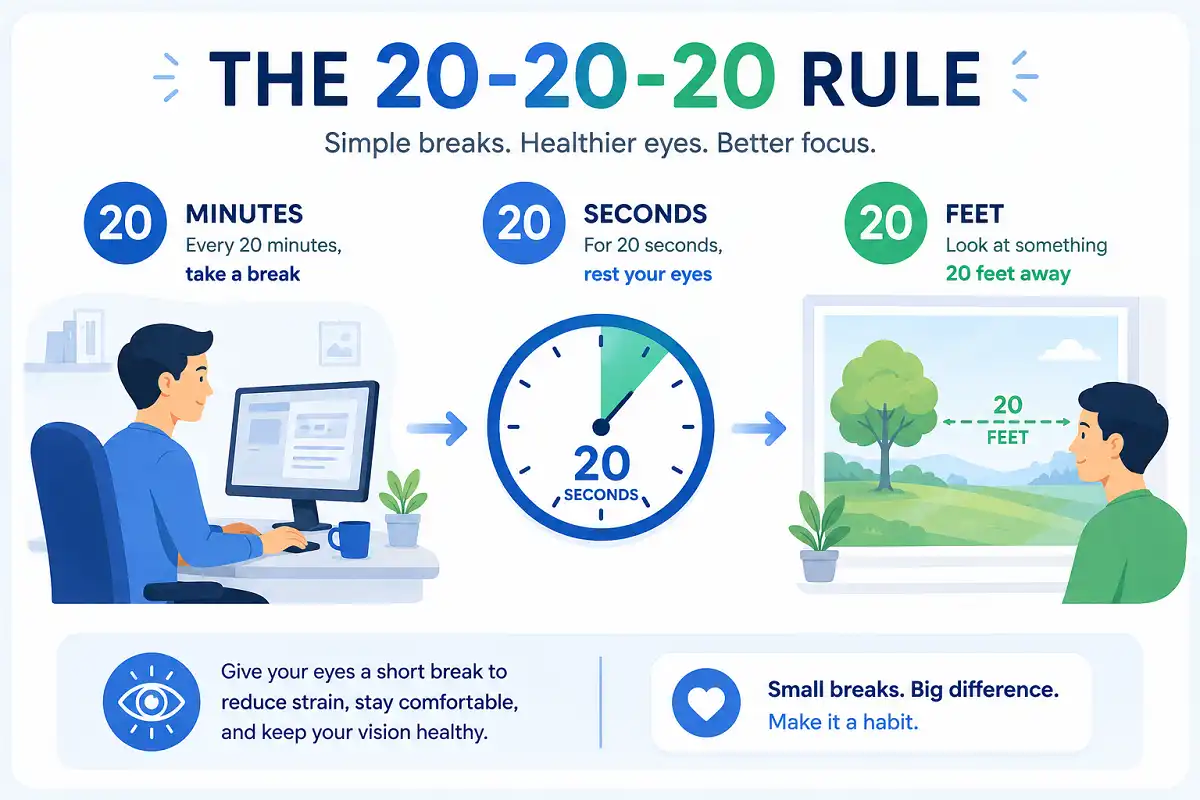
Gadgets help, but habits seal the deal. The 20-20-20 rule is the simplest one to start. Every 20 minutes, look at something 20 feet away for 20 seconds.
Blink often on purpose. Screens cut your blink rate in half. Conscious blinking spreads tears and keeps your eyes moist.
Adjust your setup too. Keep your screen an arm’s length away. Set the top of the monitor at or just below eye level. Small changes to focus and concentration add up fast, and a calmer desk supports both your eyes and your ability to stay focused during work.
Take real breaks. Stand up, stretch, and rest your eyes away from any screen. No gadget replaces genuine rest.
These habits stretch the value of every device you own. Pair them with the right hardware and you protect your vision from two directions at once, through better gear and better routines. A short walk away from your desk every hour also relaxes the focusing muscles inside your eyes, which no accessory can fully replace.
Who Should Prioritize These Gadgets
Not everyone needs every device. Your daily routine decides what matters most.
Heavy readers and writers benefit most from e-ink screens. Students reviewing long documents fall into this group. Switching to matte, paper-like reading reduces hours of fatigue. Many people looking to cut back on bright displays also explore tools that lower daily screen time.
Desk workers gain the most from lighting fixes. A monitor light bar and desk lamp change how comfortable your whole day feels. Add a filter if glare is your issue.
People in dry offices should start with a humidifier. Anyone with evening headaches can try glasses or software filters first. Match your choice to your symptoms, and start with the one that targets your worst complaint.
Gamers and remote workers who stare at screens all evening are prime candidates too. Long sessions in a dark room are the hardest on your eyes. For this group, a monitor light bar and a screen filter make a noticeable difference within a single week. The comfort gain is immediate, and the cost is low compared to the hours of relief. Even a small change, like warming your screen color after sunset, can ease the evening headaches that these long sessions tend to cause.
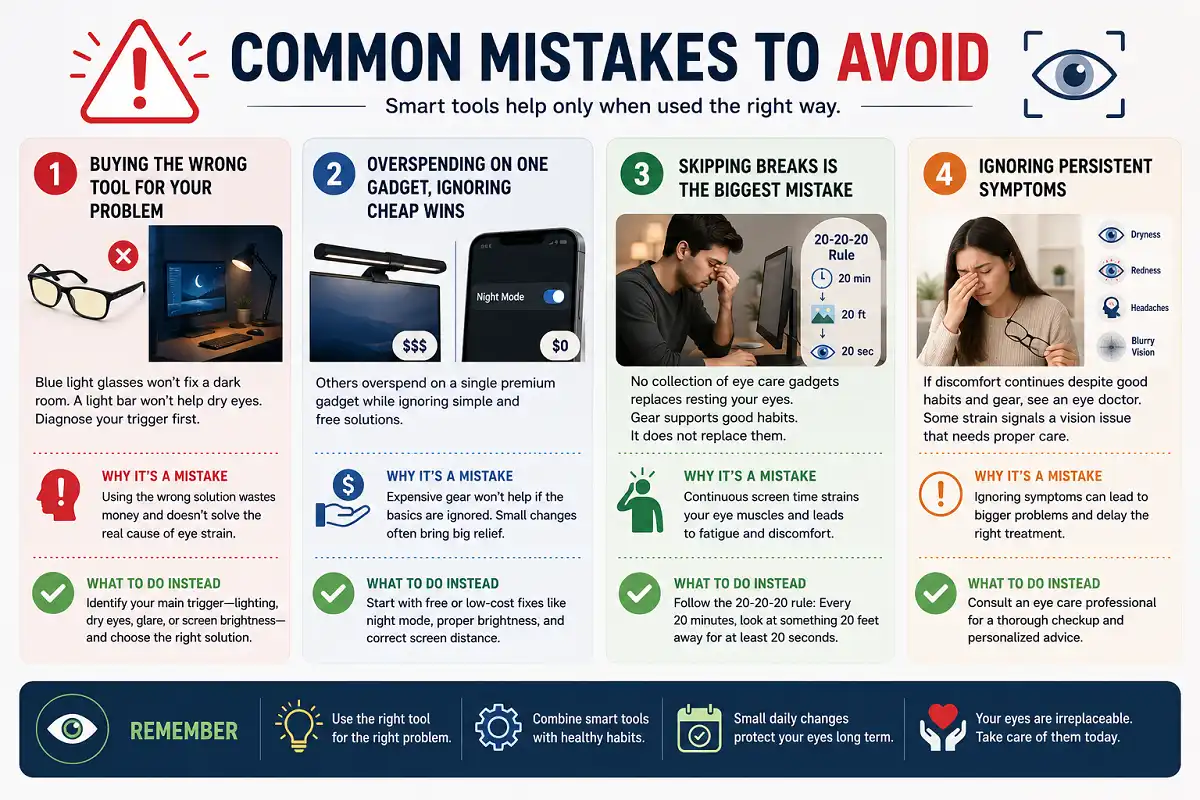
Common Mistakes to Avoid
Some people buy the wrong tool for their problem. Blue light glasses will not fix a dark room. A light bar will not help dry eyes. Diagnose your trigger first.
Others overspend on a single premium gadget while ignoring cheap wins. Turning on your device’s built-in night mode costs nothing. Fixing your screen distance is free. Start with the basics before buying.
Skipping breaks is the biggest mistake of all. No collection of eye care gadgets replaces resting your eyes. Gear supports good habits. It does not replace them.
Finally, do not ignore persistent symptoms. If discomfort continues despite good habits and gear, see an eye doctor. Some strain signals a vision issue that needs proper care.
FAQs

Do gadgets that reduce eye strain actually work?
Are e-ink tablets better for your eyes than regular tablets?
Do blue light glasses really help?
What is the cheapest way to gadgets that reduce eye strain?
How long until eye care gadgets make a difference?
Bottom Line
The best gadgets that reduce eye strain target the real causes of digital fatigue: glare, harsh light, dryness, and screen flicker. E-ink tablets, monitor light bars, and adjustable lighting deliver the biggest gains for most people.
Start by naming your worst symptom. Pick the one gadget that fixes it. Then layer in habits like the 20-20-20 rule and frequent blinking. That combination protects your eyes far better than any single purchase.
The best gadgets that reduce eye strain comfort at your desk is within reach. Choose the tools that fit your routine, build better habits around them, and your eyes will thank you through every long work session. For more on the science of visual fatigue, see this overview of eye strain on Wikipedia.