
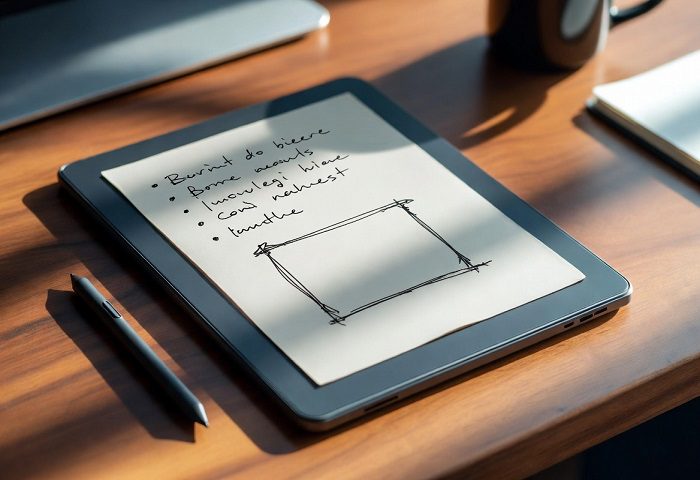
Introduction: Why the Paper Tablet Is Redefining How We Write
There is something deeply satisfying about putting pen to paper. The friction, the silence, the absence of pop-up notifications telling you that your third cousin just liked a photo from 2019. For decades, writers, students, architects, and professionals have clung to their notebooks precisely because screens felt wrong — too bright, too busy, too demanding.
Then came the paper tablet.
A paper tablet is a digital writing device built around an electronic ink (E Ink) display that mimics the look and feel of real paper. It is not a standard LCD tablet. It does not glow at you from across the room. It does not buzz with social media alerts. It is, instead, a calm and intentional piece of technology designed to do one set of things very well: let you read, write, sketch, and annotate with the kind of focus that a traditional notebook always offered — but with the organizational superpowers of the digital world.
In 2026, the paper tablet market has matured dramatically. Devices are thinner, smarter, faster, and more colorful than ever before. Whether you are a student drowning in PDFs, a professional who annotates contracts for a living, a novelist who thinks better with a stylus in hand, or simply someone tired of screen fatigue, there is a paper tablet built for your life.
This comprehensive guide covers everything you need to know: how the technology works, what features matter most, which devices are leading the market right now, and how to choose the one that fits your workflow.
What Is a Paper Tablet? Understanding the Core Technology
At its heart, a paper tablet is an electronic writing tablet that uses E Ink display technology instead of the liquid crystal displays (LCD) or OLED screens found in conventional smartphones and tablets.
The science behind it is elegant. An E Ink screen contains millions of microscopic capsules, each filled with positively charged white particles and negatively charged black particles suspended in a clear fluid. When an electric charge is applied, the white particles rise to the surface or sink, forming text and images. Crucially, once those particles are in position, the display requires no power to maintain that image — just like ink dried on a page.
This mechanism produces several characteristics that set a paper tablet apart from every other device you own:
Reflective display: An E Ink screen reflects ambient light rather than emitting it. Reading on a paper tablet outdoors on a sunny day is perfectly comfortable — in fact, the brighter the environment, the crisper the display looks. This is the opposite of how LCD screens behave.
Low blue light output: Because E Ink panels do not emit light on their own, they produce dramatically less blue light than standard displays. Research suggests users experience 60 to 70 percent less eye fatigue during extended reading sessions compared to traditional tablet screens. For anyone who reads or writes for hours each day, this difference is substantial.
Exceptional battery life: Since power is only consumed when the content on screen changes, e-paper tablet devices can last anywhere from two weeks to two months on a single charge under normal use. This is not a marketing exaggeration — it is a fundamental property of how the technology works.
Paper-like texture: Modern paper tablets pair their E Ink screens with textured glass or film overlays that create genuine stylus friction. Writing on the best devices today feels almost indistinguishable from writing on high-quality paper.
The trade-off has traditionally been refresh rate. E Ink screens update more slowly than LCD panels, which makes them poorly suited for video, gaming, or rapidly scrolling content. However, the latest generation of E Ink technology — including Kaleido 3 color displays and Gallery 3 panels — has narrowed this gap considerably.
The Rise of the Digital Paper Tablet: A Brief History
Electronic paper technology has been in development since the 1970s, when researchers at Xerox PARC first explored the idea of “electronic ink.” Commercial e-readers began to emerge in the early 2000s, but the modern paper tablet as a writing and annotation device really came into focus around 2017, when reMarkable launched its first device and demonstrated that an E Ink slate could be a genuine productivity tool rather than just a reading gadget.
The market has since expanded dramatically. In 2026, paper tablets range from simple, focused writing devices priced around $300 to feature-rich Android-powered platforms approaching $900. Major players now include reMarkable, Onyx Boox, Kindle (Amazon), Supernote, Kobo, Bigme, and XPPen — each with a distinct philosophy about what a digital paper tablet should do.
Key Features to Evaluate in a Paper Tablet
When shopping for a paper tablet, the specifications listed on a product page do not tell the whole story. Here is what actually matters in day-to-day use.
Screen Size and Resolution
The most popular paper tablets feature screens around 10.3 inches — roughly A5 in size. This has become a sweet spot between readability and portability. At this size, handwritten notes feel natural and most document formats are comfortable to read without constant pinching and zooming.
If you regularly work with A4-sized PDFs, a larger screen — such as the 11.8-inch reMarkable Paper Pro or the 13.3-inch Onyx Boox Tab X C — is worth the premium. For maximum portability, 7-inch devices like the reMarkable Paper Pro Move offer a more pocketable form factor, though they can feel cramped with complex layouts.
Resolution matters significantly for reading comfort. A paper tablet with 300 pixels per inch (PPI) produces text that is genuinely indistinguishable from a printed page. Devices offering 226 PPI are adequate for most text but show pixelation with detailed graphics or small fonts. Color E Ink panels, which use a different substrate, typically top out around 150 PPI, trading sharpness for chromatic capability.
Stylus and Writing Experience
This is arguably the most important factor for anyone buying a paper tablet primarily for handwriting. The best e-ink writing tablet should feel right in the hand from the very first stroke.
Pen-to-ink latency — the tiny delay between when your stylus touches the screen and when the mark appears — has been one of E Ink’s weakest points historically. The best current paper tablets have reduced this to around 20 milliseconds, which is imperceptible to most writers. Pressure sensitivity levels (typically 4,096 or 8,192 levels) determine how naturally you can vary your line weight when sketching or calligraphing.
Stylus friction is created partly by the screen’s surface texture and partly by the tip of the pen itself. Many paper tablet manufacturers sell replacement tips specifically designed to wear down gradually, mimicking the way a real pencil degrades on paper. It sounds like a small thing. Once you have experienced it, you cannot imagine writing on a smooth glass surface again.
Operating System and Software Ecosystem
This is where paper tablets diverge most dramatically in their philosophy.
Closed-ecosystem devices like the reMarkable 2 and Paper Pro run proprietary software. You get a beautifully streamlined interface, exceptional writing feel, and a focused experience — but you cannot install third-party apps. Your note-taking happens within the company’s own ecosystem, which syncs across devices via subscription.
Open-ecosystem devices like the Onyx Boox range run full Android. You can install Google Drive, OneNote, the Kindle app, even YouTube if you really want to test the limits of what an E Ink display can do. This flexibility is powerful for users who need their paper tablet to function as a genuine productivity hub.
Your choice here depends on your workflow. If you want a distraction-free digital notebook, a closed ecosystem is liberating. If you need your paper tablet to integrate with your existing app stack, Android is essential.
PDF Annotation and Document Management
For students and professionals, the ability to annotate PDFs is often the primary use case for a paper tablet. Look for devices that support smooth scrolling through multi-page documents, layer-based annotation (so your notes stay separate from the original text), and robust export options — ideally with handwriting-to-text conversion.
The best paper tablets in 2026 also support EPUB, MOBI, and other e-book formats for reading, though dedicated e-readers still offer deeper integration with book stores.
Cloud Connectivity and Sync
Most paper tablets now support Wi-Fi and connect to companion apps on your smartphone or computer. The quality of these ecosystems varies. reMarkable’s sync is seamless but requires a subscription for advanced features. Boox devices leverage Google Drive, Dropbox, and other standard cloud services. Supernote has built a loyal community around its thoughtfully designed sync and organization features.
The Best Paper Tablets of 2026
reMarkable Paper Pro — Best Overall Paper Tablet
The reMarkable Paper Pro is widely considered the benchmark paper tablet for 2026. Its 11.8-inch Gallery 3 Canvas Color display supports 20,000 colors and responds to handwriting at a speed that genuinely feels pen-on-paper natural. The device is slim, premium, and purpose-built for writing and document work.
It lacks Android app support, which is a deliberate design decision. reMarkable believes a paper tablet should not be a distraction machine, and users who agree tend to love this device deeply. New software features — including drag-and-drop toolbars, handwriting search, and note-to-text conversion — are rolling out across the reMarkable ecosystem.
The Paper Pro’s starting price sits at $629, making it a significant investment. But for professionals and serious writers who want the finest digital writing experience available, it justifies every cent.
Onyx Boox Tab Ultra C Pro — Best Android Paper Tablet
For users who need the flexibility of a full Android environment on their e-paper tablet, the Onyx Boox Tab Ultra C Pro is the leader. Running Android 12 with full Google Play access, it handles email, cloud apps, PDFs, and creative work without compromise. Its octa-core processor and 6GB of RAM make it the most capable paper tablet for multitasking.
The Kaleido 3 color E Ink display supports up to 4,096 colors, and the included stylus provides excellent pressure sensitivity. At around $820 with the keyboard case, it is the most expensive paper tablet on the market — but it is also, arguably, the most capable.
reMarkable Paper Pro Move — Best Compact Paper Tablet
For those who want the reMarkable experience in a more portable size, the Paper Pro Move brings color E Ink capabilities and excellent software to a 7-inch form factor. Priced at $449 with the standard marker, it is a more manageable entry point into the premium paper tablet world.
Kindle Scribe (2nd Gen) — Best for Amazon Users
Amazon’s second-generation Kindle Scribe improved significantly over its predecessor. The 11-inch glare-free E Ink display offers a satisfying writing surface, and the Premium Pen — which requires no charging — provides responsive, paper-like handwriting. Built-in AI features help with search, summarization, and converting handwritten notes to typed text.
The Kindle Scribe’s deepest strength is its integration with the Kindle ecosystem. If your reading life already lives on Amazon, this paper tablet makes a natural companion.
Supernote Manta — Best for Long-Term Note-Takers
The Supernote Manta has earned a devoted following for its thoughtful software design and exceptional note organization features. Its greatest differentiator in 2026 is support for easily swappable batteries and motherboards — making it the only paper tablet designed for genuine long-term ownership rather than planned obsolescence.
For users who take copious handwritten notes and want to organize them across notebooks, chapters, and tags, Supernote’s software feels like it was designed by someone who actually takes a lot of notes. Because it was.
Boox Go 10.3 Gen II — Best Budget-Friendly Android Paper Tablet
Launched in March 2026, the Boox Go 10.3 Gen II brings Android 15 and access to over two million apps to a 10.3-inch E Ink display at a more accessible price point. The Lumi model, which adds a dual-tone front light for low-light reading and writing, weighs just 364 grams and measures 4.8mm thick — thinner than a standard wooden pencil. At $449.99, it represents strong value for users who want Android flexibility without flagship pricing.
Who Should Buy a Paper Tablet?
The paper tablet is not for everyone, and that is perfectly fine. It is specifically well-suited for the following groups:
Students and academics who live inside PDFs, research papers, and textbooks will find that annotating directly on a paper tablet is faster, more natural, and easier to organize than printing documents or wrestling with PDF annotation software on a backlit laptop.
Writers and journalists who benefit from a distraction-free environment will appreciate how a focused paper tablet — particularly a closed-ecosystem device — removes every temptation to drift toward social media or email. It is harder to get distracted by a device that only does a few things.
Professionals in legal, medical, or financial fields who review and sign documents regularly can streamline their workflows significantly with a paper tablet that supports annotation, export, and cloud sync.
People with screen sensitivity — whether from migraines, dry eyes, or extended computer work — often report substantial relief when switching to E Ink for their reading and note-taking tasks.
Environmentally conscious users who want to reduce paper consumption in their offices and studies will find that a single paper tablet can replace thousands of sheets over its lifetime.
Paper Tablet vs. iPad: Understanding the Difference
The question comes up constantly: why buy a paper tablet when you could just buy an iPad with an Apple Pencil?
It is a fair question, and the honest answer is that they serve different purposes. An iPad is a general-purpose computing device with a brilliant, high-refresh-rate LCD display. It handles everything from video editing to video calls, gaming to graphic design. It is endlessly capable and endlessly distracting.
A paper tablet is a specialized tool. Its E Ink screen is comfortable for hours of reading and writing in a way that no LCD – regardless of how good it is – can replicate. Its battery lasts weeks, not hours. Its interface, in the best cases, is intentionally stripped down to help you focus on words and ideas rather than on the device itself.
The paper tablet is not trying to replace your iPad. It is trying to replace your notebook.
The Future of Paper Tablet Technology
The trajectory of paper tablet development in 2026 points toward several exciting directions.
Color E Ink is maturing rapidly. Gallery 3 technology, as seen in the reMarkable Paper Pro, delivers 20,000 colors with faster refresh rates than previous generations. Kaleido 3, used by Boox and others, supports 4,096 colors at competitive pricing. As color displays become sharper and more affordable, the paper tablet’s appeal will extend further into creative fields like illustration and design.
AI integration is beginning to reshape what a paper tablet can do. Devices like the Vuuuds AI Paper and iFlytek Note 2 are incorporating intelligent tools for transcription, organization, and task management directly into the note-taking experience. Handwriting-to-text conversion — once a clunky afterthought — has become genuinely reliable, enabling users to search their handwritten notes or export them as formatted documents.
Sustainability is becoming a more prominent design consideration. Supernote’s swappable battery system reflects a broader push toward devices built for longevity rather than annual replacement. As consumers grow more aware of electronic waste, the paper tablet’s natural lean toward durability and low power consumption aligns well with environmentally thoughtful purchasing decisions.
Thinner, lighter hardware continues to be a competitive differentiator. The Boox Go 10.3 Gen II’s 4.8mm profile and 364-gram weight demonstrate how far the physical form factor has evolved. Future paper tablets will continue to approach the profile of an actual notebook while adding more capability.
How to Choose the Right Paper Tablet for You
Before making a purchase, ask yourself these three questions:
What is my primary use case? If you are mainly reading and annotating documents, screen size and PDF performance matter most. If you are primarily handwriting notes and journaling, stylus quality and writing feel should drive your decision. If you need to run specific apps, you need an Android-based device.
Do I want a closed or open ecosystem? The choice between a focused, proprietary environment and a flexible Android platform is deeply personal. Neither is objectively better — they serve different working styles.
What is my budget? Quality paper tablets start around $300 and reach nearly $1,000 at the high end. Mid-range options in the $400–$500 range — including the reMarkable Paper Pro Move and the Boox Go 10.3 Gen II — offer excellent value without compromising on the core writing experience.
Final Thoughts: The Paper Tablet Is Not a Gimmick
There is a temptation to dismiss the paper tablet as a niche curiosity — a gadget for a narrow audience of technophilic Luddites who want the best of both worlds without fully committing to either. That temptation is understandable. It is also wrong.
The paper tablet addresses a genuine and growing need: the need to think clearly in a world engineered to fragment your attention. By combining the cognitive benefits of handwriting with the organizational power of digital tools, it occupies a space that neither a traditional notebook nor a conventional tablet can fill alone.
Whether you choose the premium focus of a reMarkable Paper Pro, the Android versatility of an Onyx Boox, or the thoughtful longevity of a Supernote, you are choosing a device that respects your attention, protects your eyes, and meets you where your best thinking happens — on the page.
The paper tablet is not the future of computing. It is the future of thinking.