
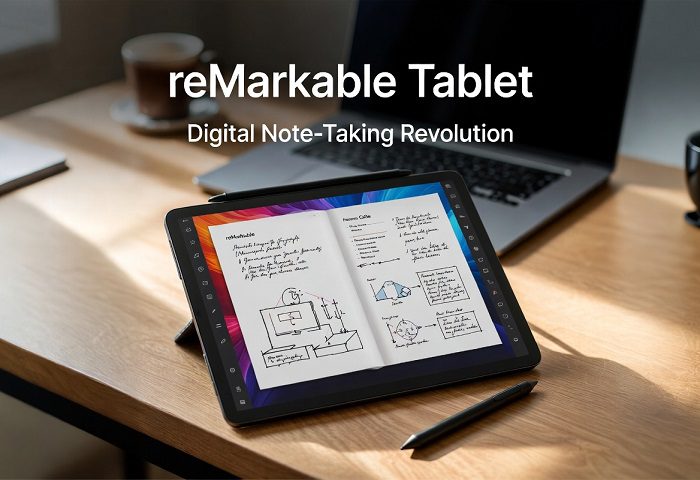
If you’ve spent any time scrolling through productivity YouTube channels, tech subreddits, or creative writing forums lately, you’ve almost certainly come across one name that keeps coming up: the reMarkable tablet. And for good reason. In a world absolutely saturated with shiny devices trying to do everything at once — stream, browse, game, message, and somehow also help you think — the reMarkable tablet dares to be different. It refuses to do it all. Instead, it does one thing with almost unreasonable excellence: it helps you write, sketch, and think on paper. Digitally.
This isn’t just another tablet review. This is a deep dive into why the reMarkable tablet has earned its name, who it’s genuinely made for, how the lineup has evolved from the original to the reMarkable 2 and the new Paper Pro, what the real-world experience feels like after months of daily use, and whether it’s worth your hard-earned money in 2025 and beyond.
Let’s get into it.
What Exactly Is the reMarkable Tablet?
The reMarkable tablet is a purpose-built e-ink writing device created by a Norwegian company of the same name. Unlike an iPad or an Android tablet, the reMarkable tablet does not run social media apps, stream video, or let you browse the web freely. It is, deliberately and by design, a distraction-free digital paper tablet. Think of it as the love child of a Moleskine notebook and a Kindle — except smarter, more organized, and infinitely expandable.
The core promise of the reMarkable tablet is simple: give knowledge workers, students, writers, lawyers, engineers, and anyone who thinks with a pen in their hand a digital surface that actually feels like paper. Not glass, not a slippery screen, not a plastic-y mess — real, high-friction paper. And remarkably (pun intended), the company has delivered on that promise in a way that very few tech companies ever manage to pull off.
At its heart, the reMarkable tablet uses E Ink display technology — the same underlying tech you’d find in a Kindle Paperwhite — but combined with an ultra-thin writing surface, a low-latency stylus system, and proprietary software that makes the whole experience feel shockingly analog. It is available in two main current models: the reMarkable 2 (priced at $399) and the reMarkable Paper Pro (priced at $700), with a newer portable variant called the Paper Pro Move launched in late 2025.
The reMarkable Tablet Writing Experience: The Real Selling Point
Before we get into specs and features, let’s talk about the thing that actually matters most about the reMarkable tablet: what it’s like to actually write on it.
The short answer? It is extraordinary.
The writing surface of the reMarkable tablet has a distinctive, slightly rough texture that creates real friction when your stylus moves across it. You hear a faint, satisfying scratch — almost like a pencil dragging across quality paper. The pen doesn’t glide like you’re writing on glass. It catches, it resists, it responds to pressure. The gap between the display and the surface itself is also unusually small, which means the ink appears to sit right under your tip rather than floating below a thick pane of glass the way it does on an iPad. This micro-gap matters more than you’d think; it’s the difference between feeling like you’re writing on something and feeling like you’re writing above something.
When compared to writing on an iPad with the Apple Pencil — even with a Paperlike screen protector — the reMarkable tablet is in a completely different league. The iPad writing experience has been generously described as “about 1% of the real pen-on-paper experience.” The reMarkable tablet, depending on the mode and stylus tip you choose, gets you somewhere between 80% and 99% of the way to genuine handwriting. That gap — from 1% to 80–99% — is the entire reason this device exists and why people spend $400 on it.
The stylus, called the Marker (or the Marker Plus which includes an eraser function), is light, balanced, and comfortable to hold for extended writing sessions. The Marker Plus has an actual eraser on the opposite end, just like a pencil, so you simply flip it and erase — no mode-switching, no toolbar navigation, just instinct. The newer Paper Pro models feature a magnetic charging system so the stylus wirelessly charges while attached to the side of the tablet, which is a genuinely clever design touch.
Remarkable 2 vs. Remarkable Paper Pro: Which Should You Choose?
The reMarkable tablet lineup currently offers two distinct tiers, and picking the right one depends heavily on your use case.
The reMarkable 2
The Remarkable 2 is the workhorse of the lineup — slim at just 4.7mm thick (making it the world’s thinnest tablet at time of launch), lightweight, and impressively functional. It features a 10.3-inch monochrome E Ink display. Everything on the screen appears in grayscale, much like a Kindle, but that’s not a limitation — it’s a deliberate design philosophy. There are no colors to distract you, no app icons begging for attention. Just white space and your thoughts.
The reMarkable 2 supports a wide range of digital writing tools: a ballpoint pen, fineliner, marker, pencil, mechanical pencil, paintbrush, highlighter, and calligraphy pen. Each tool behaves differently, with its own unique texture and ink style. The pressure and tilt sensitivity on the display means a light touch produces a thin line and pressing harder produces a bolder, thicker stroke — exactly like real writing instruments.
Handwriting-to-text conversion is one of the reMarkable 2’s most practically useful features. You write by hand, and the device converts your scrawl into clean, shareable text. You can then email it, sync it to Dropbox, Google Drive, or OneDrive, or export it as a PDF. The digital notebook system is also excellent — you create separate notebooks for different projects, drop them into folders, and navigate between them with swipe gestures. A Quick Sheet feature lets you jot something down in seconds without digging through your folder structure.
Cloud syncing is handled through the reMarkable Connect subscription, which runs at approximately $2.99/month (or roughly $30/year). The subscription includes unlimited cloud storage, access to desktop and mobile apps, and the ability to sync across devices. A free year trial is included with the device, giving you time to decide whether the subscription is worth it for your workflow.
Storage on the reMarkable 2 is modest — around 8GB — but since you’re not storing videos or apps, it stretches a surprisingly long way.
The remarkable Paper Pro
The Paper Pro is the flagship reMarkable tablet, and it justifies its $700 price tag in several compelling ways.
First and most importantly: it has a color E Ink display. The 11.8-inch screen supports nine distinct ink colors (plus blendable combinations), which transforms the experience for anyone who color-codes their notes, creates diagrams, illustrates, or annotates documents with multiple highlight colors. The Paper Pro was also reMarkable’s first device to include a front-lit display with an adjustable reading light, making it practical for evening note-taking or reading in bed.
Beyond color, the Paper Pro is simply faster. Writing latency drops to just 12 milliseconds (compared to 21ms on the reMarkable 2), which makes the response feel genuinely instantaneous. Storage jumps to 64GB, navigation is snappier, and the overall user experience feels noticeably more polished. Charging time is also improved — 90 minutes to full instead of 120 minutes.
One particularly clever feature on the Paper Pro is how highlights respond to the Select tool. When you circle and move handwritten text, any highlighting you’ve applied to that text moves with it. It’s a small detail, but it reveals the kind of thoughtful software design that makes the reMarkable tablet feel like it was built by people who actually use it.
The Paper Pro Move: Pocket-Sized Productivity
Late 2025 saw the introduction of the reMarkable Paper Pro Move, a more compact version of the Paper Pro designed to fit in a jacket pocket or cargo pocket. Measuring 195.6 x 107.8 x 6.5mm, it’s only slightly larger than an A6 notebook. It retains the same performance specs as the larger Paper Pro — 64GB storage, 12ms writing latency, and up to two weeks of battery life — in a much more portable form factor. For anyone who wants the full reMarkable tablet experience in something they can carry everywhere, the Move is an exciting option.
Key Features of the remarkable Tablet at a Glance
The reMarkable tablet lineup shares several core features that define the experience across all models:
E Ink Display Technology: The E Ink screen is easy on the eyes, completely flicker-free, and readable in bright sunlight without glare. Unlike LCD or OLED displays, E Ink does not emit blue light in the same way, making extended reading and writing sessions significantly more comfortable. The experience is visually close to reading ink on actual paper.
Distraction-Free Design: The reMarkable tablet does not run third-party apps. There is no social media, no YouTube, no notification system constantly interrupting your focus. This is a deliberate product philosophy: in a world of devices engineered to hijack your attention, the reMarkable tablet is engineered to protect it.
Document Management and Annotation: The reMarkable tablet makes it easy to upload PDFs and ePub files from your computer or phone via the companion apps, then annotate them directly on the device. Lawyers, academics, editors, and anyone who reviews documents regularly will find this workflow genuinely transformative. The ability to search your handwritten notes, highlight sections, and export annotated documents makes the reMarkable tablet an incredibly capable professional tool.
Page Templates: The reMarkable 2 and Paper Pro include over 47 page templates, including lined notebooks, dot grid, day planner, storyboard layouts, guitar tablature, and blank canvas. These templates make the reMarkable tablet useful for a staggering variety of tasks — from academic note-taking to music composition to project planning.
Scrolling Canvas: Rather than forcing you to work within fixed page boundaries, the reMarkable tablet offers a scrolling canvas that extends infinitely downward. You can also pinch and zoom on your notes, which is particularly useful for detailed sketching or when you need to fit more information into a specific area.
Magnetic Stylus Attachment: Both the reMarkable 2 and Paper Pro include a magnetic strip on the right side of the device that holds the Marker securely when not in use. You’ll never lose your stylus behind a couch cushion again.
Cross-Platform Sync: The reMarkable tablet syncs seamlessly with Windows, macOS, iOS, and Android through dedicated apps. Notes appear on your other devices almost instantly — typically within about three seconds.
Who Is the remarkable Tablet For?
The reMarkable tablet is genuinely remarkable (last one, I promise) in how clearly it knows its audience. It is not trying to replace your laptop or your smartphone. It is not competing with the iPad for multimedia supremacy. It is built for a specific kind of person, and for that person, it’s almost perfect.
Professionals and Knowledge Workers: If you spend your days in meetings, taking notes, reviewing documents, or brainstorming on whiteboards, the reMarkable tablet transforms that experience. The ability to write naturally, organize notes into digital notebooks, and instantly share or export your work makes it an exceptional business tool. Legal professionals in particular have found it ideal for reviewing discovery documents and case notes.
Students: The reMarkable tablet is a game-changer for students who prefer handwritten notes but struggle to stay organized across multiple subjects. The folder and notebook system makes staying organized effortless, and the handwriting-to-text feature makes study guides and summaries dramatically faster to produce.
Writers and Creatives: Many writers find that the act of handwriting unlocks a different kind of thinking — more associative, more fluid, less self-editing. The reMarkable tablet gives writers a dedicated space to draft, outline, and brainstorm with a pen in their hand, while still keeping everything searchable and organized.
Minimalists and Focus-Seekers: If you struggle with screen time, digital distractions, and the constant pull of social media, the reMarkable tablet offers something genuinely rare: a screen that doesn’t fight you for your attention.
What the remarkable Tablet Doesn’t Do (And Why That’s a Feature)
It’s worth being direct about the reMarkable tablet’s limitations, because they’re real — but they’re also intentional.
The reMarkable tablet does not support third-party apps. There’s no Spotify, no web browser for casual browsing, no Netflix, no Slack. If you need those things, you need a different device. The display on the reMarkable 2 is monochrome, which means no color unless you upgrade to the Paper Pro. Reading novels or long-form content is possible, but the reMarkable tablet is not as refined an e-reader as a dedicated Kindle — it lacks a warm-tone reading light on the base model and doesn’t offer the same library ecosystem.
Battery life is excellent on all models — the two-week claim holds up well in real-world testing, with roughly 4–5% drain per hour of active use. However, enabling Wi-Fi adds additional battery consumption, something worth knowing for heavy cloud sync users.
None of these are flaws. They are the product philosophy made manifest: do fewer things, do them better.
reMarkable Tablet vs. The Competition
The reMarkable tablet doesn’t exist in isolation. How does it stack up against its closest competitors in the e-ink writing tablet space?
vs. Kindle Scribe: Amazon’s Kindle Scribe offers a larger library ecosystem and a more polished reading experience for books, but the note-taking software lags significantly behind the reMarkable tablet. The writing experience, while good, doesn’t match the friction and feel that the reMarkable tablet delivers. For pure note-taking, the reMarkable tablet wins clearly.
vs. BOOX Note Air 3: The BOOX line runs full Android, meaning you can install third-party apps — including Google Drive, Notion, and even basic web browsing. This makes BOOX more flexible, but flexibility is a double-edged sword. The distraction-free focus that defines the reMarkable tablet experience evaporates the moment you can install Instagram. For those who want a more controlled, purposeful environment, the reMarkable tablet remains the better choice.
vs. iPad with Apple Pencil: The iPad is a fundamentally different product category — it can do everything a computer can. But for handwriting, it is simply not in the same class as the reMarkable tablet. The glass surface, the visual complexity of iOS, and the proximity to every app you own make deep focus writing sessions on an iPad significantly harder to achieve.
Setting Up and Living With the reMarkable Tablet
Getting started with the reMarkable tablet is refreshingly simple. The device ships with a standard Marker stylus, and the setup process takes about ten minutes — connect to Wi-Fi, create a reMarkable account, and you’re ready to write. The companion apps for desktop and mobile are clean, fast, and reliable.
Over time, the reMarkable tablet tends to embed itself into your daily workflow in unexpected ways. You start taking it to meetings instead of a legal pad. You upload the PDFs you need to review. You create a “Morning Pages” notebook for journaling. The more you use it, the more tasks you find it handles beautifully — not because it’s trying to expand, but because focused, high-quality tools tend to earn trust gradually and thoroughly.
Accessories are worth budgeting for. The Folio cases run from $70 to $140 depending on material, and the Marker Plus with eraser adds functionality worth having. Plan on spending $450–$600 total for a well-equipped reMarkable 2 setup, or $700–$900 for the Paper Pro with a folio.
Final Verdict: Is the reMarkable Tablet Worth It in 2025?
The reMarkable tablet is not for everyone. If you want a device that does everything, this isn’t it. But if you want a device that helps you think more clearly, write more naturally, stay more focused, and organize your ideas more effectively — the reMarkable tablet is, without serious competition, the best tool available for exactly that.
The reMarkable 2 is the right choice for most people: an affordable, proven, elegantly minimal digital paper tablet with a writing experience that continues to impress after years on the market. The Paper Pro is the right choice for those who want color, better lighting, and the absolute top-tier experience the reMarkable tablet platform can offer. And for those who want it all in their pocket, the Paper Pro Move is a genuinely exciting new direction for the lineup.
In a technology landscape obsessed with more — more features, more apps, more notifications, more everything — the reMarkable tablet is a bold and beautiful argument for less. And in 2025, that argument has never felt more necessary.
Frequently Asked Questions About the reMarkable Tablet

Does the reMarkable tablet require a subscription?
Can you read books on the reMarkable tablet?
How long does the reMarkable tablet battery last?
Does the reMarkable tablet work offline?